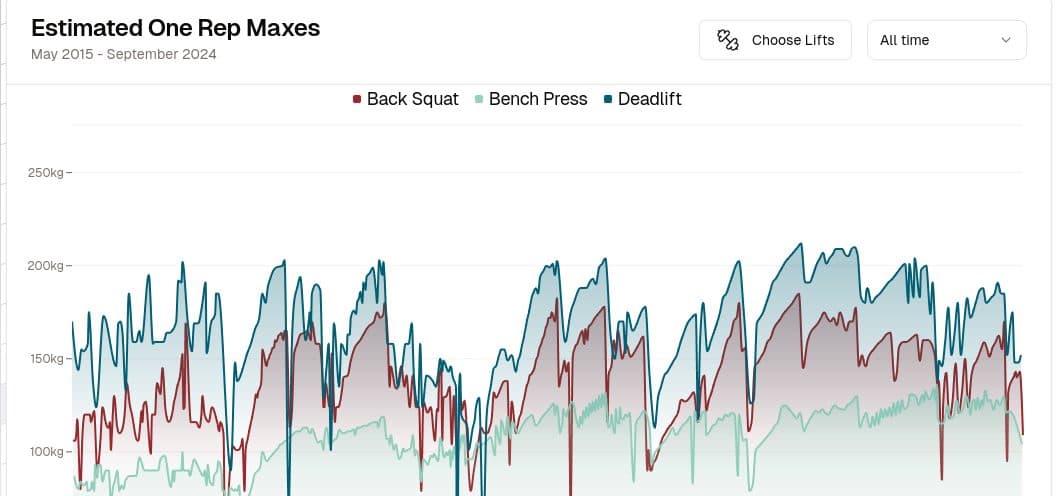
Getting the Most out of the Strength Journeys Home Dashboard
The Strength Journeys Home Dashboard turns your linked Google Sheet into weekly, monthly, and long-term training feedback. Available to signed-in users.
4 min read
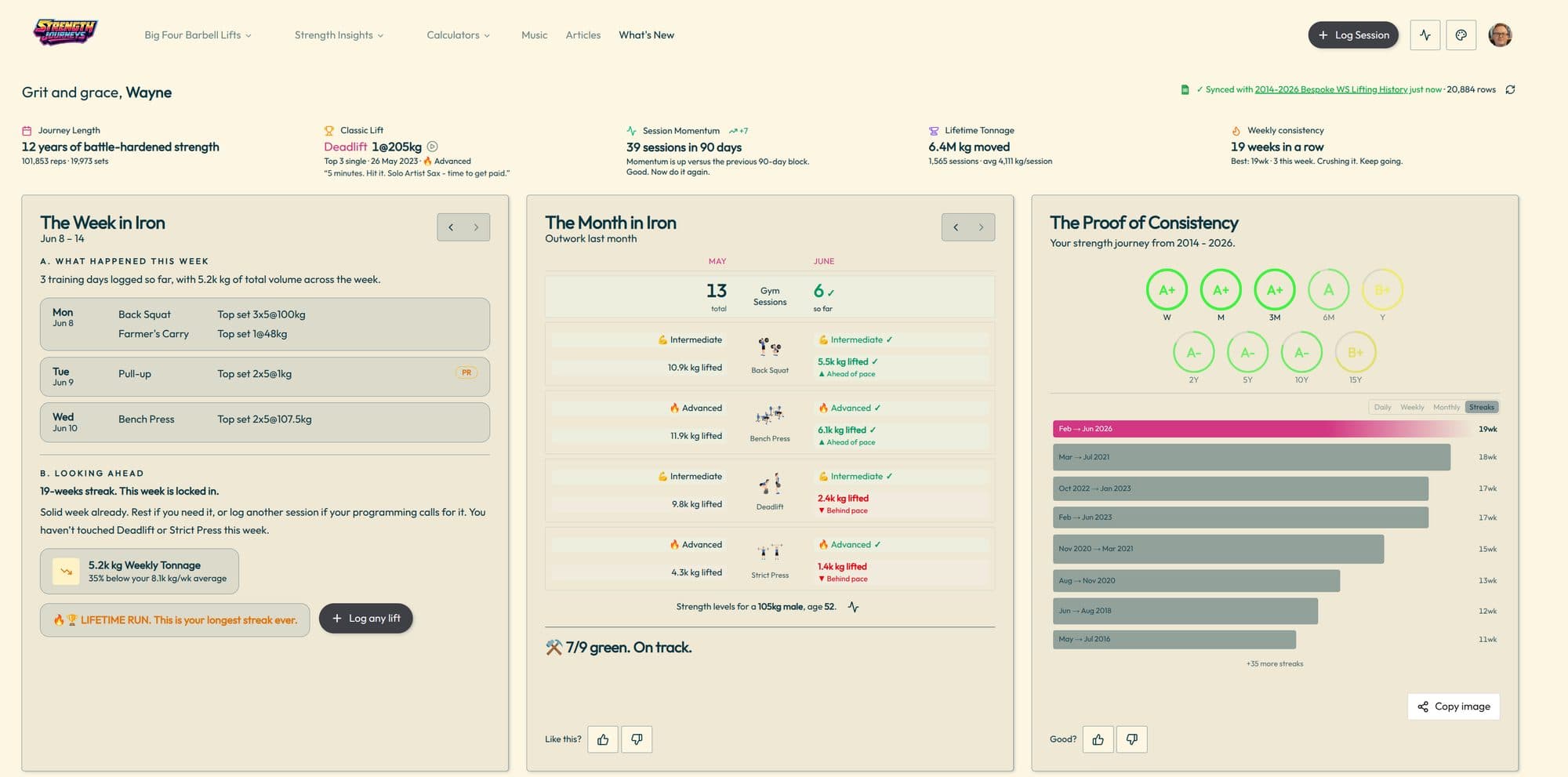
The Strength Journeys Home Dashboard is the first screen you see once you are signed in and your lifting history is connected. It is not a public feature page. Guests still see the landing page; authenticated users with a linked Google Sheet or saved imported data get the live dashboard.
That distinction matters. The dashboard is not trying to sell you on strength tracking in the abstract. It is trying to answer a simpler question: what does your own training log say right now?
What the Home Dashboard does
The Home Dashboard reads your lifting history, processes the rows, and turns the raw log into a few useful signals: what happened this week, how the current month compares with last month, and what your long-term consistency looks like.
It works best when Strength Journeys has real history to read. A brand-new lifter gets a quieter first-week experience. A lifter with years of sessions unlocks more personality, more comparisons, and more proof that the work has been stacking up.
It starts with your data source
At the top of the dashboard, Strength Journeys shows whether your Google Sheet is synced, when it was last read, and how many rows were processed. You can refresh the sheet manually when you want the latest session pulled in.
If you trained somewhere else first, use Import Data to bring in exports from apps or spreadsheets and merge that history into one timeline.
The quick read: five small signals
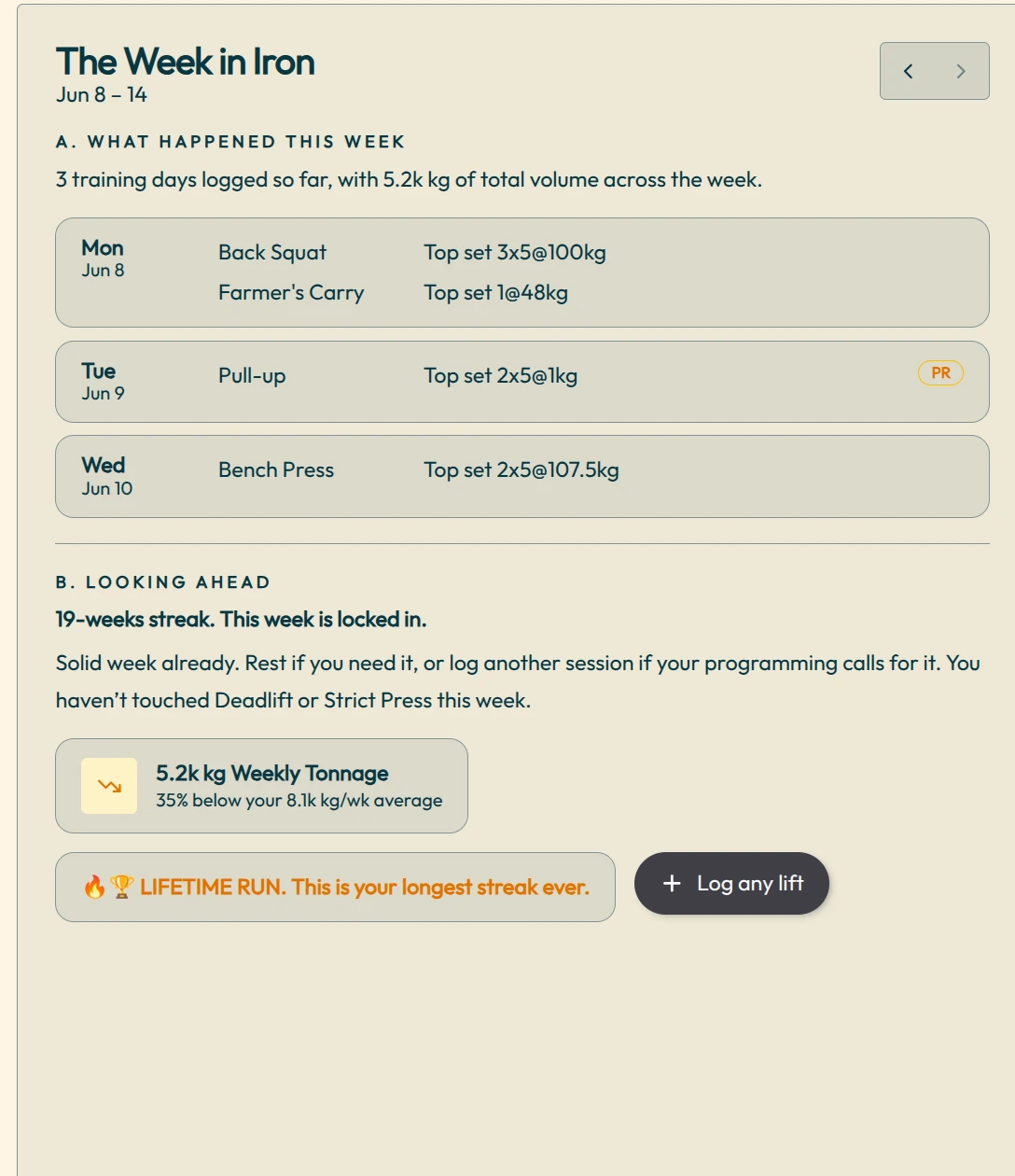
For established users, the row of compact cards gives you a fast read before you scroll into deeper tools.
- Journey Length shows how long your log has been running, plus total reps and sets.
- Classic Lift pulls out a memorable Big Four lift from your history, with bodyweight and strength-standard context when your athlete bio is set.
- Session Momentum compares your last 90 days with the previous 90-day block.
- Lifetime Tonnage totals how much weight you have moved and the average tonnage per session.
- Weekly Consistency shows your current streak, your best streak, and whether this week is still alive.
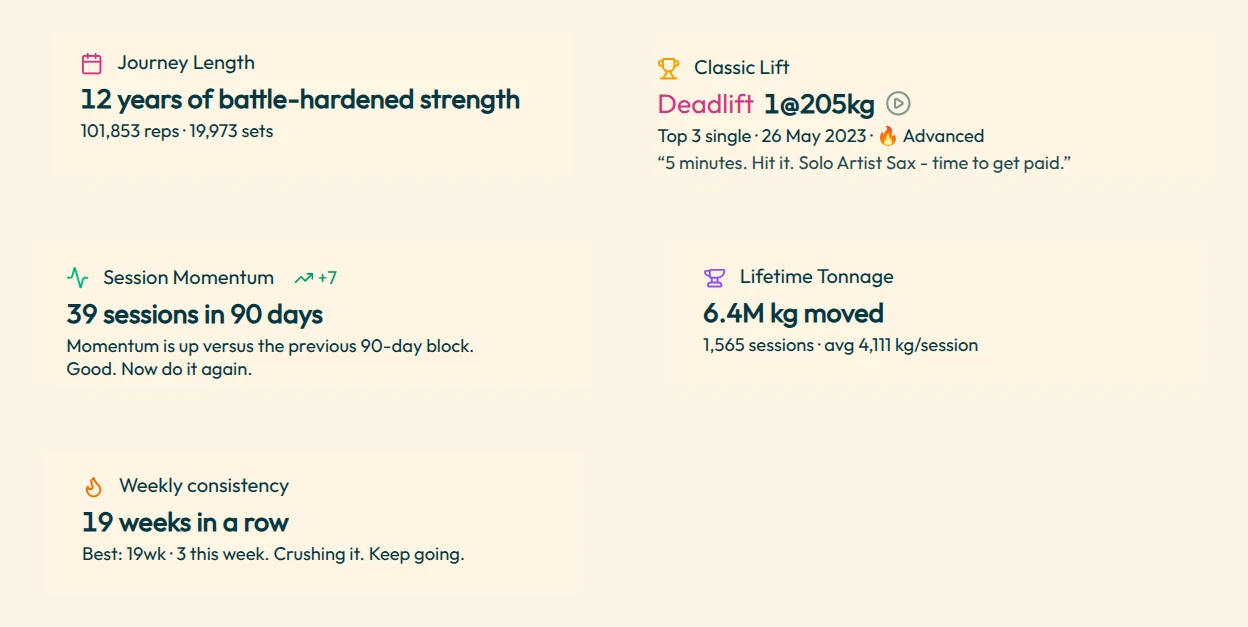
The Week in Iron
The Week in Iron is the immediate coaching card. It summarizes the current week, lists training days, shows the top sets that matter, highlights PRs, and points out what you have not trained yet.
This is the card to check when you want to know whether the week is on track. It can tell you the week is already locked in, or that your tonnage is lagging behind your usual pace. Either way, it gives you something concrete to do next.
The Month in Iron
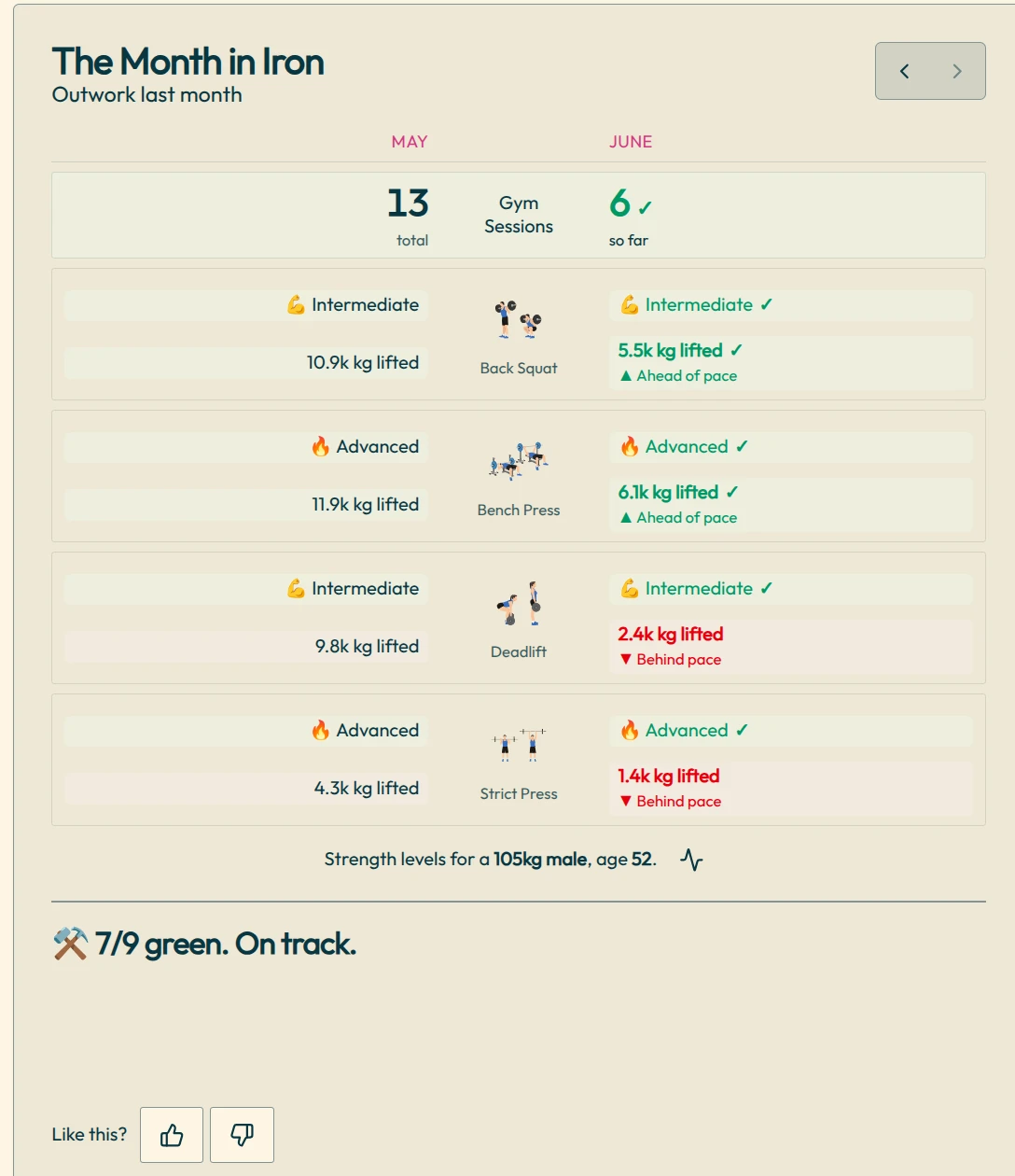
The Month in Iron zooms out one level. It compares the current month against the previous month across gym sessions, Big Four tonnage, and lift-by-lift progress.
Instead of judging training by vibe, you can see whether squat, bench, deadlift, and strict press are ahead of pace or behind pace. It is especially useful when you feel busy but want to know whether the actual work is moving forward.
The long game
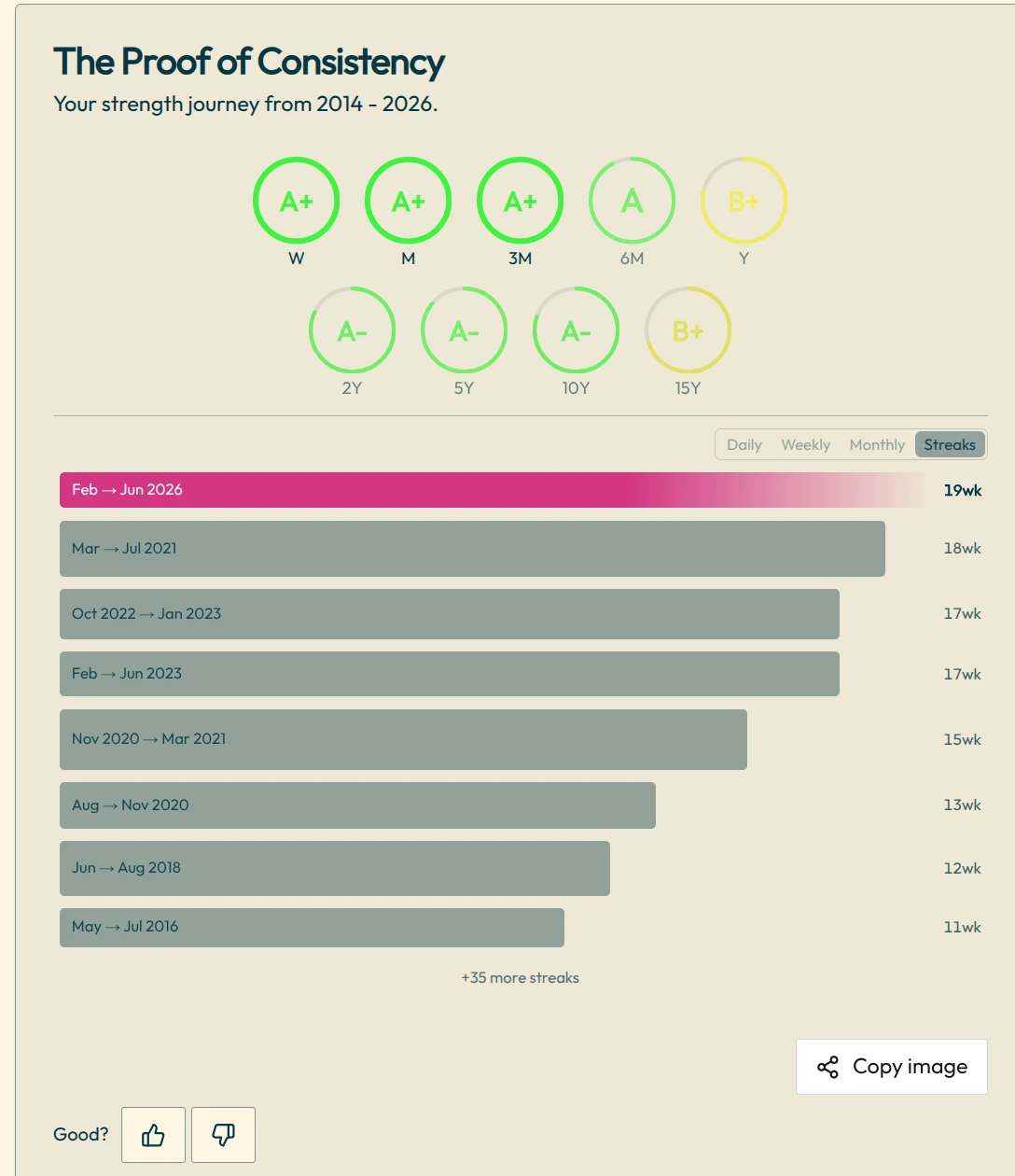
The long-term card changes its language as your history grows. Early on, it is a training overview. After years of logging, it becomes the proof of consistency: weekly, monthly, yearly, and streak views that show the shape of your training life.
This is where the dashboard earns its keep for long-time lifters. A decade of sessions is hard to feel day to day, but it is obvious when the calendar, streaks, and heatmaps are sitting in front of you.
The Big Four cards sit underneath
The dashboard does not end with the three headline cards. Underneath, Strength Journeys keeps the Big Four barbell lifts close: squat, bench press, deadlift, and strict press. For users with enough history, those cards become personalized with stronger stats and links into deeper lift-specific views.
When you want the full lift-by-lift breakdown, open Lift Explorer for PRs across rep ranges, lift history, frequency, and long-range progress.
Who can use it?
The Home Dashboard is only for authenticated Strength Journeys users. You need to sign in with Google and either connect a Google Sheet or save imported lifting data so the dashboard has a real log to analyze.
Once that is done, log new sessions with Log & Session Browser or keep updating your own sheet. The dashboard will keep turning that history into weekly feedback, monthly pressure, and long-term perspective.
How to get the most out of it
- Log sessions consistently, even when the session is ordinary. The ordinary sessions are what make the trend useful.
- Check The Week in Iron before the week is over, not after. It is built to help you course-correct while there is still time.
- Use The Month in Iron to spot neglected lifts before a whole training block drifts.
- Treat the long-term card as evidence. If you have been showing up for months or years, let the dashboard remind you.
Strength Journeys is built around a simple belief: your lifting history is worth owning. The Home Dashboard is where that history starts talking back.