What's New in Strength Journeys

What has landed lately, newest first.

Your strength story, and an AI coach you can choose

Updates from September 15 to September 26.

How Strong Am I? Is Now Your Strength Story

How Strong Am I? reads like a sentence about you now: "I am a 30 year-old male weighing 200lb. My bench press is 155lb." Drag the sliders and the story, the rings and your percentile all move together, with no boxes to type into.

The rings are bigger and count up as they fill. Each group unlocks in turn, from the general population through gym-goers and barbell lifters to powerlifting culture, once you clear the ring outside it. Share a link and whoever opens it sees your ratings straight away, and a total close to 1000lb links through to the 1000lb Club calculator.
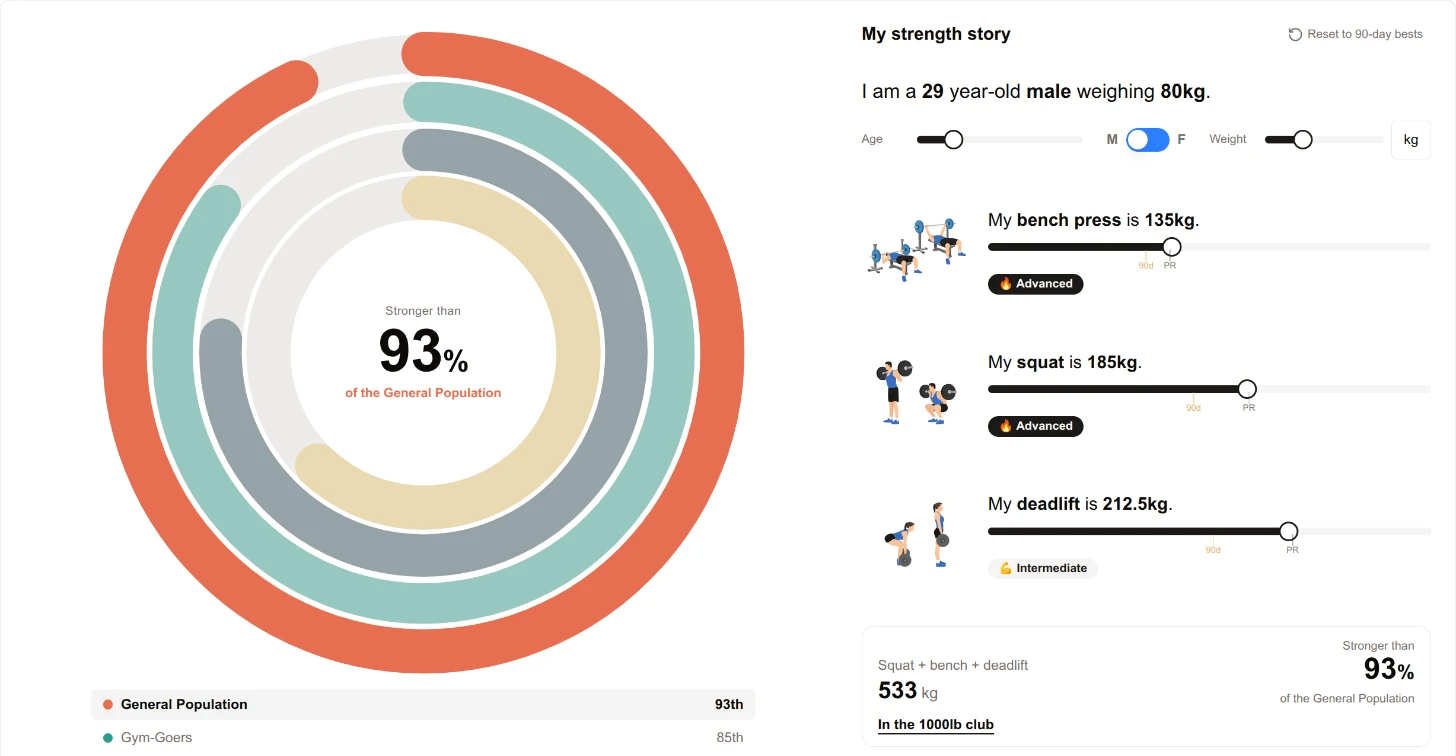
How Strong Am I? strength story with all four rings unlocked
Twelve years of lifting, told as a story

Pick Your AI Coach

The AI Lifting Assistant has a model switcher in the chat header. GPT-6 Luna is the new default, and Grok 4.20 is there for everyone too. GPT-5.6 Luna and GPT-6 Sol are one Google sign-in away. The switcher also shows which prompt version your coach is running, and a copied answer carries a source line naming the model and prompt version.
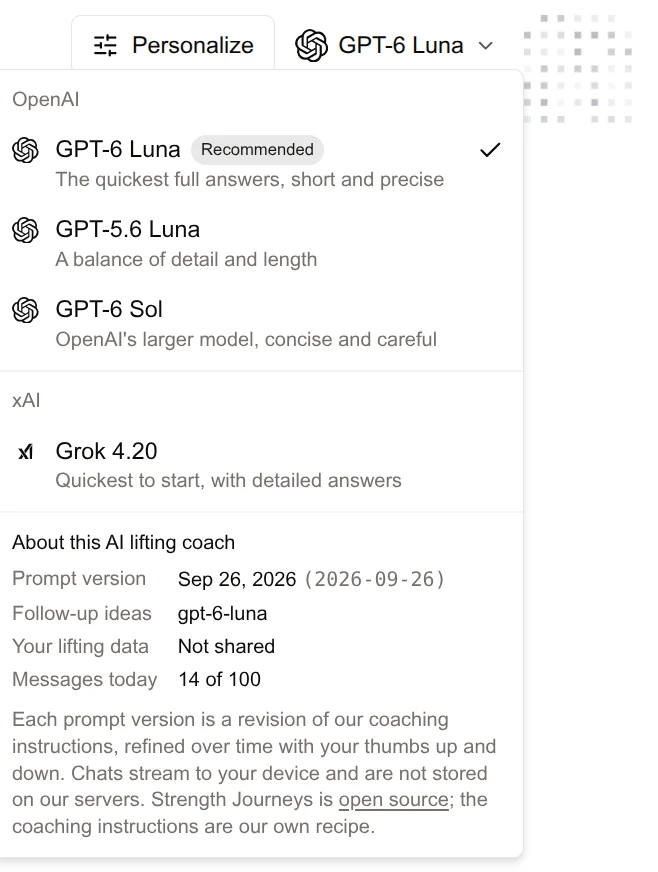
The AI model switcher open in the chat header
Pick your coach from the chat header

The AI Coach Sees More of Your Training

The Strength Journeys AI Coach now reads your last 20 sessions, with up to 12 sets per lift from your latest one, so a PR set is never hidden behind its warm-ups. It also knows how many sessions you have done this month for each main lift, so "review my month" gets the whole month.

Answers read better too. Every lift with a guide is linked the first time it comes up, tables render properly again, and follow-up suggestions arrive faster. Give any reply a thumbs up or down and it helps shape the next prompt version.

Take Any Chart to Any AI

We want to support AI in your training as much as possible, and as transparently as possible. Our own AI features keep getting stronger, and we also make it easy to take your training to whichever AI agent you prefer.

Progress charts, tonnage charts and the Long Game card each have one compact control. Ask the AI Coach to review exactly what that chart shows, or copy the chart as an image or as text and paste it into any AI agent you like. Copied images leave the buttons behind and carry a small Strength Journeys signature, so they are ready to share with a coach, a friend or a forum too.
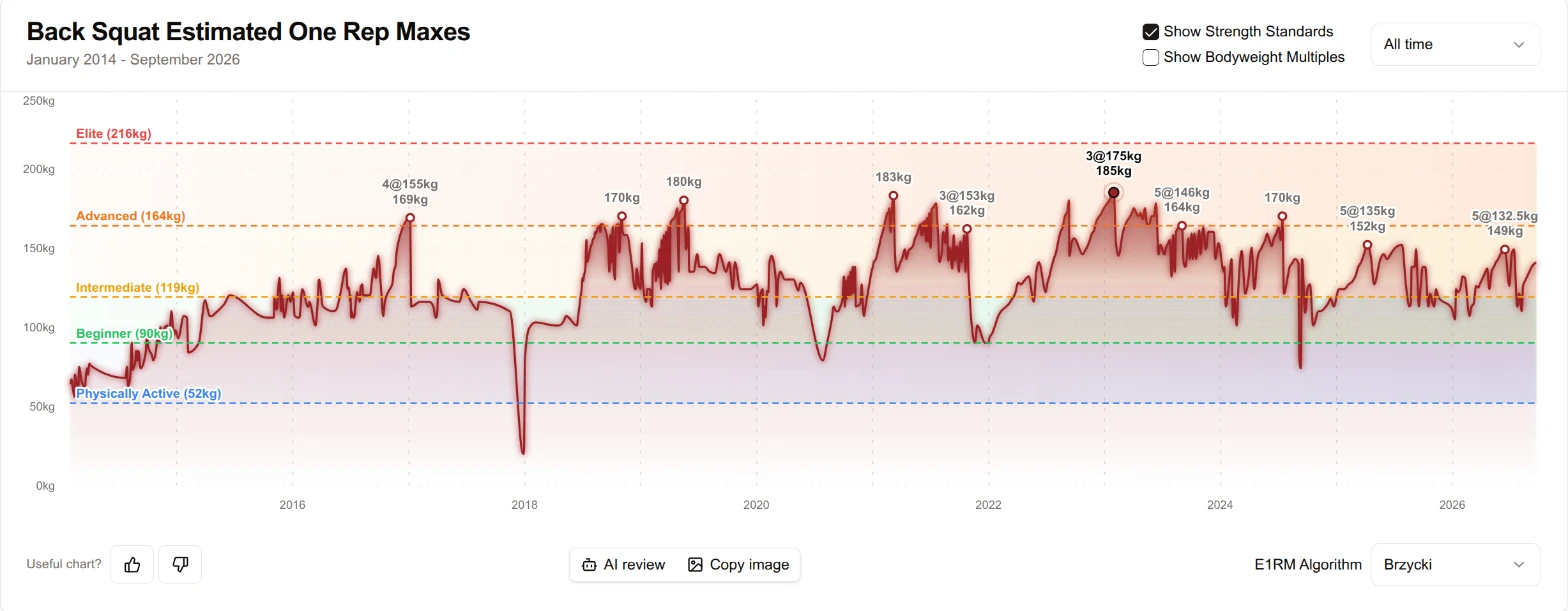
Back squat estimated one rep max chart with AI review and copy image buttons
AI review and Copy image sit under every progress chart

Charts You Can Read With a Tap

Hover or tap a point on a progress chart and the tooltip shows the sessions behind it, without leaving the page. On a touchscreen a tap is for reading, and the session opens only when you ask. Fresh records say Today or Yesterday and get a tint, so a new PR stands out.

On lift guides, the strength circles reveal one ring at a time as you cross each threshold, so there is always a next one to chase.

Big Four Variations Count Toward The Month in Iron

The Month in Iron is there to help you get volume in the Big Four consistently, every month, for life, because that steady work is the key to longevity. Now variations of the Big Four count toward those monthly volume targets too. A front squat fills the squat row, a rack pull adds half its tonnage to the deadlift, and each row says which variations it includes.

The push press, sumo deadlift and paused bench press also have their own drawings now.
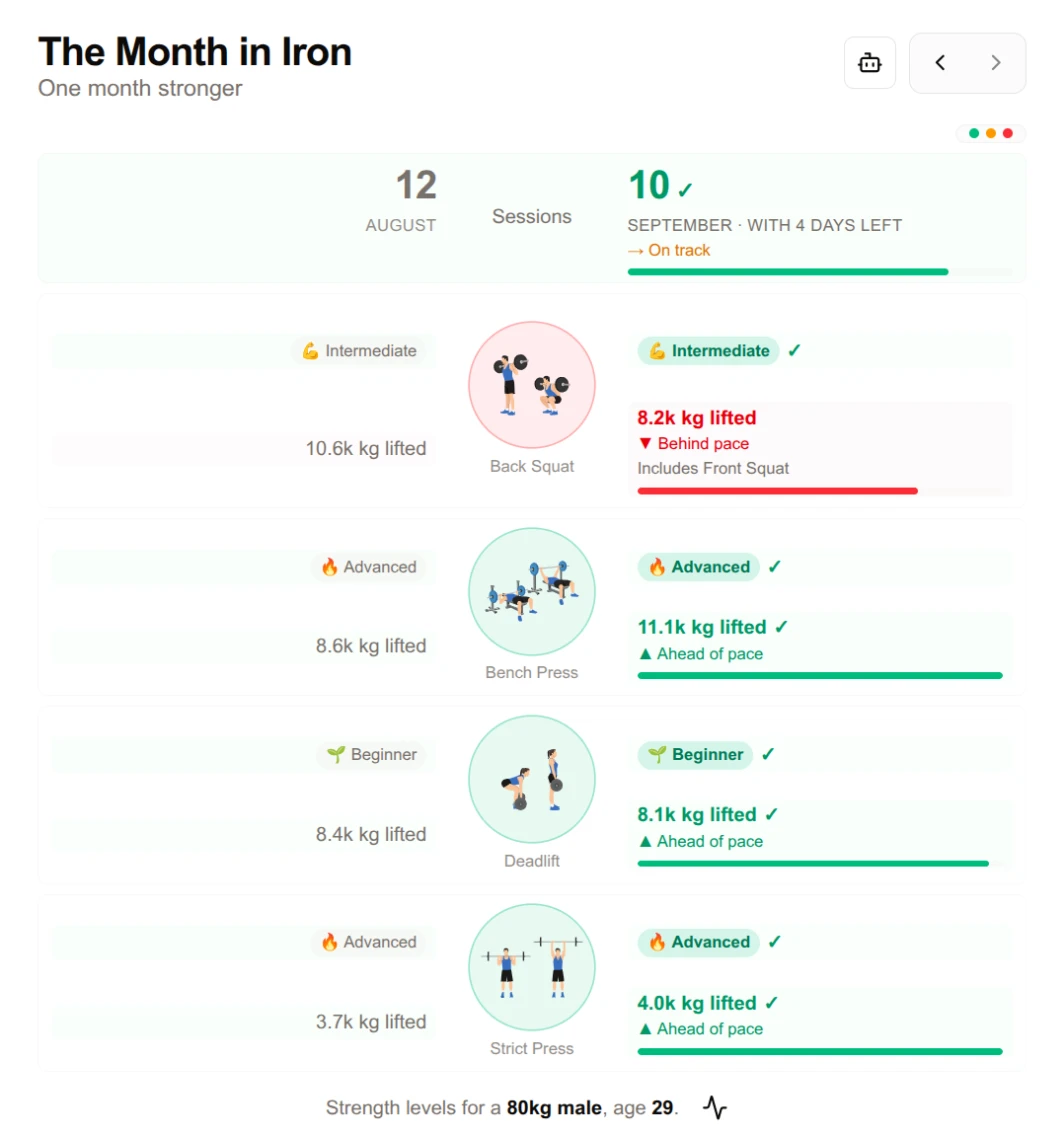
The Month in Iron with a squat row that includes front squats
Front squats now count toward the squat row

Articles With a Fresh Look

The article library opens with a photo-led featured section, and every article has a new editorial layout: a big title, the cover image full width, captioned figures, pull quotes, a reading progress bar and related articles picked by topic.

Importing

  • FitNotes exports can be imported, in kilograms or pounds.
  • Real StrongLifts 5x5 exports are read correctly, dates in the right order.
  • Every importer reads decimal commas, so 82,5 is 82.5.
  • Your own sheet copes with common typos: a stray apostrophe, "g" for kg, or a weight range is read the way you meant it, and rows logging a run or a body measurement are left out instead of becoming pounds.
  • Dumbbell and machine sets stay out of the Big Four.
  • The import page loads instantly instead of showing a spinner.

What's New Lives Here Now

You are reading it. The changelog has moved onto Strength Journeys itself, and a small dot on What's New in the menu tells you when there is something you have not seen. Got an idea for the next update? The card at the bottom of this page sends it straight to us.

Under the Hood

  • Next.js has the September security patch.
  • The code is now licensed under the AGPLv3, so anyone who runs a changed copy of Strength Journeys as a website has to share their changes too. Article text is CC BY-SA 4.0.

Keep lifting!
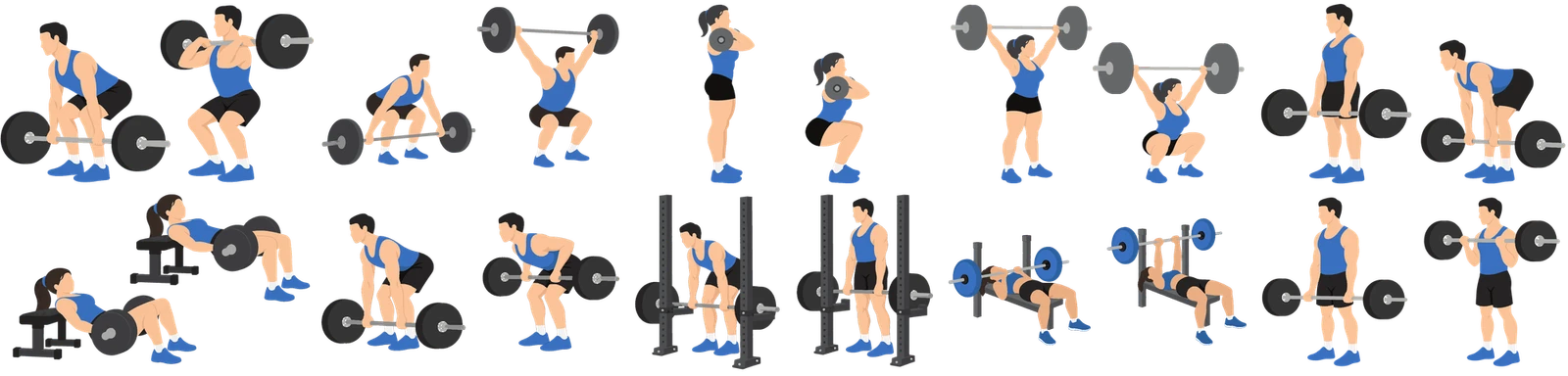
A drawing for every lift, and a Lift Explorer directory

A Drawing for Every Lift

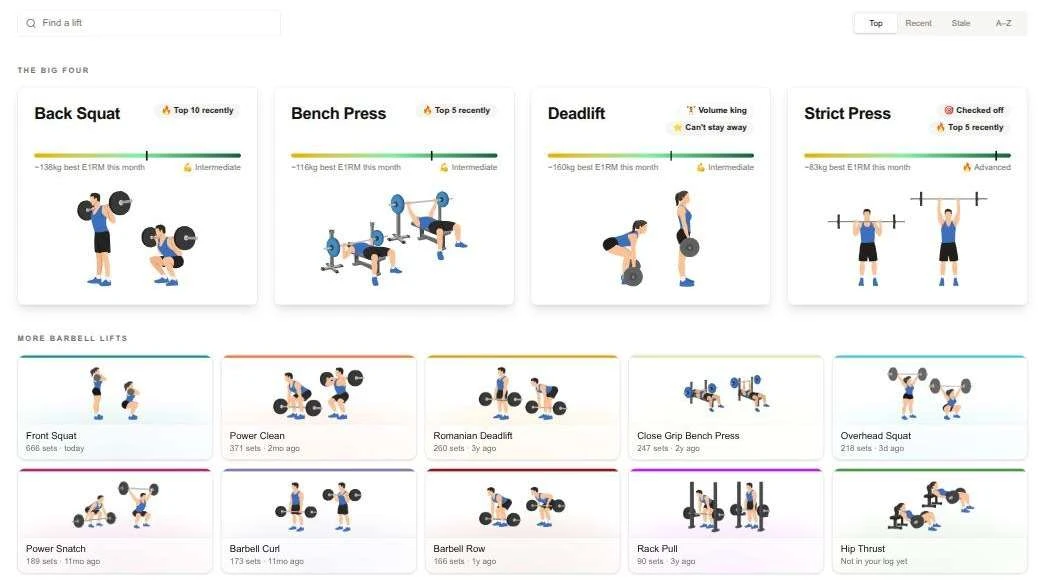
Ten more lifts have their own artwork: the power clean, power snatch, front squat, overhead squat, Romanian deadlift, hip thrust, barbell row, rack pull, close grip bench press and barbell curl. They join the Big Four across the log, the Lift Explorer and the homepage, and on dark themes each drawing sits on a wash of its lift colour so it stays crisp.

The ten new lift drawings

The Lift Explorer, Now a Directory

The Lift Explorer opens as a page of tiles. Your Big Four cards lead, every drawn lift follows as an illustrated tile with your set count and when you last trained it, and everything else you log lists below. Search it, or switch between Top, Recent, Stale and A-Z to find the lift you want. Every tile opens that lift's own guide.

Lift Explorer

Lift Guides for Ten More Lifts

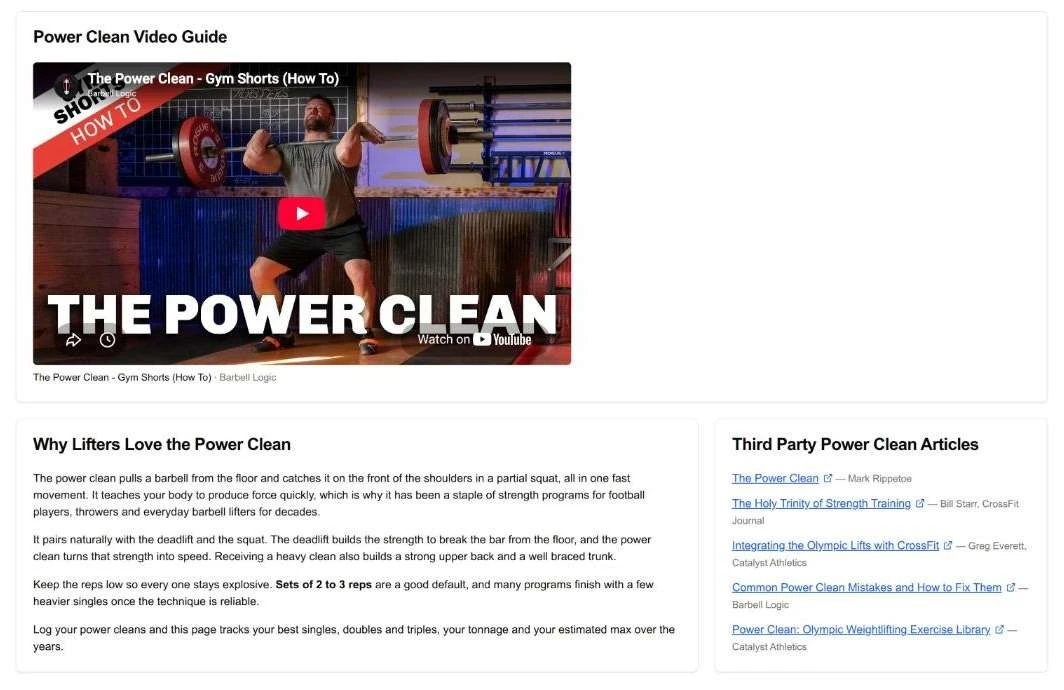
Every drawn lift now has a full guide, just like the Big Four. Each one opens with a plain sentence describing a full rep, then form cues, coaching videos, why lifters love it, a coaching quote from the likes of Mark Rippetoe, Bill Starr, Greg Glassman or Bret Contreras, and hand-picked free reading from Starting Strength and the CrossFit Journal. Your own progress for that lift sits right alongside, and any other lift in your log gets an analysis page of its own too.

Power Clean guide

Sparklines in Your PR Cards

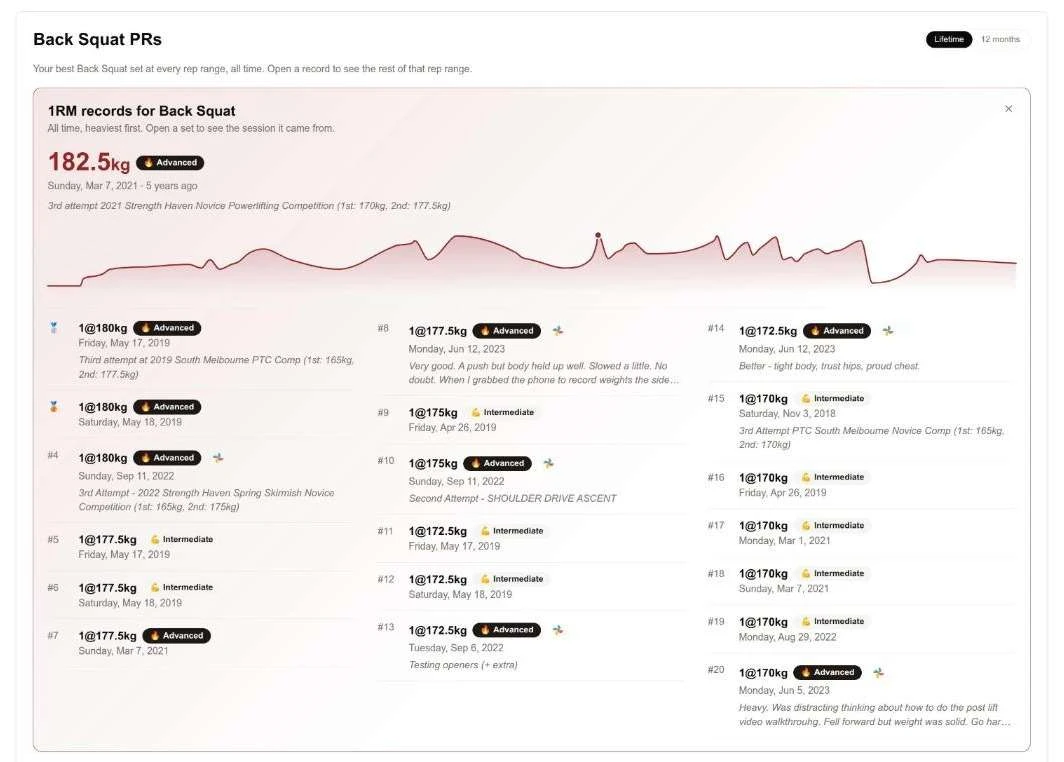
Open any rep-range PR card on a lift page and it now draws your best set at that rep count across the years, with the record marked. Long histories group into weeks or months and keep the heaviest set of each, so the line reads as a trend. Hover a point to see the set, its day and how many sessions it topped. The rest of that rep range's records spread into columns on wide screens, with your notes from the day, and the whole card follows the Lifetime or 12 months toggle.

Back Squat 1RM records

Keep lifting!

Lift pages rebuilt, and themes you earn

Your Lift Pages, Rebuilt

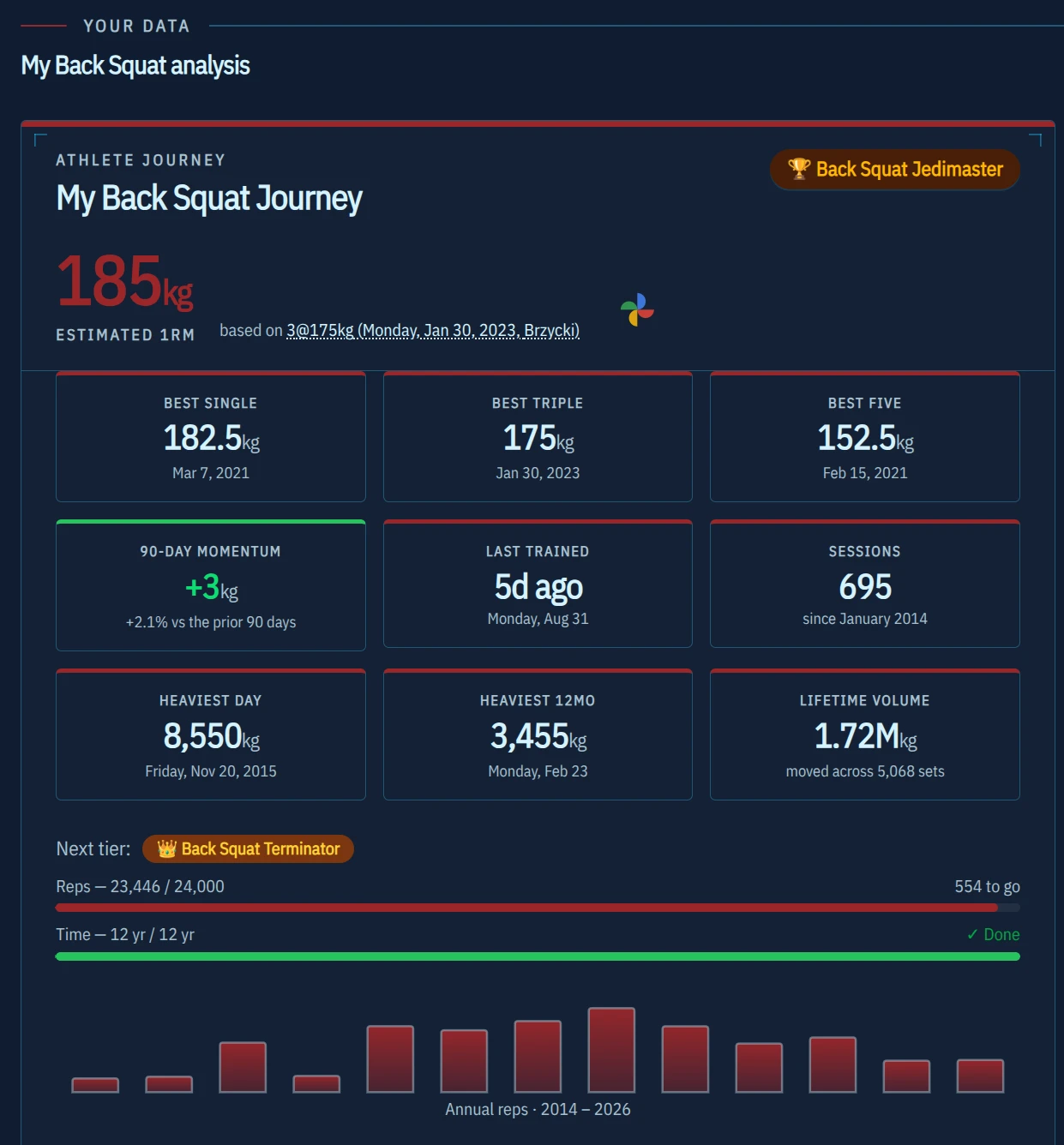
The Big Four pages now open with a hero and lead with your estimated 1RM, bodyweight ratio, 90-day momentum, last trained and lifetime volume. Rep-range PRs became a trophy cabinet showing the set itself: the day, your note, the clip and the way back to that session in the log.

Back squat lift page hero with estimated 1RM, momentum and lifetime volume

The Long Game Dashboard

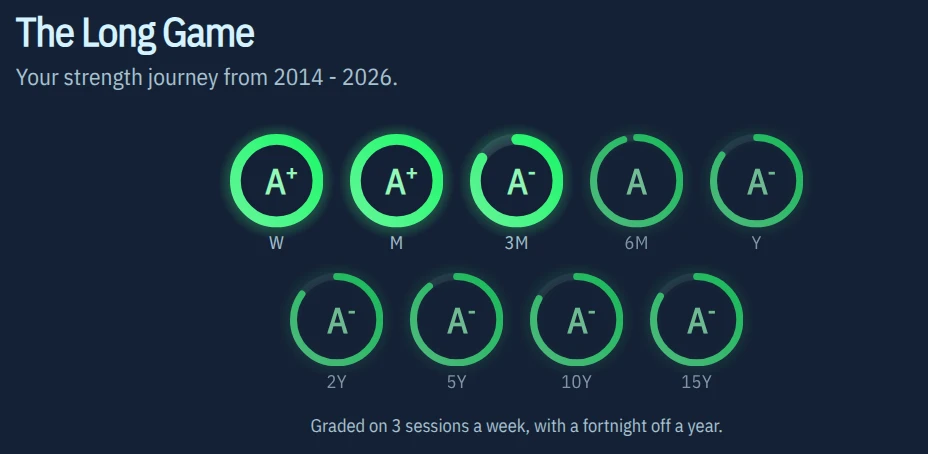
The consistency rings sweep in on a stagger, grade every window over the part of it your log actually covers, and now ask for three sessions a week with a fortnight off a year. A window with no sessions draws a bed, because rest is the half of training that happens lying down.

The Long Game consistency rings graded from weekly to 15 years

Calculators

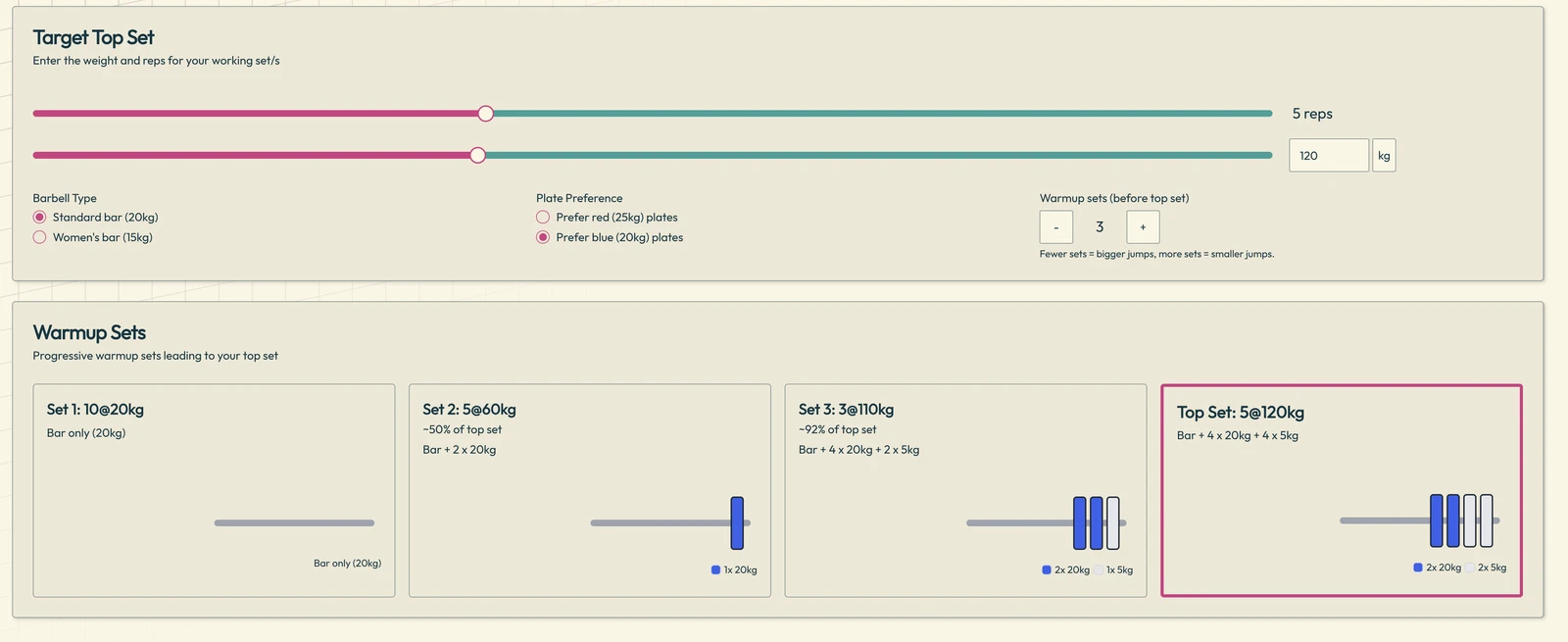
Warm-up sets, the gorilla comparison, plate milestones and the strength clubs all have share links now, and every card names the set and formula behind its number. Warm-up plate diagrams are physically honest, with true competition colours, real proportions, and a loader that uses 31% fewer discs.

Getting Started

Signing in without a linked sheet lands on a home of your own, which asks whether your history lives somewhere else or you are starting from nothing. The setup dialog now says what it is doing at each step and links the spreadsheet it just made for you.

AI Lifting Assistant

The assistant is considerably quicker, with the first words arriving in well under a second. Suggested follow-up questions arrive on their own, so the chat is ready for your next question the moment the answer lands.

Year in Review

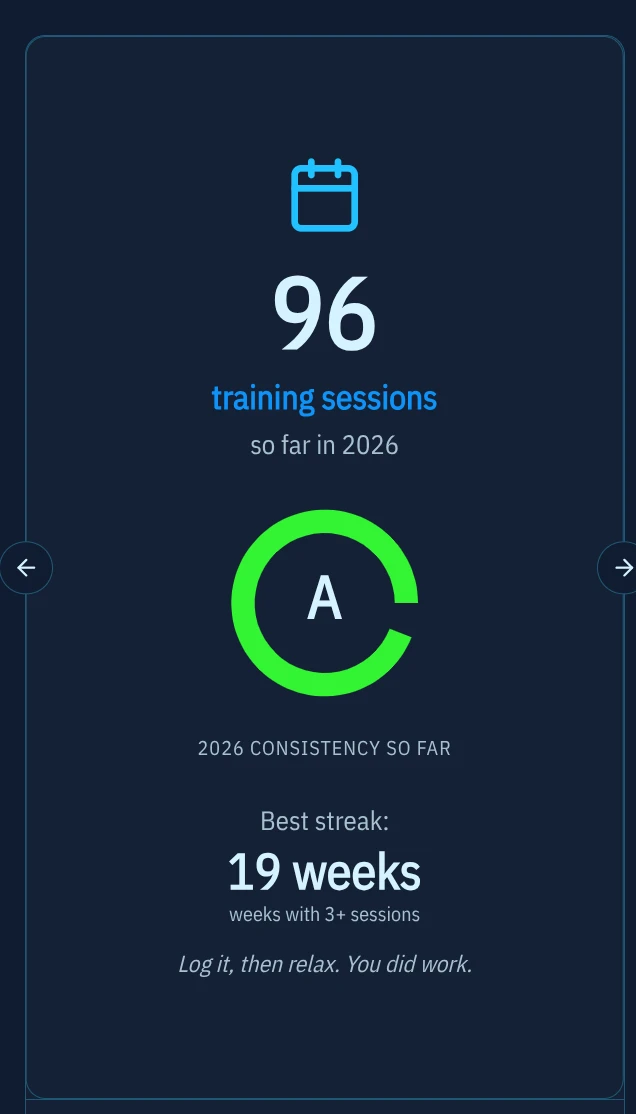
On a wide screen the whole deck lays out as a contact sheet, so eight clicks becomes one glance. Sharing leads with your phone's own share sheet, with copy, save and a text summary behind a menu, and images export story-native at 1080x1920.

Year in Review slide showing 96 training sessions and a 19 week best streak

Themes You Earn

The reward ladder was rebalanced so every rung means real training, landing at roughly 1, 3, 5, 7, 9, 11, 13 and 15 weeks of a modest three sessions a week. Starry Night gained a proper Van Gogh feel, Retro Arcade's warp tunnel is visible at last, and Neo Brutalism Dark takes a new top rung.

A Gym Timer That Counts Up

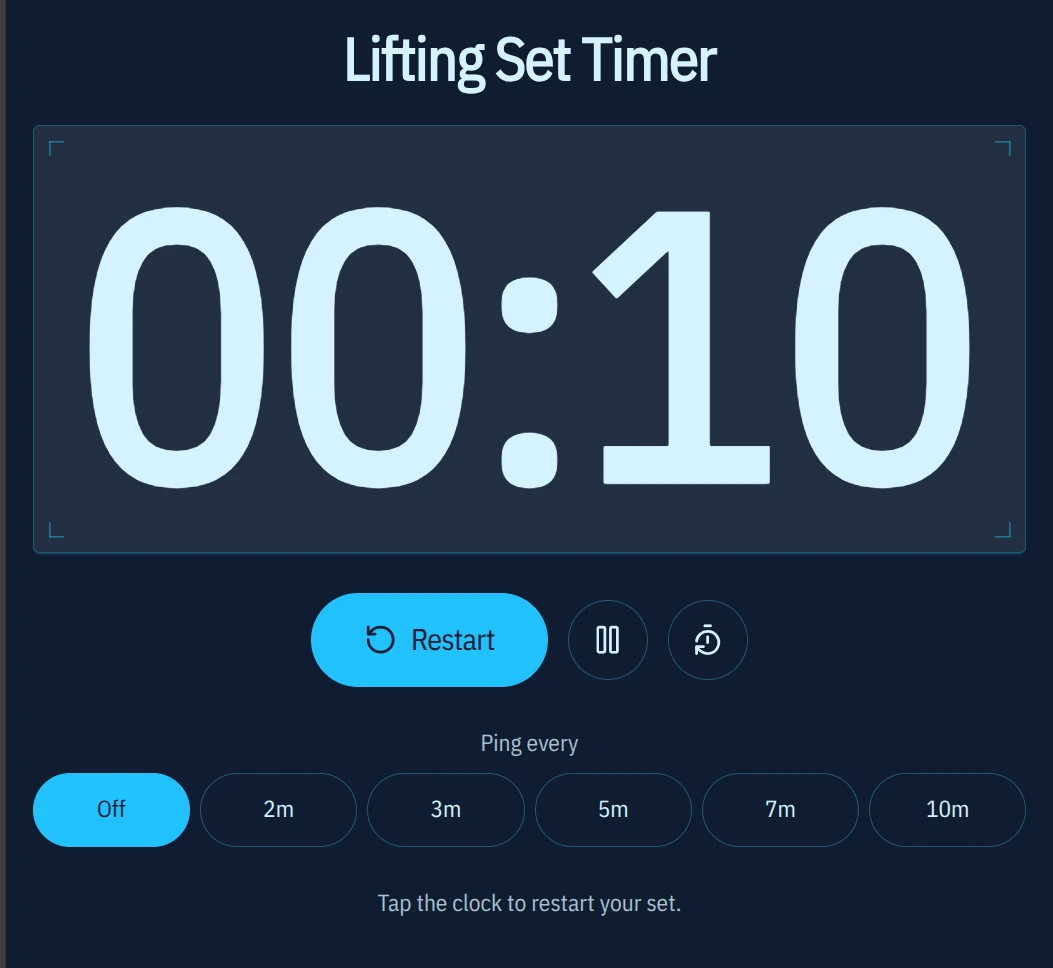
Deciding when rest is over is your call, so the clock counts forward and pings at an interval you choose, repeating for as long as you leave it running. It keeps honest time through a sleeping phone, fills the screen, and the mini timer in the nav bar now carries pause, reset and ping settings wherever you are on the site.

Lifting Set Timer counting up with ping interval options

Gym Playlist Leaderboard

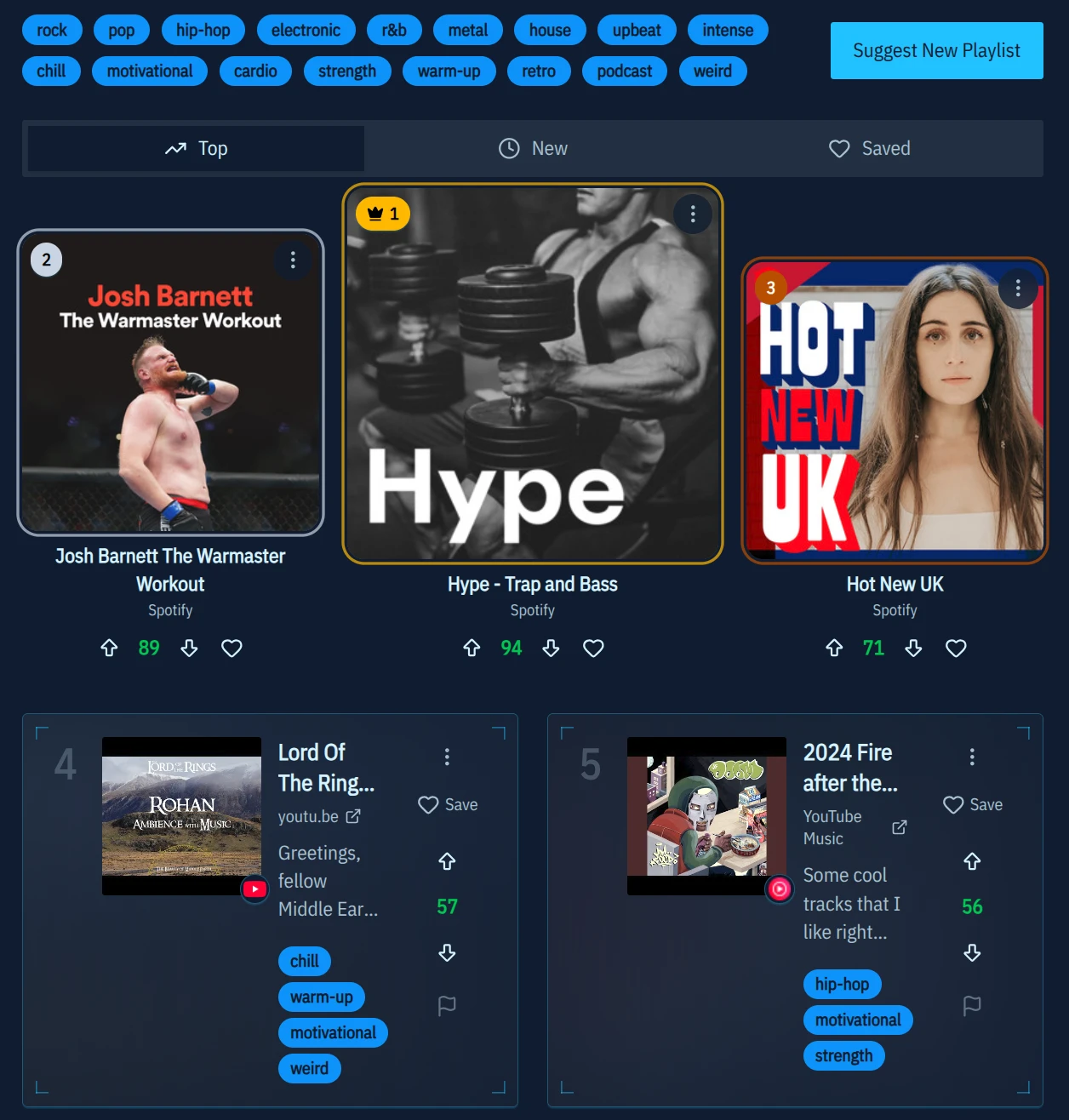
Spotify, YouTube, Apple Music, TIDAL and five more now play inline from the cover art, and the Top tab leads with a gold, silver and bronze podium. Vote weight rides the same reward ladder that unlocks themes.

Gym Playlist Leaderboard with playlist cover art and votes

Keep lifting!

Keep your imported training history current

Keep Your Imported Training History Current · Better Hevy and StrongLifts Imports · A More Reliable Workout Log · Mobile and Navigation Polish · Earn New Themes by Training · Under the Hood

Keep Your Imported Training History Current

You can now return with a newer export from your workout app and safely add the sessions your Strength Journeys timeline has not seen yet.

The import flow remembers your most recently used source and latest imported workout date. When your timeline may need refreshing, the dashboard provides a direct route back to the right importer.

Before anything changes, Strength Journeys separates:

  • New sets that can be merged
  • Sets already stored in your Google Sheet
  • Changed sets that need attention

Repeated sets such as 3×5 at the same weight are counted properly, while changed source sets are surfaced instead of being silently duplicated or overwritten.

Your linked Google Sheet remains the permanent archive you control.

Better Hevy and StrongLifts Imports

Hevy imports now handle both kilogram and pound exports more reliably.

Workout times, titles, set numbers, notes, RPE and other useful source details are preserved where available. Bodyweight movements are handled more carefully, and the preview now explains when rows could not be converted—for example, duration-only or distance-only exercises that do not contain a weighted, rep-based set.

StrongLifts imports now support both older workout-wide CSV files and the current export format, which stores one exercise per row with separate weights and reps for each set.

The export guides have also been updated so it is easier to find the correct file in each app.

A More Reliable Workout Log

Adding sets is now safer while your Google Sheet is refreshing in the background.

New sets stay visible during revalidation, row insertion is handled atomically, and rapid additions are less likely to land in the wrong place or briefly disappear.

When you add a new lift to a session, its smart suggestions remain open while suggestions for earlier lifts collapse. This keeps the log focused without hiding useful context.

Set suggestions also gained a little more personality—from sensible warm-up encouragement to the occasional “reckless optimism” or “PR bait.”

Mobile and Navigation Polish

Mobile navigation now provides a quicker route back to your dashboard, with cleaner action placement and larger themed logos.

Dashboard stat cards use space more efficiently on small screens, making the important numbers easier to scan without as much scrolling.

Earn New Themes by Training

Signed-in lifters can now progressively unlock eight custom visual themes through their real training history.

Your first logged set unlocks Blueprint. As your set count, rep count, or length of training history grows, themes including Starry Night, Retro Arcade, and Neo Brutalism become available.

The theme picker shows your progress toward the next reward, and a banner lets you know when a new look has been earned.

Neo Brutalism also received a redesigned animated background.

Under the Hood

Strength Journeys has been updated to Next.js 16.3 alongside newer React, AI, platform and security dependencies.

Feedback prompts now wait until you have had time to use a feature before appearing, and several smaller synchronization and layout fixes landed throughout the app.

Keep lifting.

AI training reviews

AI Training Reviews · Smarter Workout Logging · See Your Best PRs More Clearly · A Better View of Your Training Rhythm · Catch Date Mistakes Before They Distort Your History · More Transparent 1,000 lb Club Estimates · Import And Setup Reminders

The biggest addition since the last update is a much more useful AI lifting assistant. You can now ask for feedback directly from the parts of Strength Journeys you’re already exploring, with your relevant training data included automatically.

AI Training Reviews

You can now ask the AI assistant to review:

  • A recent workout
  • The session you’re viewing in the workout log
  • A specific lift and its visible sets
  • Training patterns shown on your dashboard
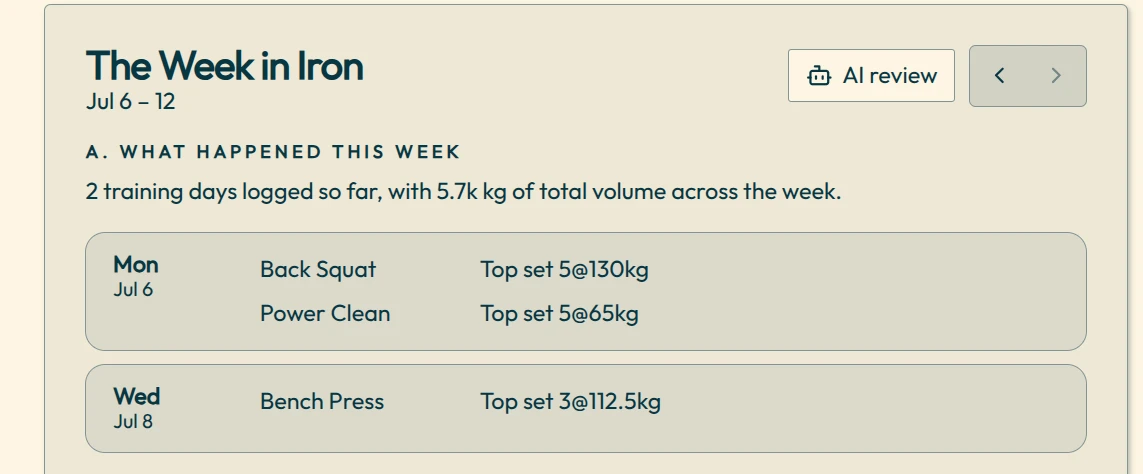
The Week in Iron card with an AI review button

The assistant now has better context about when you trained, which sets you’re looking at, and the athlete details you choose to share.

Suggested follow-up questions also appear after each response, making it easier to explore your training without wondering what to ask next.

Personalisation controls now live inside the chat, where you can choose which parts of your athlete bio and lifting history to include.

Big Four lifts mentioned in responses can take you directly to the matching lift page.

Smarter Workout Logging

Workout suggestions now do a better job of picking up where you left off.

  • New sessions can start from your previous opening set.
  • Warm-up suggestions are more useful after deloads and breaks.
  • Suggestions better distinguish warm-ups, repeated sets and heavier working sets.
  • New lifts without any history start from the appropriate bar weight.
  • The default bar weight now respects the sex selected in your athlete bio.
  • Suggestions include a little more variety and personality.

You’ll also find a quicker route back to the workout log while exploring your lifts.

See Your Best PRs More Clearly

PR badges in the workout log are now more selective and meaningful.

For longer training histories, a set can show both an all-time PR and a yearly PR. Tapping a badge takes you directly to the relevant PR table, so you can see where that lift sits in your history.

A Better View of Your Training Rhythm

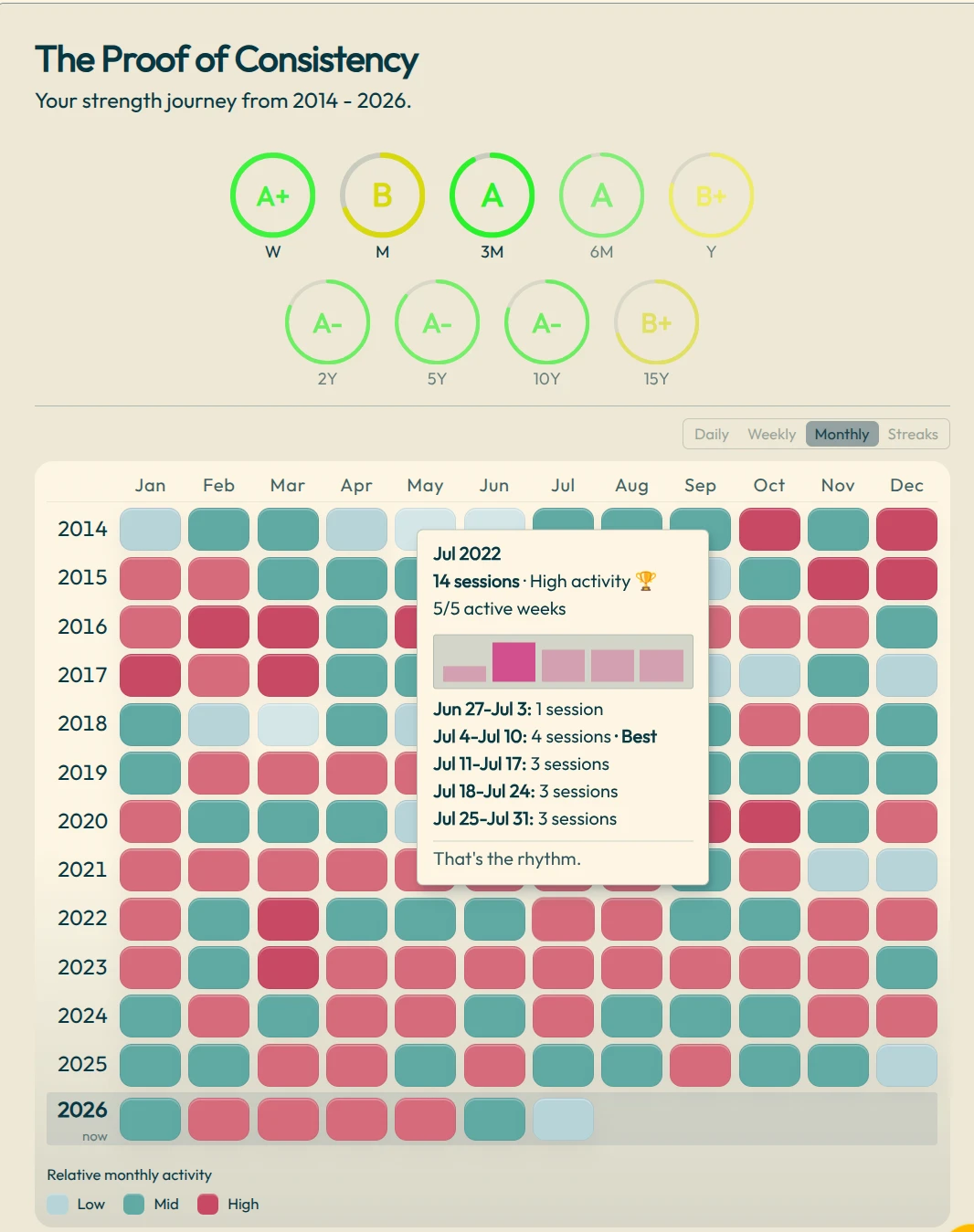
The Long Game dashboard has been refined to make weekly and monthly patterns easier to read.

  • Monthly activity now gives you a cleaner summary of each week.
  • More detail is available when you hover or tap.
  • Quiet or empty training periods use clearer wording.
  • Heatmap views now transition more smoothly.
  • Weekly streak leaders receive a little extra celebration.
Monthly heatmap in The Long Game card with a week-by-week tooltip

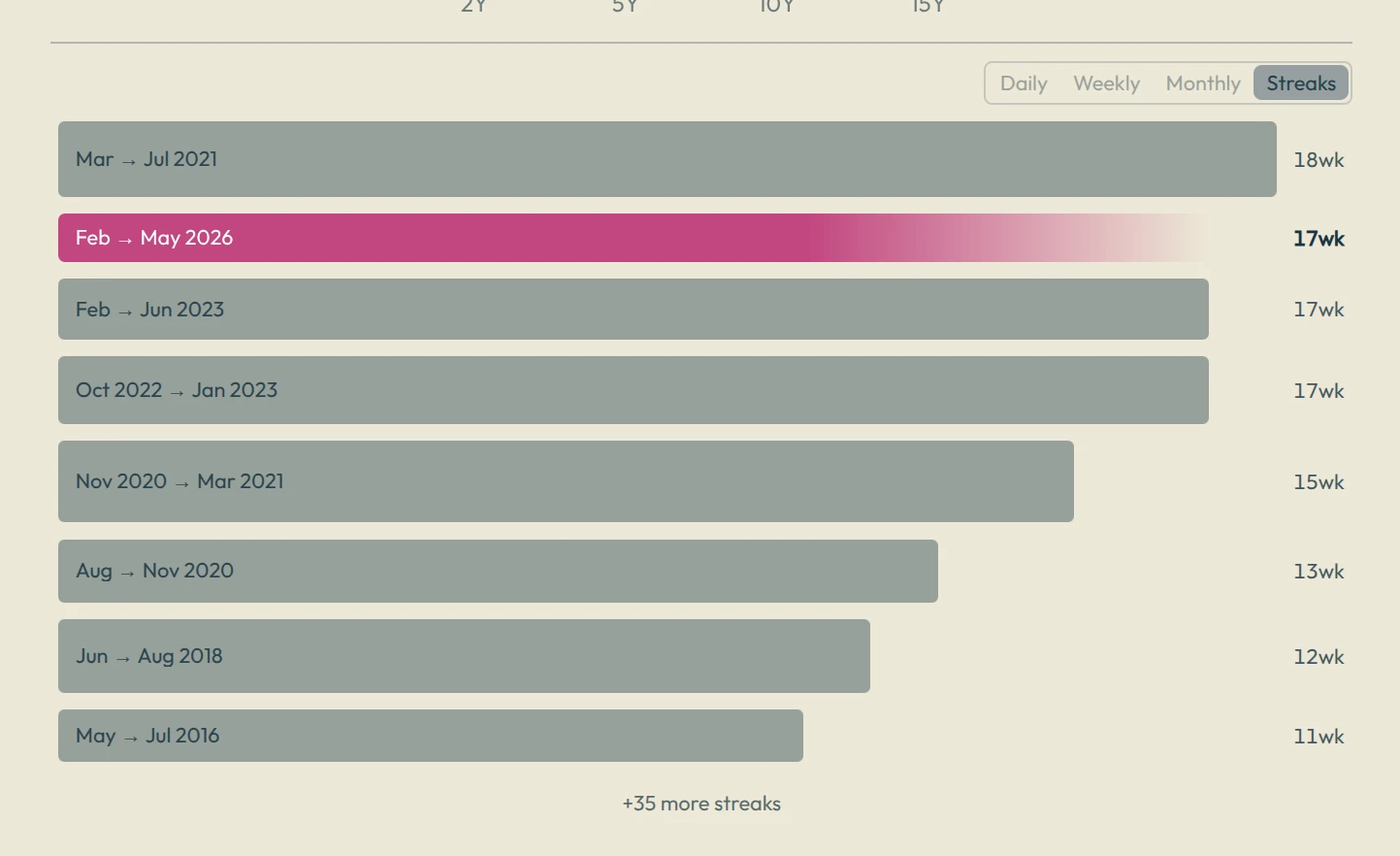
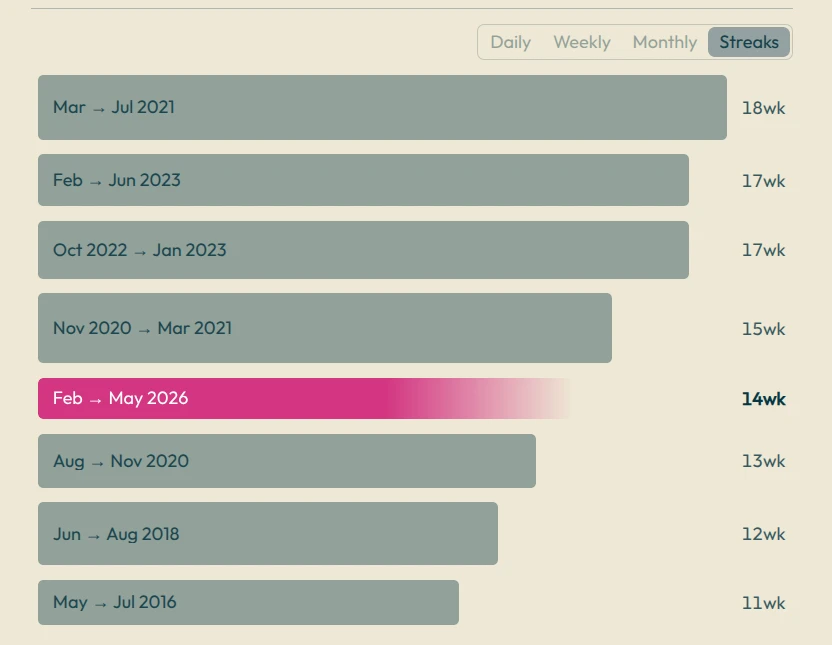
A streak still means completing at least three training sessions per week. Equal streaks are ranked by average weekly tonnage.

Catch Date Mistakes Before They Distort Your History

Strength Journeys can now spot training dates that look like likely typos, such as a session accidentally entered years into the future.

A warning appears on the dashboard with a simple repair flow, helping keep your charts, streaks and PR history accurate.

More Transparent 1,000 lb Club Estimates

The 1,000 lb Club calculator now shows which recent sets were used to estimate your best squat, bench press and deadlift.

This makes it much easier to understand where each estimated max came from instead of treating the final total like a mystery number.

Import And Setup Reminders

If you preview imported training history without merging it into your own Sheet, Strength Journeys now gives you a clearer reminder on the home dashboard.

The aim is to make it obvious when you’re viewing temporary preview data and help you save it properly when you’re ready.

Plenty more small improvements landed across workout logging, dashboards and mobile layouts too.

Keep lifting.

Streaks on the home dashboard

Importing Your Training History · Workout Log · Progress And Milestones · Dashboard And Lift Explorer · Strength Tools And Learning Pages · Mobile And Visual Polish · Privacy And Reliability

Not as much time for coding, but I have been making improvements based on email feedback from our wonderful strong users.

The biggest new feature is the streaks tracking on the home dashboard:

Training streaks leaderboard on the home dashboard

A streak is a run of weeks with 3 gym sessions per week.

Importing Your Training History

  • Added StrongLifts 5x5 CSV import support.
  • Added a dedicated StrongLifts 5x5 import guide.
  • Improved import pages with clearer feedback prompts.
  • Made the Google Sheet ownership story clearer: your merged training history lives in your own Drive.
  • Sheet chooser previews now show real workout sets and ignore goal rows.
  • New blank onboarding Sheets now start clean, with headers only.

Workout Log

  • Improved smart set suggestions, especially for warmups, repeat sets, and small jumps.
  • Added more helpful first-time lift guidance and form cues for major lifts.
  • Added quick video/form-check prompts where useful.
  • Made log edits more reliable when adding, editing, or deleting rows quickly.
  • Kept preview/import rows read-only so temporary data is not mistaken for saved Sheet data.
  • Weight inputs now accept comma decimals, like 82,5.
  • Pasting a log video link should no longer repeatedly autofill the same URL.

Progress And Milestones

  • Reworked Plate Milestones with an Actual Lifts / E1RM Potential toggle.
  • Plate Milestones now tracks achievement state from actual bar weight, not just estimates.
  • Added cleaner milestone sliders, notches, and lifter-aware status copy.
  • Merged overlapping “Now” and period labels so milestone timelines read more naturally.
  • Improved bodyweight-loaded lift estimates for movements like weighted pull-ups and dips.
  • Added a compact bodyweight editor directly inside the strength potential chart.
  • Bodyweight lift aliases are now normalized more consistently.

Dashboard And Lift Explorer

  • Added a Training Streaks leaderboard to The Long Game card.
  • Streaks now show date ranges, average weekly tonnage, and stronger PR highlights.
  • Copy Image works better for streak views, with cleaner image output and less visual flashing.
  • Added a searchable lift selector in Lift Explorer.
  • Widened the mobile lift search popover so it is easier to use on small screens.

Strength Tools And Learning Pages

  • Expanded the strength percentile / “How Strong Am I?” FAQ.
  • Added structured FAQ data to help search engines understand the strength percentile page.
  • Added data ownership import prompts to relevant strength tool pages.
  • Cleaned up Big Four lift naming and aliases across international variants.

Mobile And Visual Polish

  • Improved mobile navigation spacing so sign-in stays visible on smaller landscape screens.
  • Hid lower-priority nav text on cramped iPhone landscape layouts.
  • Fixed the Apple home-screen icon.
  • Cleaned up small card, shadow, and corner artifacts in log and suggestion UI.

Privacy And Reliability

  • Clarified privacy and legal wording around limited operational metadata.
  • Improved sign-in and Sheet connection messaging.
  • Added better internal tracking for sign-in source and Sheet read activity so support and onboarding problems can be understood without storing analyzed training history.
  • Updated Next.js, React, and related tooling patch versions.

TWO wonderful users bought coffees this week - thank you!!!!

Keep on lifting.

A streaks leaderboard and plate milestones

Streaks Leaderboard in The Long Game card · Plate Milestones page — your 1/2/3/4 plate club tracker · Everything else

Two big new things this month, plus a stack of polish that makes the daily logging experience sharper.

Streaks Leaderboard in The Long Game card

For logged in users, your training streaks now have a leaderboard. Switch The Long Game card into Streaks view and see your longest training streaks ranked end to end, with the date range printed inside each bar. Bar thickness scales with the average weekly tonnage you logged during that streak — so the streaks where you really showed up visually dominate the ones where you just barely kept the chain alive. Hover any streak and you'll see your top Big Four PRs from that period (ranked above accessory PRs), plus your average weekly tonnage.

Streaks view of The Long Game card ranking the longest training streaks

Plate Milestones page — your 1/2/3/4 plate club tracker

A brand-new page tracking your progress toward 1, 2, 3, and 4 plates on each of the Big Four lifts. Stacked rows with a custom blue plate SVG fill left-to-right like a thermometer, so you can see at a glance how close you are to the next milestone. Each row shows your personalised milestone date (when you got there, or a projection of when you might), a sparkline of your trajectory, and a reference table grounding the numbers. Imperial and metric users both get the right plate thresholds for their unit, and there are bonus tiers above the headline four for the heavy lifters. A satisfying way to frame goals that anyone in a gym instinctively understands.

Plate Milestones rows filling toward 1, 2, 3 and 4 plates for each Big Four lift

Everything else

  • New sign-in education dialog for first-time lifters that explains the Drive permission in friendly language before Google's consent screen.
  • Live demo data on the log page for unauthenticated visitors.
  • Homepage redesigned with tiered sections and a cleaner Your Training grid.
  • Tonnage chart overhauled — per-session by default, with a 30-day rolling-average trend line, click-to-toggle legend, and proper hover on weekly and monthly views.
  • Lift Explorer now carries the full progress-guide toolset, including top 5 sets per rep range and a richer chronology tooltip.
  • Smarter chart tooltips everywhere: consecutive identical sets are grouped, and tooltips flip away from your cursor instead of covering the data.
  • Up to three replay warmup suggestions on the log page, drawn from your previous session.
  • Session dates are now clickable throughout the app
  • Session Explorer (renamed from Session Browser) now appears in the navbar for everyone.
  • Squashed an off-by-one date display bug affecting USA/EU users in several places.

Keep lifting!
Enjoying Strength Journeys? Buy me a coffee!

Import from any fitness app

Import from any fitness app, no account required · Merge data from multiple apps · The main E1RM calculator now shows your strength percentile · Everything links back to the log · Sign-in fix for some Google accounts · AI assistant now powered by xAI Grok · Video links on your sets · Notes improvements in the log · Heatmap improvements · Improved BTWB and Wodify import · Streak motivation added to the weekly card

Import from any fitness app, no account required

You can now import your lifting history from Hevy, Strong, Turnkey, Wodify, BTWB, or a spreadsheet and immediately explore the full Strength Journeys experience — PR analysis, heatmaps, tonnage, strength levels, all of it — without creating an account or connecting Google Sheets. Drop your file on the import page and browse instantly. Sign in when you're ready to save and start logging.

The import page with export guides for Hevy, Strong, Wodify and BTWB

Merge data from multiple apps

If your history is split across different apps, you can now combine them into one dataset. Import a second file and merge it with what's already loaded. We deduplicate sessions automatically.

The main E1RM calculator now shows your strength percentile

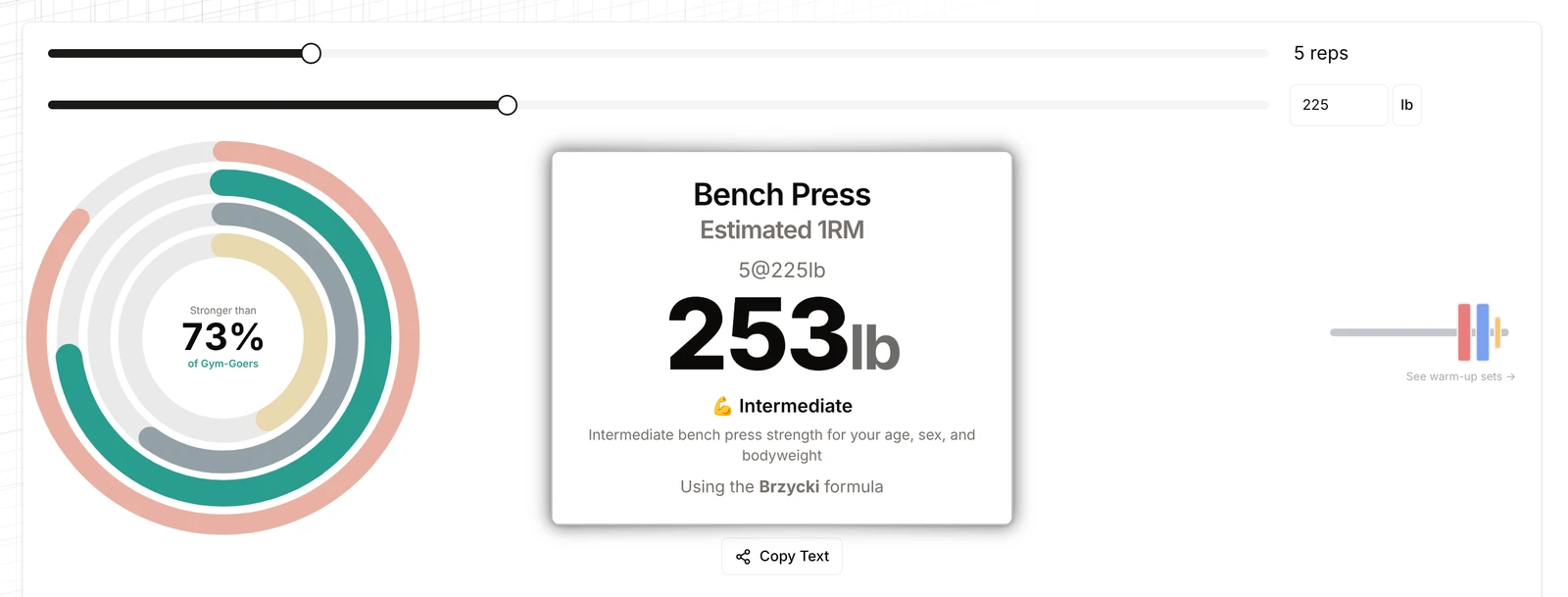
The 1RM calculator pages for squat, bench press, and deadlift now show how your result ranks against gym-goers in your age group — "Stronger than X% of gym-goers" — right in the tool. Enter your body weight and age in settings to unlock it. Links through to the full strength breakdown on the How Strong Am I page.

Bench press 1RM calculator showing an estimated 253lb and a 73% strength percentile ring

Everything links back to the log

A lot of the app got wired up this release:

  • Tap any date cell on the heatmap to jump to that session in the log
  • PR records in the Lift Explorer link directly to the session where you hit that lift
  • Lift names in the log page are now tappable links
  • Classic lift highlight cards and dated PR memories link to the log session
  • The strength percentile ring links to the full How Strong Am I breakdown
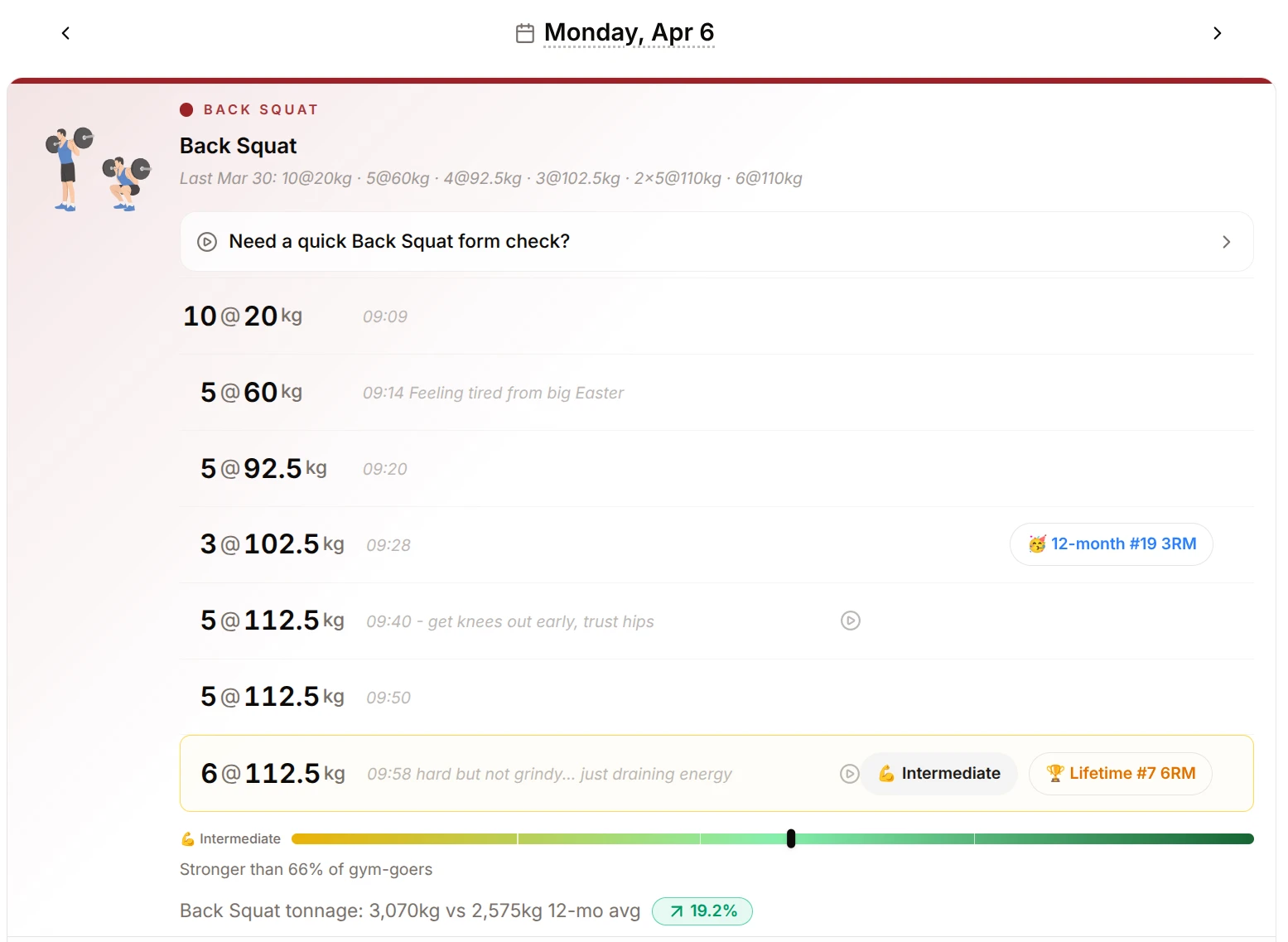
A back squat session in the log with PR badges and strength levels

Sign-in fix for some Google accounts

Some users were being silently signed out on every visit when Google didn't return a profile photo. Fixed — those users now stay signed in, with their initial shown in the avatar instead. Thanks to user Bram VC for reporting and testing this bug.

AI assistant now powered by xAI Grok

The AI lifting assistant has switched to Grok (xAI). Same coach, faster responses, with the xAI attribution shown in the chat header.

Video links on your sets

Attach a video URL to any set in the log. A play button appears inline with the lift name. Add URLs through the notes edit field on any set row.

Notes improvements in the log

Long notes no longer get truncated. You can expand any note inline without leaving the page.

Heatmap improvements

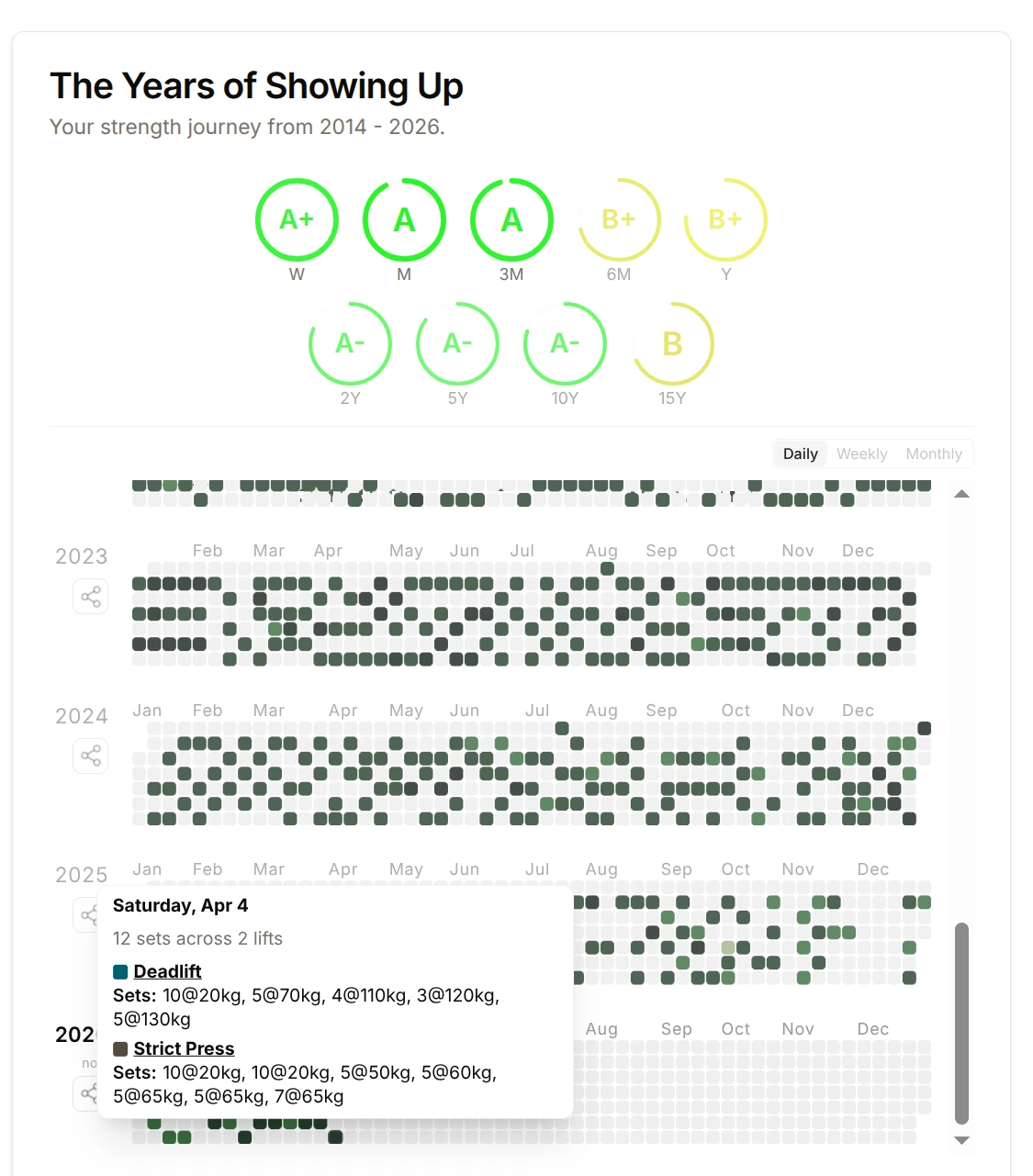
The yearly training heatmap now scrolls automatically to your most recent year. Heatmap cells on the dashboard are now clickable.

Yearly training heatmap with a session tooltip

Improved BTWB and Wodify import

Wodify warmup and buildup sets are now parsed from the Notes column and included in your import. BTWB complex workout lines are split into individual lifts. AMRAP results are now pulled from the correct column. We extract most of the barbell strength movements from inside your WOD history.

Streak motivation added to the weekly card

The week-in-review card now highlights your current training streak to keep the momentum going.

Keep lifting!
A new import system

New BETA import system: bring your training history into Strength Journeys · Log system improvements · 1000lb Club Chronological Chart · Other fixes and user-facing improvements

New BETA import system: bring your training history into Strength Journeys

The biggest update this week is the new import system.

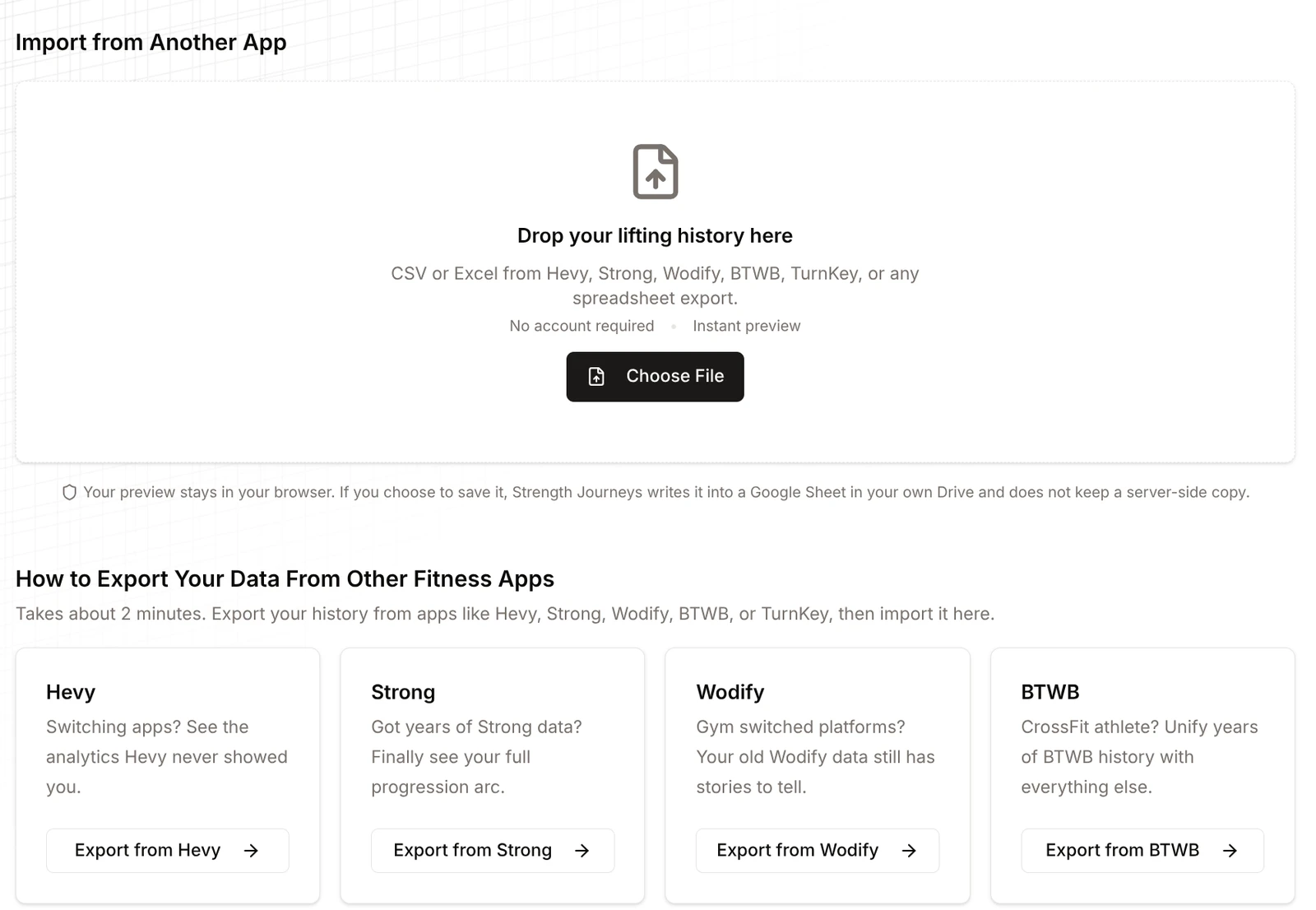
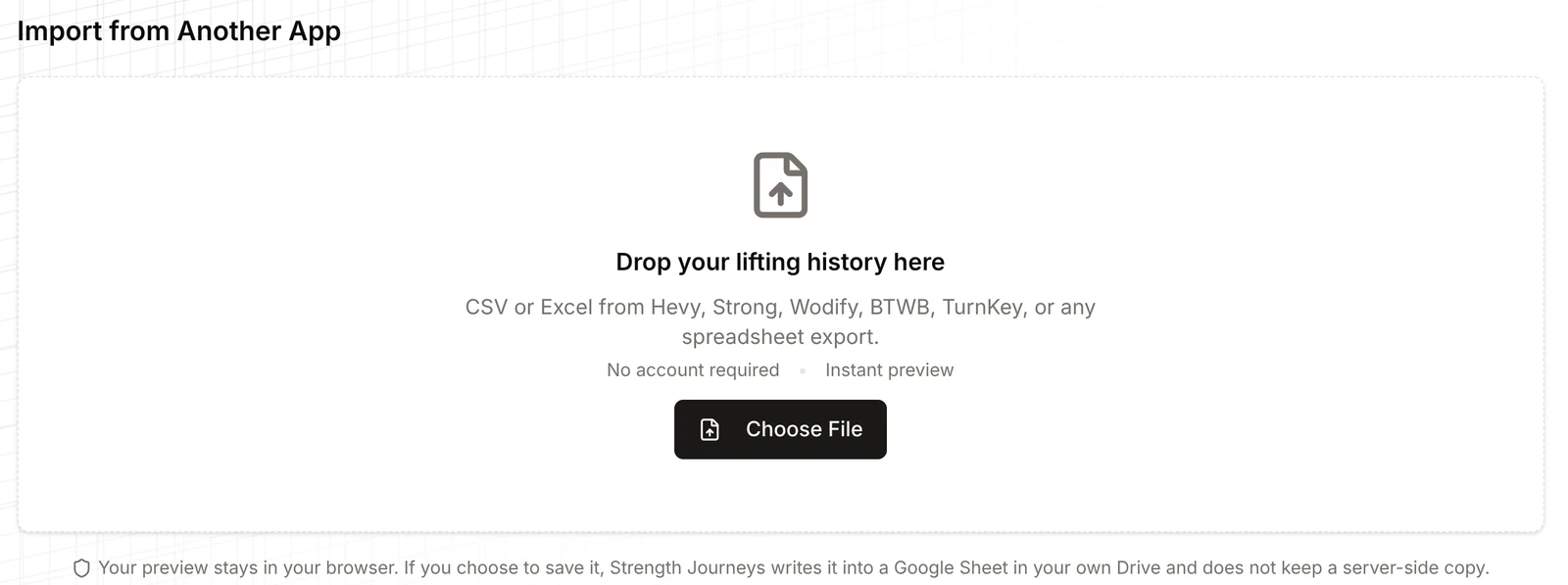
Import from Another App drop zone for Hevy, Strong, Wodify, BTWB and spreadsheet exports

You can now import training data from other apps into Strength Journeys and explore it in preview mode before deciding what to do next. If you want to keep using it, you can save that imported history into Strength Journeys by creating a new linked Google Sheet or merging it into your existing one.

  • More import support for exports from Hevy, Strong, BTWB, Wodify, plus CSV, XLS, and XLSX files.
  • Preview mode so you can try Strength Journeys with imported data before committing to a full setup.
  • Better save and merge flows for pushing imported history into your linked Google Sheet.
  • Improved dedupe and reliability so merges are safer and repeat imports behave better.
  • Clearer import/export UX with a more visible Import / Export entry point and better copy throughout the flow.

Also: if you have exports from multiple fitness apps, you can ask Strength Journeys to transfer those exports into SJ for you. We can also merge data from different fitness apps into one Google Sheet so your training history lives in one place.

Please report any bugs. If you have apps you want supported, please report - we want to support everything.

Log system improvements

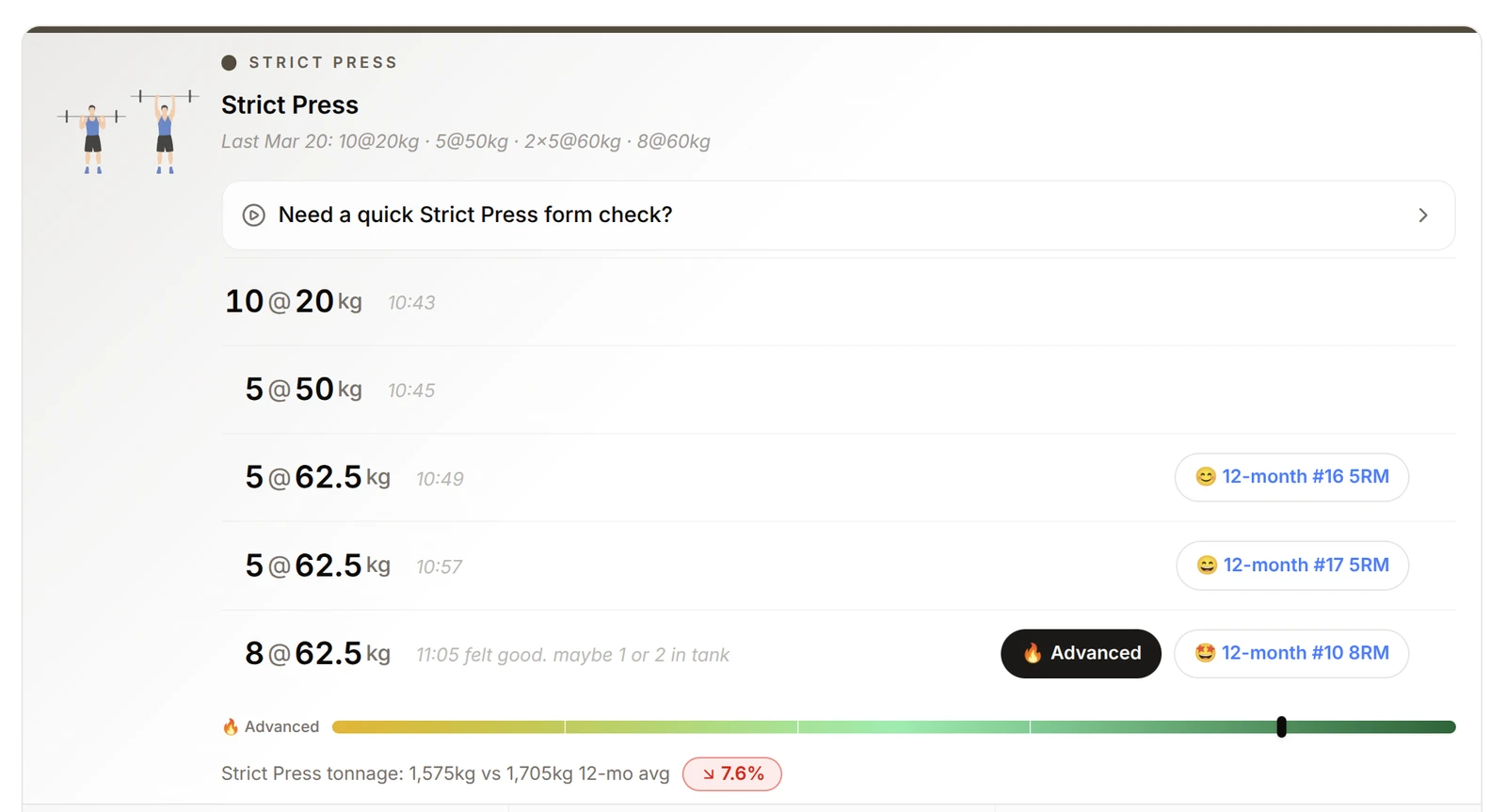
The log got more polished, and now shows strength levels while you train. Very motivating!

A strict press session in the log with its strength level bar
  • Strength levels now appear inside the log and update as you add or edit sets, so you can see where a session sits on the strength spectrum in real time.
  • Tonnage and strength feedback update more smoothly during inline edits.
  • A date picker was added to the log so it’s easier to jump to past training days.
  • Historical session insertion was fixed so backdated entries land in the right place.

This is one of those features that feels small on paper but is very good in practice.

Remember you can still edit your google sheet yourself, or you can let Strength Journeys do it for you.

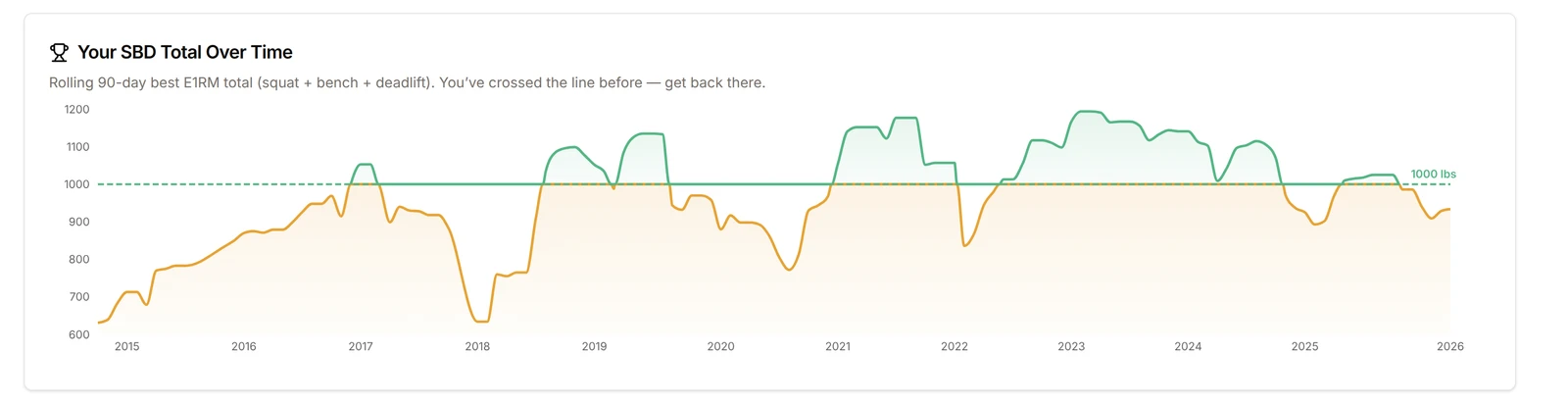
1000lb Club Chronological Chart

You may be in the club but now you know how long you've been in the club.

Squat, bench and deadlift total over time against the 1000lb line

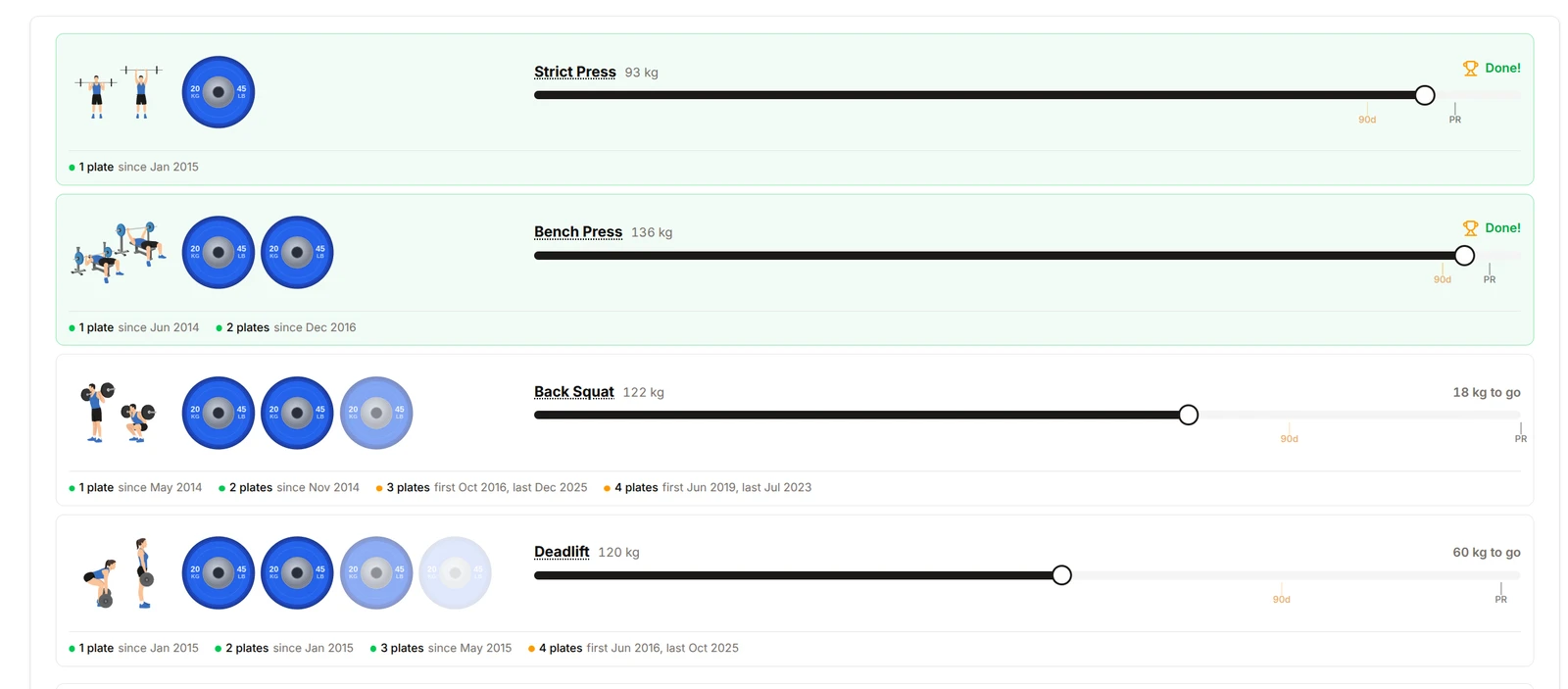
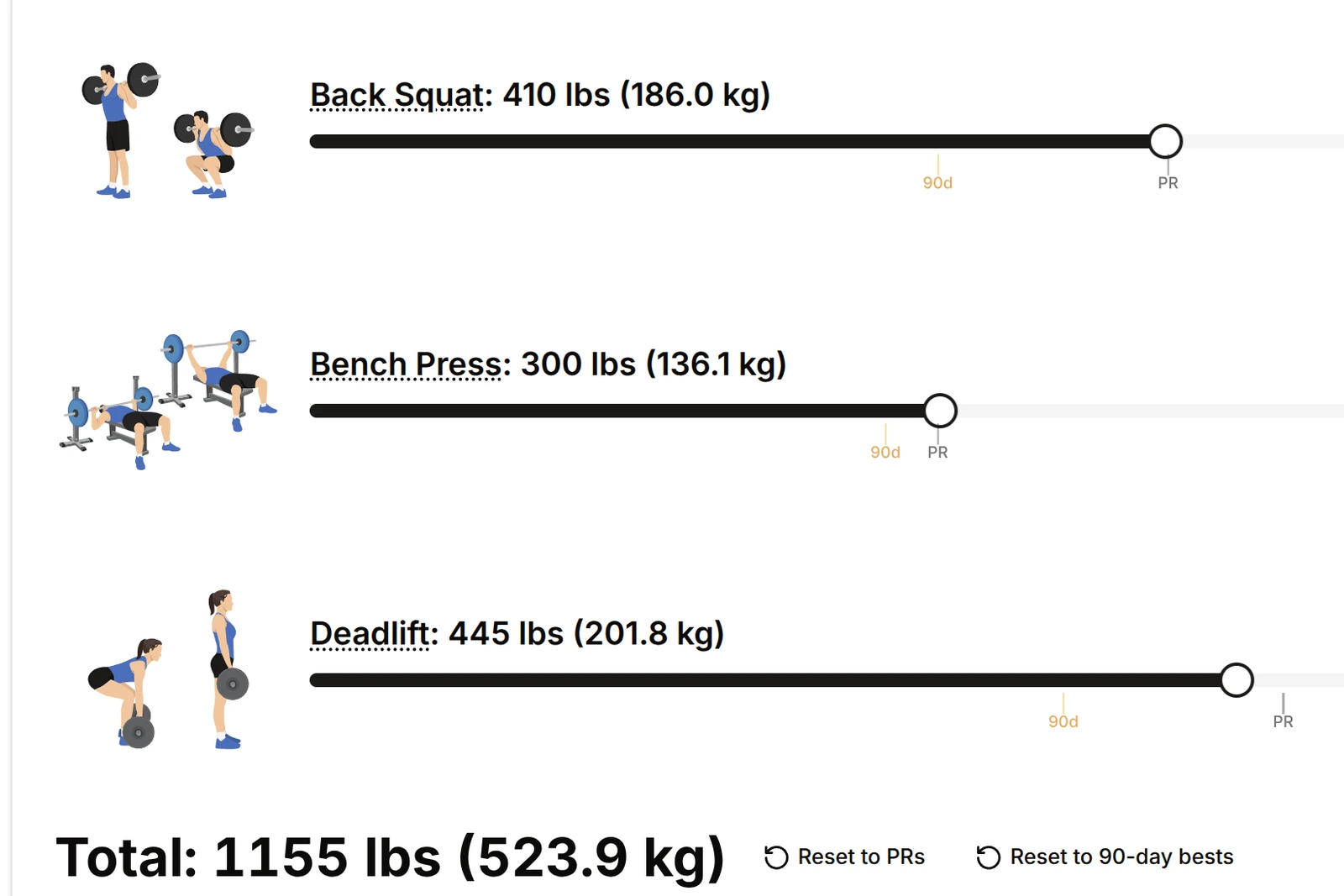
You can also see your lifetime PR and 90 day points on the sliders:

1000lb Club sliders for back squat, bench press and deadlift with lifetime PR and 90 day marks

Other fixes and user-facing improvements

A lot of smaller user-facing improvements landed too:

  • Barbell Strength Potential has been removed as a standalone page. That feature now lives inside the Lift Explorer and the big four progress guides - still a fun way to find easy rep scheme PRs.
  • Progress Guides for the big four got improved with a clearer structure, better routing, and a dedicated section that’s set up to expand to more lifts soon.
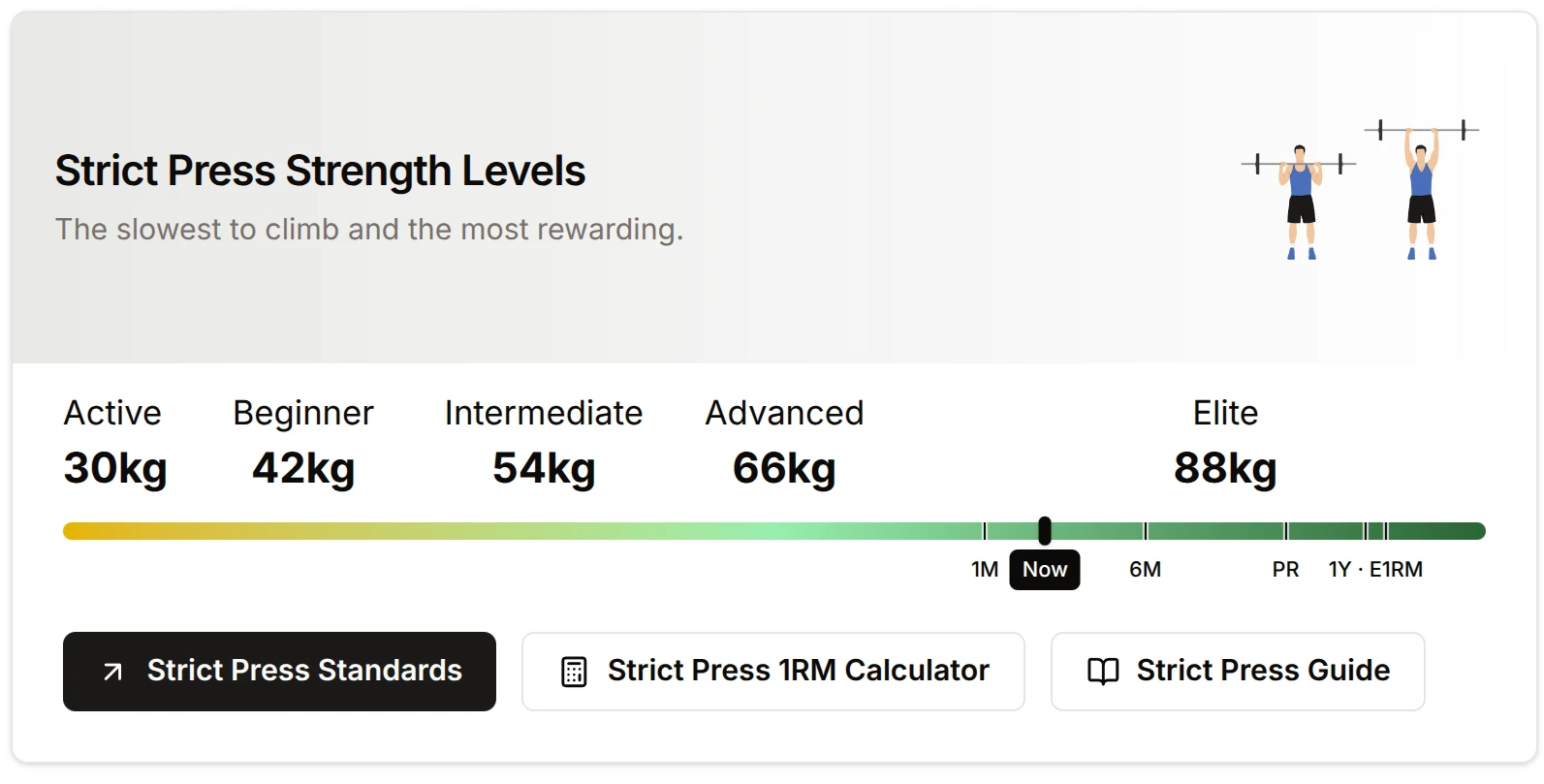
  • Strength levels pages were redesigned with cleaner navigation, cross-links, and clearer strict press naming.
Strict Press Strength Levels from Active to Elite
  • Strength badges throughout the app now link to detailed strength-level pages, making it easier to go from a quick rating to deeper context.
  • Export system added, with a cleaner export section and improved CSV output including notes, labels, URLs. Your data is always yours.

The log editor beta

Log Editor Beta · The Home Dashboard now has a better weekly flow · Calculators got a meaningful upgrade · Sheet setup and switching got cleaner · Other improvements

Log Editor Beta

This is the biggest change ever in the 2+ years of Strength Journeys.

Strength Journeys can now edit your Google Sheet for you.

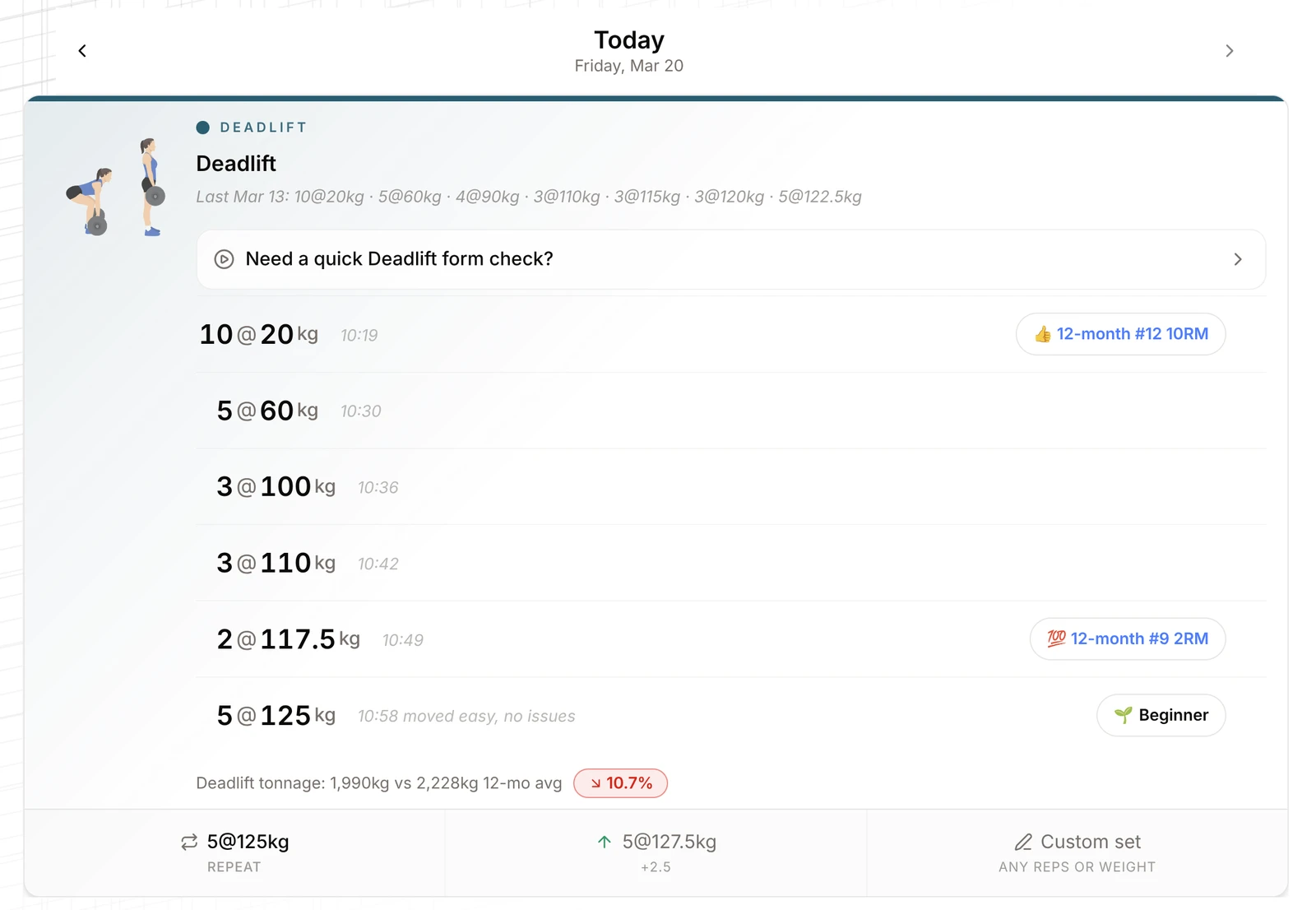
If you like editing your sheet directly, you can absolutely keep doing that. But for most people, the new Log page is meant to become the easiest place to actually enter training. You can build a full session there, add lifts, add sets, edit notes inline, delete mistakes, and let Strength Journeys handle the Google Sheet updates behind the scenes.

A deadlift session in the Log page with PR badges and a strength level

The new log flow also does more than just save rows:

  • It suggests warmups and next sets as you train
  • It gives lift-specific form cues and quick technique video help
  • It shows instant PR feedback and stronger celebrations when you hit something meaningful
  • It surfaces strength level and tonnage analysis right inside the session
  • It links back into the deeper lift insight pages when you want more context

The goal here was to make logging feel like part of the coaching experience, not just data entry.

This feature is still in BETA - so please submit feedback via the floating feedback widget.

The Home Dashboard now has a better weekly flow

The home dashboard now does a better job of helping you train this week, not just look backward.

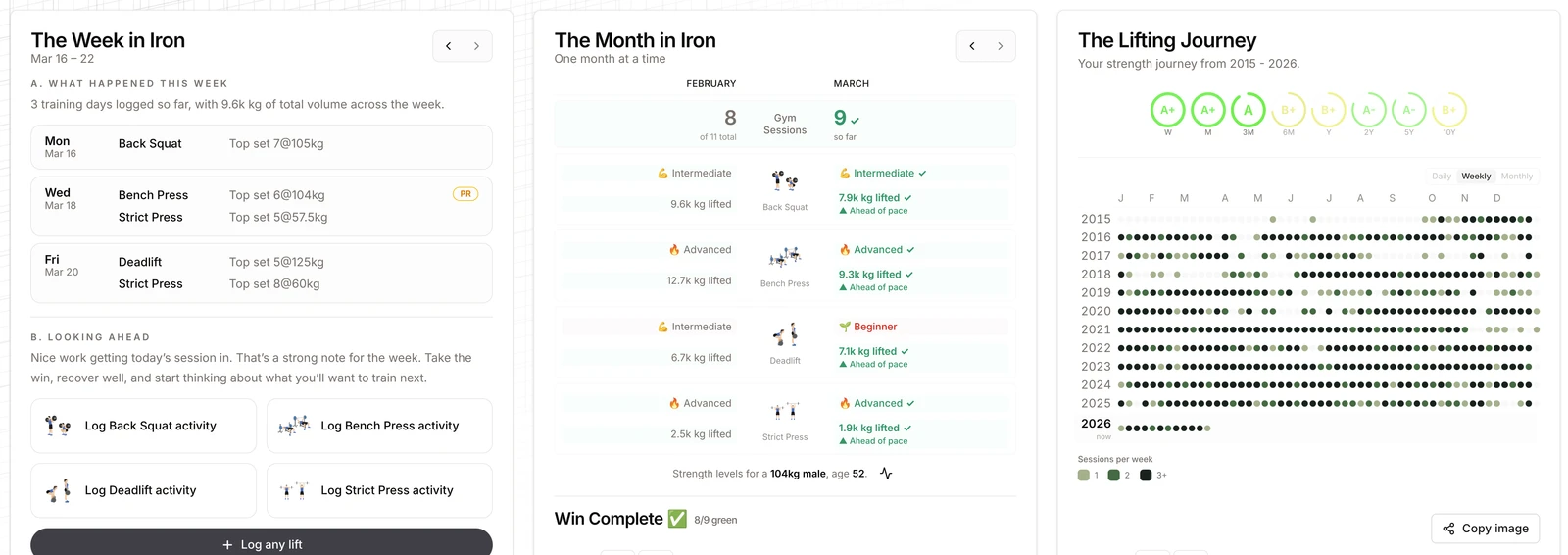
A new Week in Iron card now gives you a cleaner week view with your sessions, lifts trained, set counts, PRs, and tonnage. It also acts as a better bridge into the new log flow, with quicker links into the exact date or lift you want to work on.

So the home dashboard shows your strength journey from week, to month, to lifetime.

The Week in Iron, The Month in Iron and The Lifting Journey cards on the home dashboard

Strength Journeys is for people who will lift for decades.

Calculators got a meaningful upgrade

A lot of work went into the strength calculators over these two weeks.

What changed:

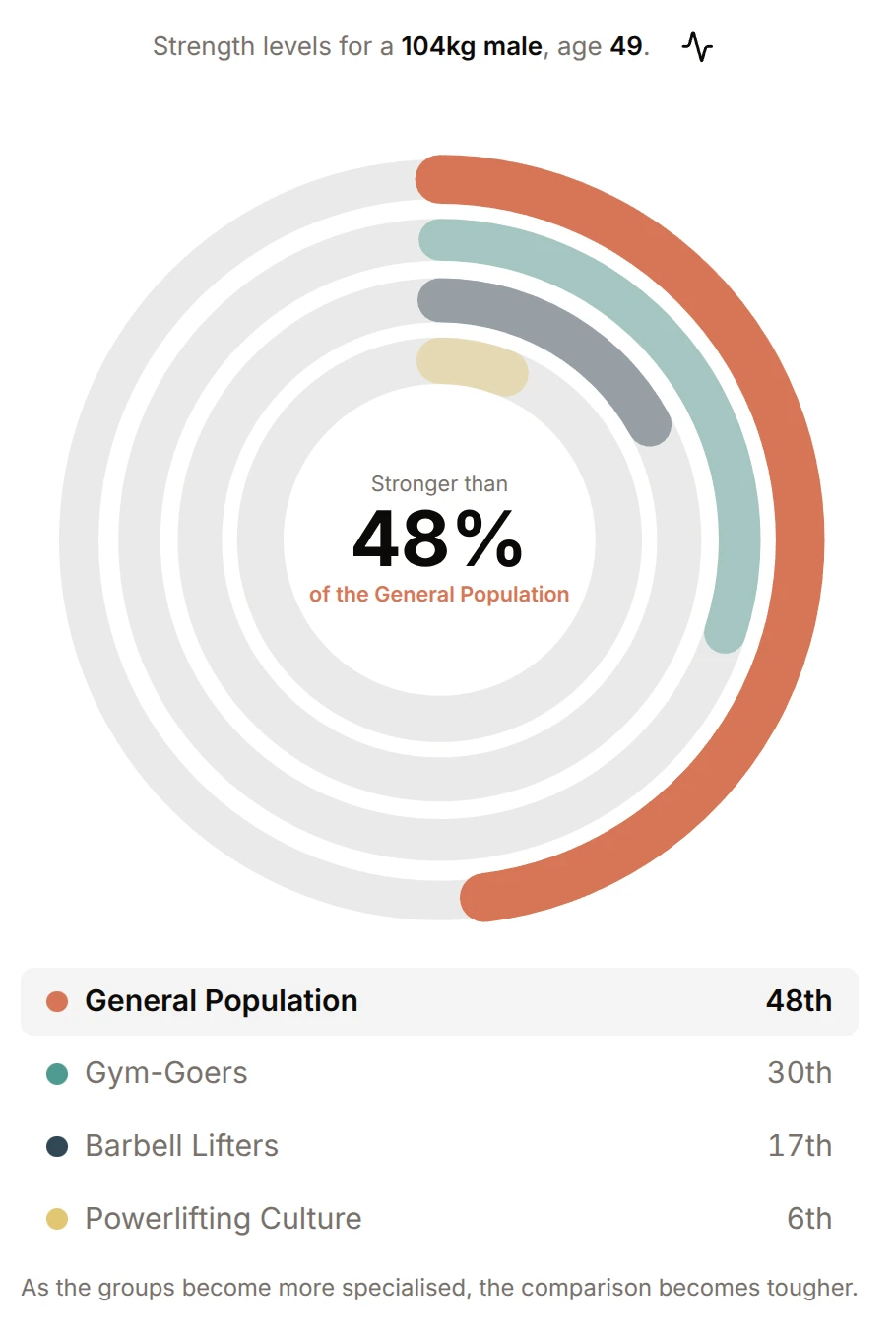
How Strong Am I? rings showing stronger than 48% of the general population
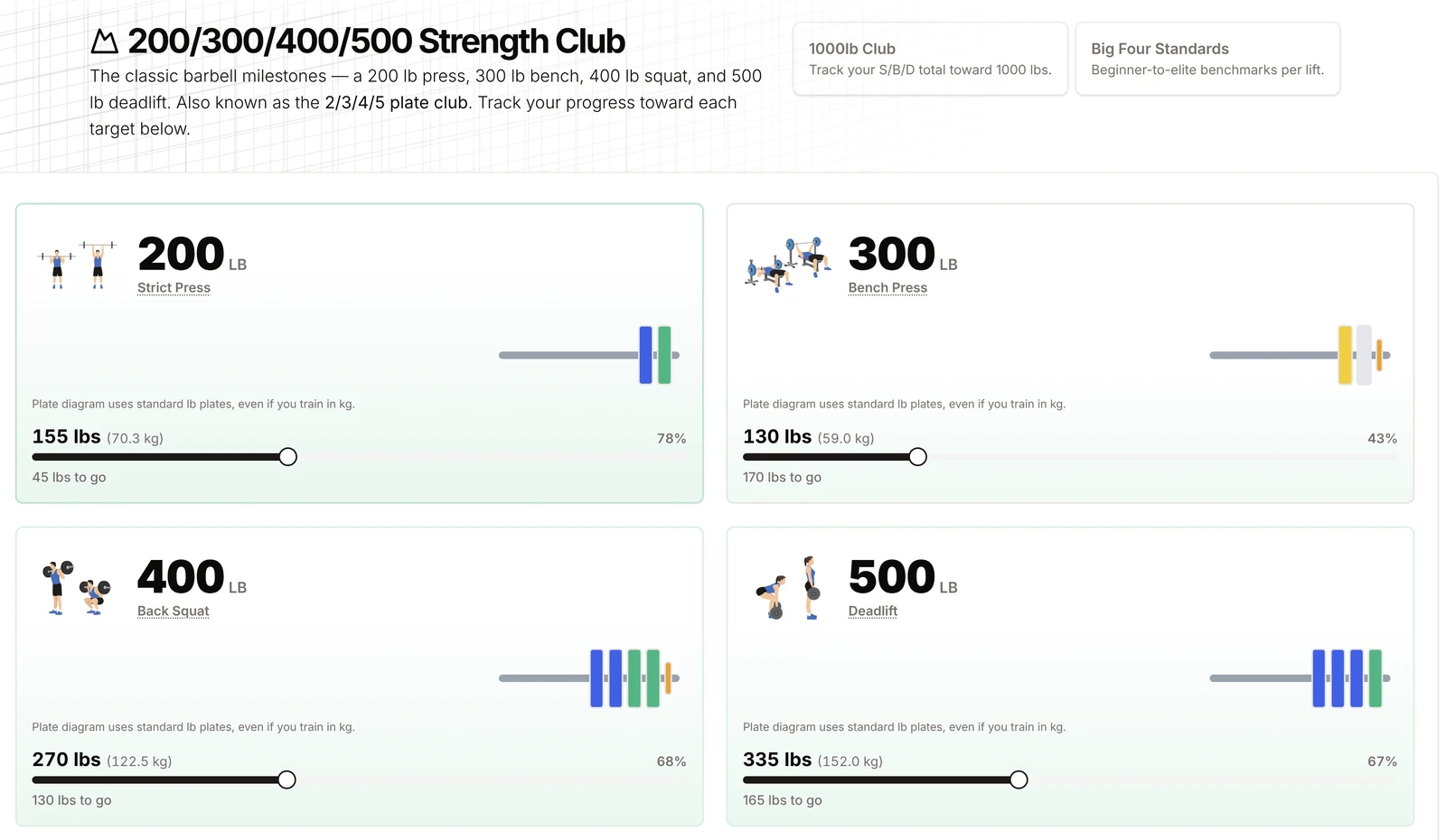
200 / 300 / 400 / 500 Strength Club progress for each lift
  • Calculator pages now have better FAQs, stronger citations, more internal links, and example snippets that make them more useful and easier to explore

Sheet setup and switching got cleaner

Managing your data source is smoother now too.

The sheet chooser and switch-sheet flows were refined again, with better previews, clearer wording, cleaner action states, and more reliable handling when a sheet is empty or needs reconnecting. There was also a lot of safety work under the hood to make Google Sheets inserts, deletes, and row edits more robust.

Other improvements

A few more shipped changes worth calling out:

  • The AI lifting assistant now has better session context, better metadata, and less annoying link behavior.
  • The gym music playlist leaderboard got a solid upgrade with better cards, thumbnails, moderation, vote weighting, and API hardening
  • The footer was rebuilt with clearer navigation, calculator links, legal links, and a changelog link
  • A terms of service page was added
  • Feedback prompts were polished in a few places, especially around the log flow
Release stats: 58 files changed, 8691 insertions, 560 deletions

Keep lifting!
A new home dashboard

New Home Dashboard · Onboarding is much smoother now · Lift Explorer replaces PR Analyzer · Other improvements · New feature: How Strong Is a Gorilla?

New Home Dashboard

The home dashboard has been rebuilt so it feels less like "here is some data" and more like "here is your lifting story so far."

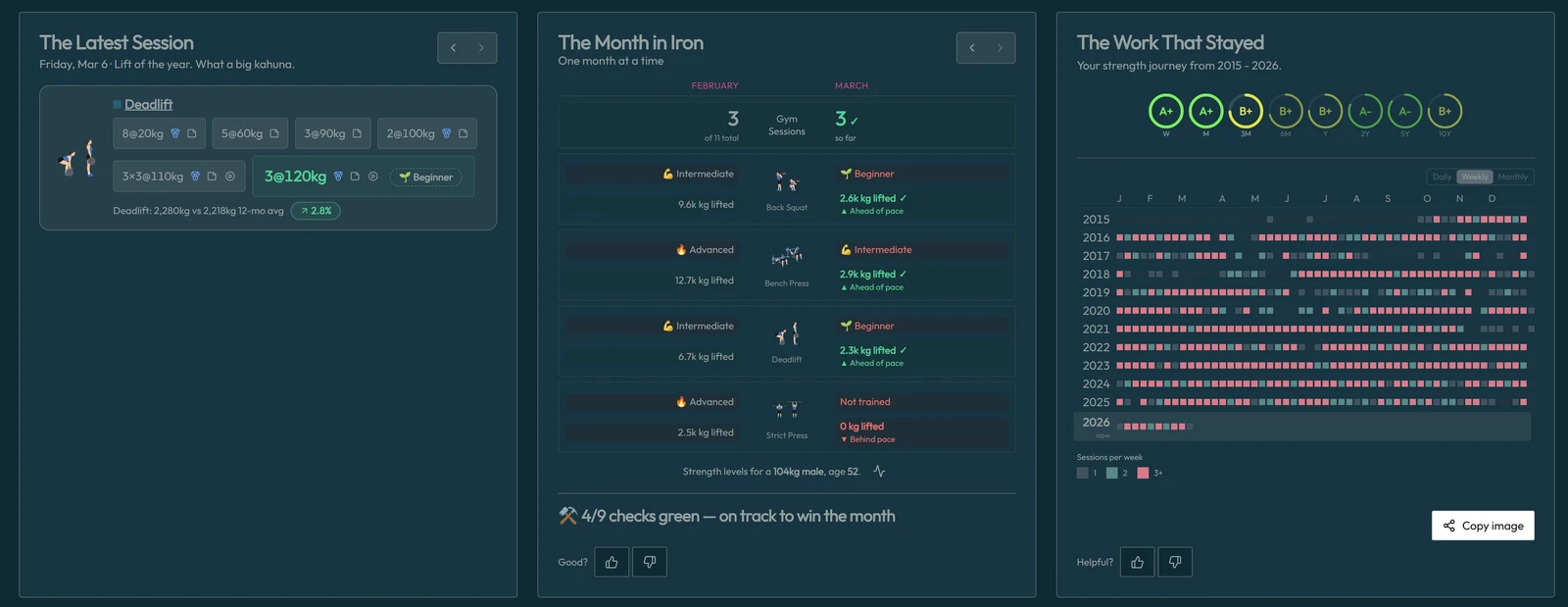
Three main cards now anchor the experience:

  • The Latest Session keeps your last workout front and center, with cleaner summaries and better links into lift-specific insights
  • The Month in Iron turns the month into something you can actually win, with pace-based checks for sessions, Big Four tonnage, and strength standards
  • The Long Game gives your full lifting history a much stronger visual treatment, with cleaner heatmaps, better year markers, and improved sharing for established lifters
The Latest Session, The Month in Iron and The Long Game cards on the home dashboard

A lot of the best parts of the old Analyzer have been pulled upward into the home dashboard now. That was intentional. The most motivating, most immediately useful stuff should live on the home screen, not be buried in a deeper tool.

The dashboard also now adapts to your stage and coaches new lifters:

  • If you are brand new, it stays simple and coaching-focused.
  • If you are in your first real week, it helps you settle into the lifting habit.
  • If you are in your first month, it starts introducing more context.
  • If you have real history behind you, the deeper visualisations and comparisons unlock.

The goal was to make the app feel more like a training companion and less like a pile of charts.

Onboarding is much smoother now

Onboarding got a major rebuild too. Previously, getting started could feel too fiddly. That is much better now.

What changed:

  • New users can now be auto-provisioned a Google Sheet
  • The chooser flow is cleaner, with clearer options to use an existing sheet, create a blank one, or start from a sample
  • The whole setup flow now lives in a more unified modal, instead of bouncing you through a bunch of disconnected states
  • Recovery is better if your linked sheet has gone missing, been trashed, or needs to be reconnected
  • Sign-in now more reliably drops you back on the home dashboard, where the next useful step is waiting

Lift Explorer replaces PR Analyzer

The old PR Analyzer has been renamed and redesigned as Lift Explorer. The best high-impact parts of the old Analyzer are now on the new home dashboard, where they belong. Lift Explorer is now the deeper, more focused place to explore your history lift by lift.

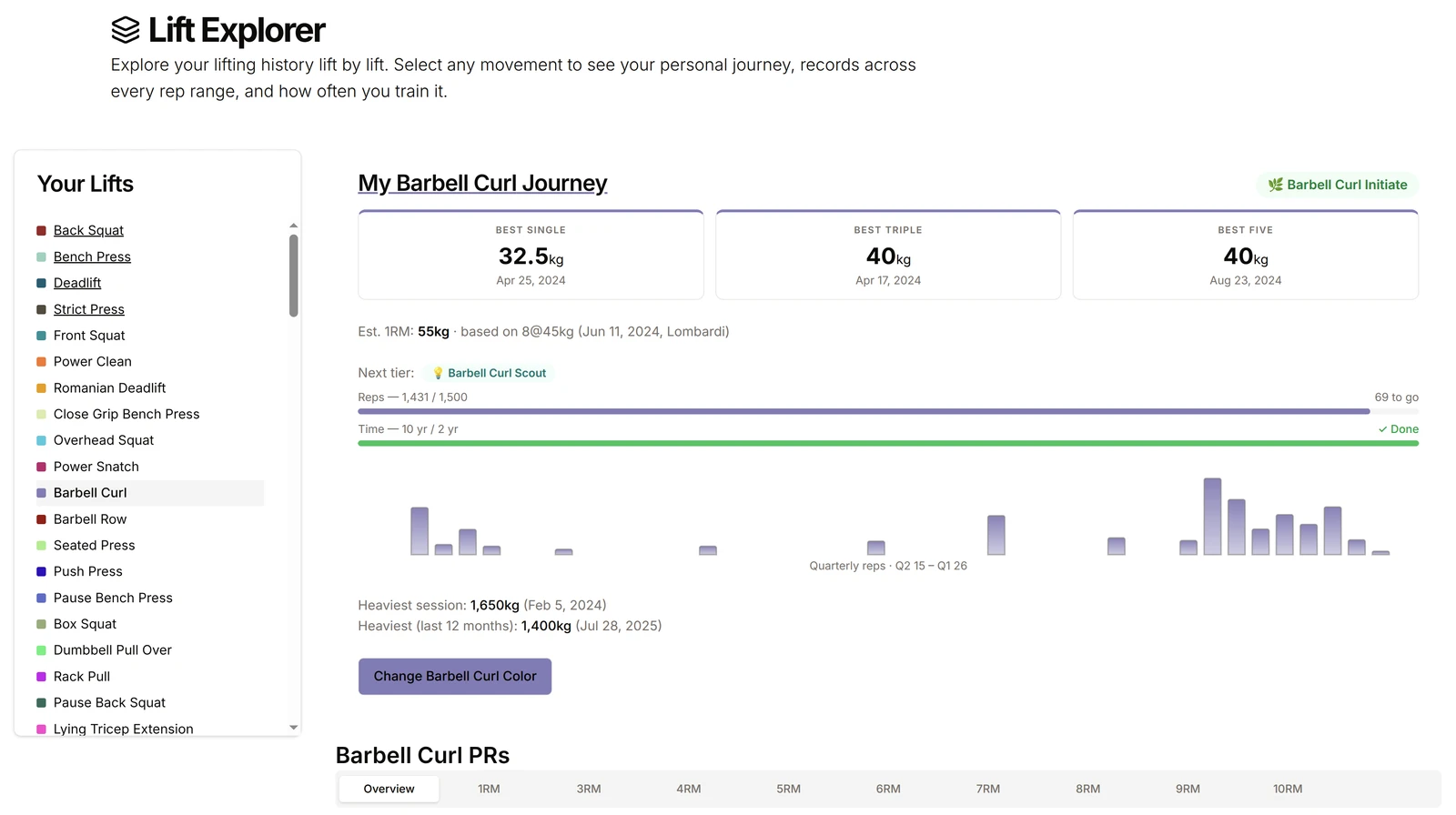
You can move through your lifts more cleanly, see rep-range PRs, view your lift journey, and get a better sense of how often you actually train each movement.

Lift Explorer showing a barbell curl lift journey and rep-range PRs

The lift explorer especially helps you track progress and data for accessory lifts outside of the big four.

Other improvements

A few more shipped changes worth calling out:

  • Heatmap sharing is now faster, cleaner, and more stable
  • Heatmap visuals got a solid polish pass: clearer hierarchy, stronger year labels, better spacing, and improved weekly/monthly views
  • Strength calculator pages got richer lift visuals, better copy/share behavior, stronger internal links, and more useful supporting UI like plate diagrams and warm-up links
  • Mini feedback widgets now appear in more places across the app, including dashboard cards and charts
  • A bunch of sync, empty-data, and edge-case fixes shipped across dashboard and visualizer flows
  • Also I've added some notifications for new user arrivals in order to get feedback.
  • please keep providing feedback using the button in the bottom right corner of the app.

New feature: How Strong Is a Gorilla?

How Strong Is a Gorilla? is exactly what it sounds like.

Release stats: 55 files changed, 6508 insertions, 1427 deletions

This Month in Iron

This Month in Iron is live (new flagship feature) · Strength Calculator got a major visual overhaul · Lifter status badges + progression tiers (late Friday night, now included) · Home, analyzer, and session UX polish · Themes and feedback systems expanded

This Month in Iron is live (new flagship feature)

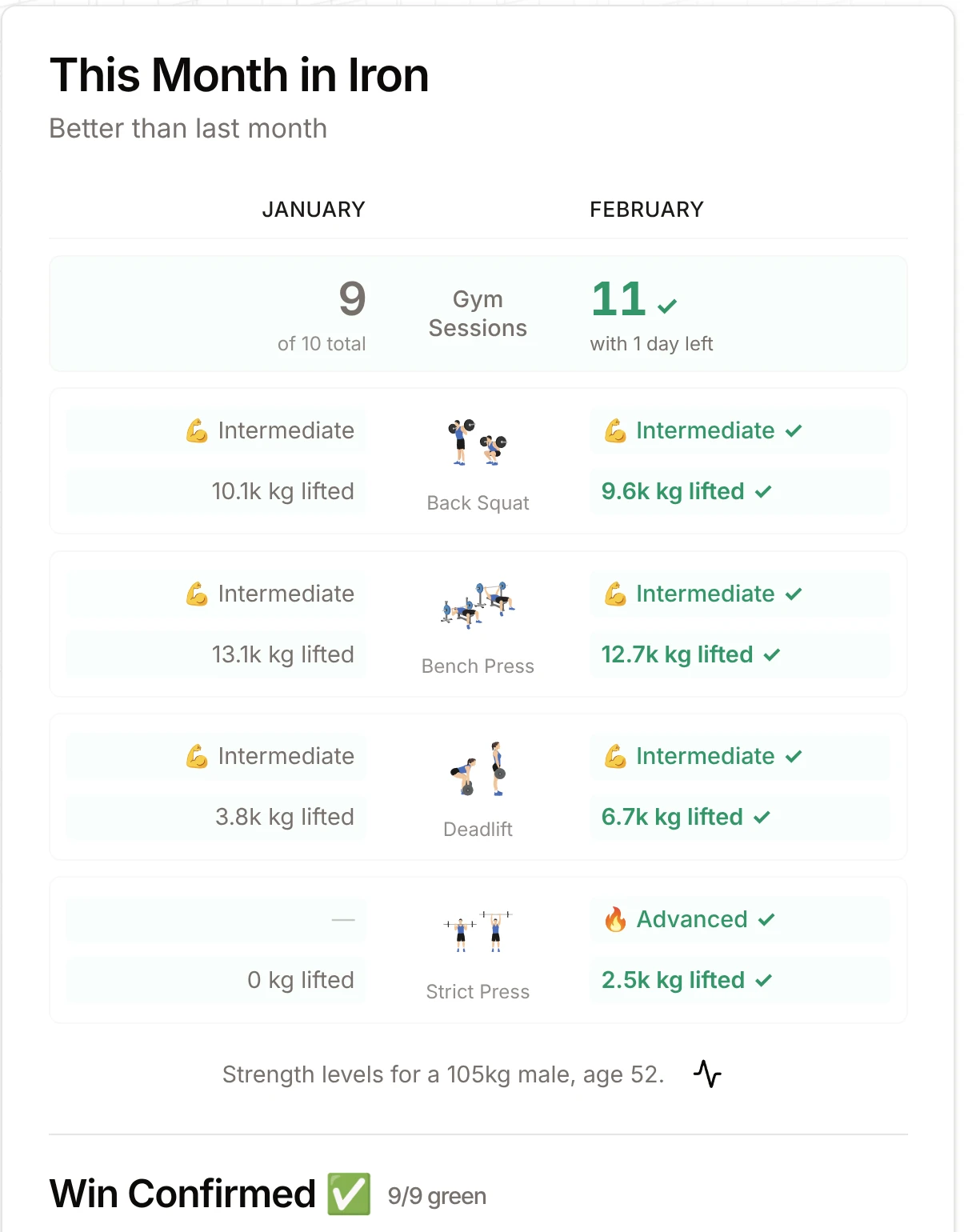
The PR Analyzer now includes a full This Month in Iron experience built to help you see if your month is actually being won, not just worked through. Win the month, win the year.

  • A month verdict system that tells you where you stand right now (Month Won, Month Crushed)
  • Big Four month checks for strength and tonnage in one clear table
  • Smart “matched vs passed” context so progress is easier to interpret
  • Designed to keep you doing the big four lifts for month and years to come.
This Month in Iron card comparing January and February

Strength Calculator got a major visual overhaul

  • New visual algorithm range bars (overview + zoomed detail)
  • Strength standards integrated directly into the bar experience
  • Better mobile readability, tooltip behavior, and label spacing
  • Cleaner inline bio flow and stronger copy/share UX
  • Better layout hierarchy so key numbers are easier to scan
Deadlift standards slider

Lifter status badges + progression tiers (late Friday night, now included)

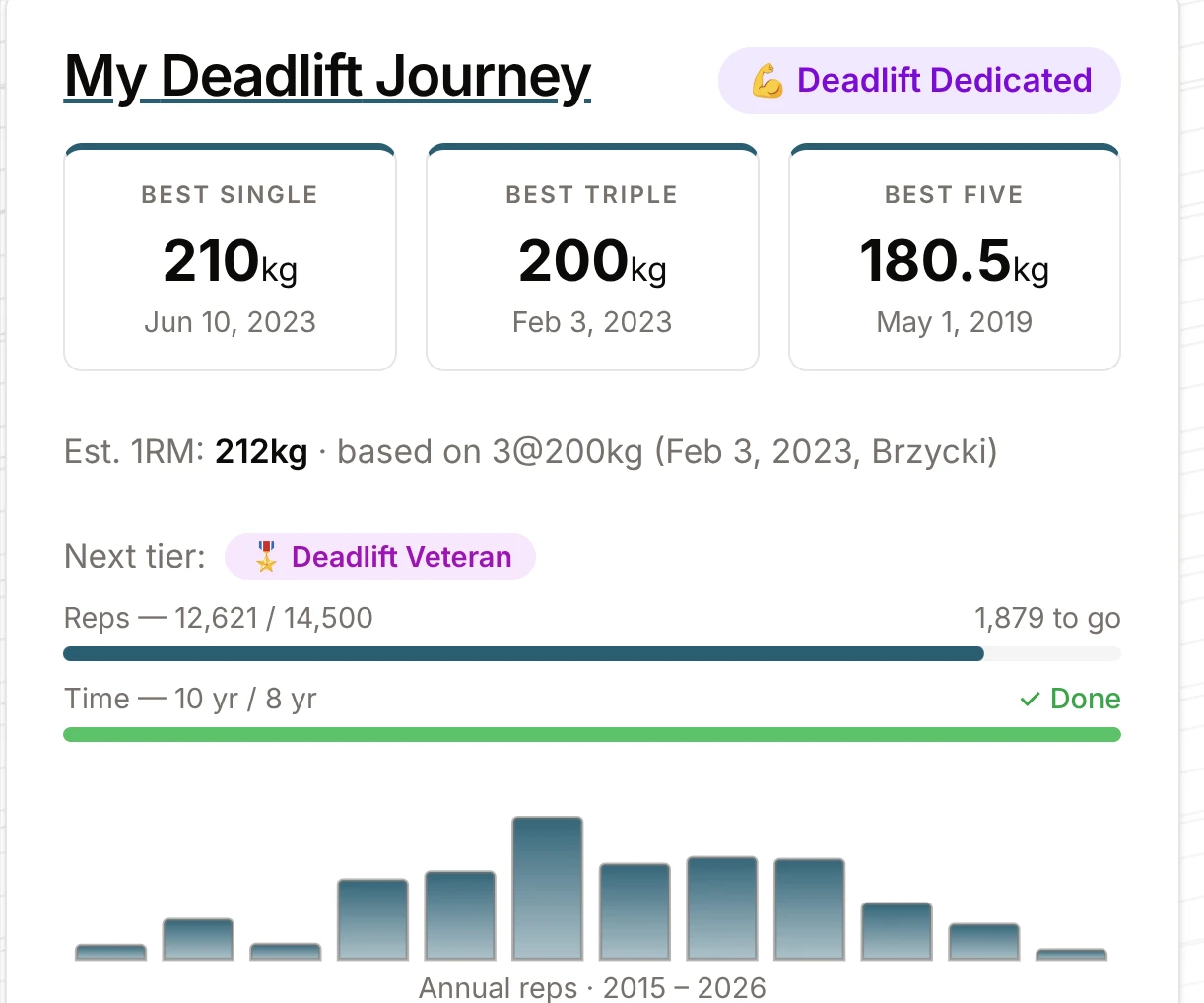
Your lift pages now rank your status as a lifter with clearer progression feedback. We have a range of scientific tiers you can earn.

  • A redesigned** Lift Journey card** with expanded tier progression
  • Badge-style tier ranks to show where you stand and what comes next
  • Animated progress treatment so advancement feels earned and visible
  • Cleaner thresholds and chart skeleton/loading behavior for a smoother experience
My Deadlift Journey card with tier progress

Home, analyzer, and session UX polish

  • Big Four home cards now surface more useful monthly strength context
  • Recent session cards are cleaner across breakpoints, with easier “show one more” flow
  • Compact set/pill layouts are easier to read and compare
  • Analyzer card ordering and chart presentation improved for faster scanning
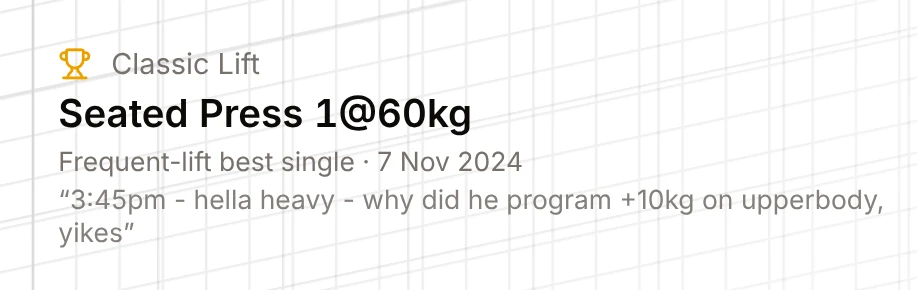
  • Some new cards: "Classic Lifts" where we show you some of your favourite lifting memories:
Classic Lift card: seated press 1@60kg with the day's note

Themes and feedback systems expanded

  • New "Blueprint" theme/background plus more background polish
  • Mini feedback prompts now appear in key areas (analyzer, visualizer, AI assistant, lift journey)
  • A few short articles added
  • Improved feedback tracking detail to better capture your feedback (PLEASE GIVE FEEDBACK!)
Release stats: 124 files changed, 6507 insertions, 2737 deletions

Keep lifting and giving feedback.

The E1RM calculator revamp

Simplified and polished calculator UI · Replaced the old formula radio-style selection with a visual comparison bar · Your estimated 1RM now automatically shows strength level ratings for · Two new programming tables · Copy / Share Improvements · Supported E1RM Algorithms (all shown in the comparison slider)

The world's best e1rm calculator is now even besterer.

Simplified and polished calculator UI

  • Cleaner layout and spacing
  • Improved readability of labels and controls
  • Better mobile/desktop behavior across the page
  • New all-in-one E1RM algorithm slider/line

Replaced the old formula radio-style selection with a visual comparison bar

  • Shows all supported E1RM formulas on one line
  • Lets you quickly compare estimates and tap/click a formula to select it
  • Improved mobile label merging and popover interactions so crowded labels stay usable
  • Automatic Big Four strength ratings (always visible)
E1RM formula comparison bar

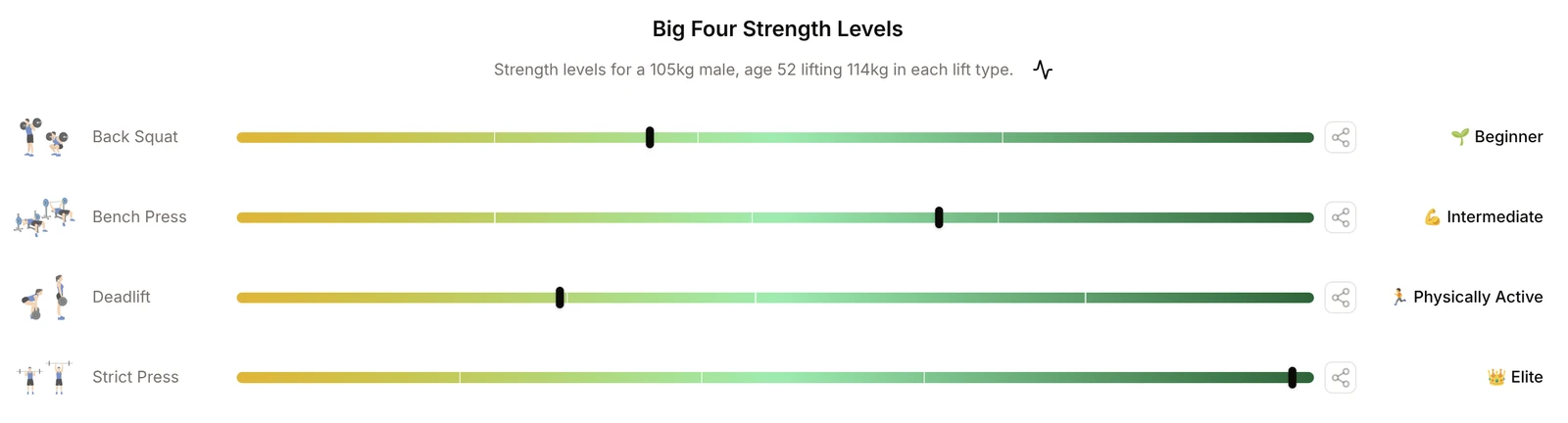
Your estimated 1RM now automatically shows strength level ratings for

  • Back Squat
  • Bench Press
  • Deadlift
  • Overhead Press
Big Four strength level bars in the E1RM calculator

Ratings are benchmarked using your athlete bio data (age, sex, bodyweight) UI was refined with better tooltips/popovers, layout, and inline bio settings

Two new programming tables

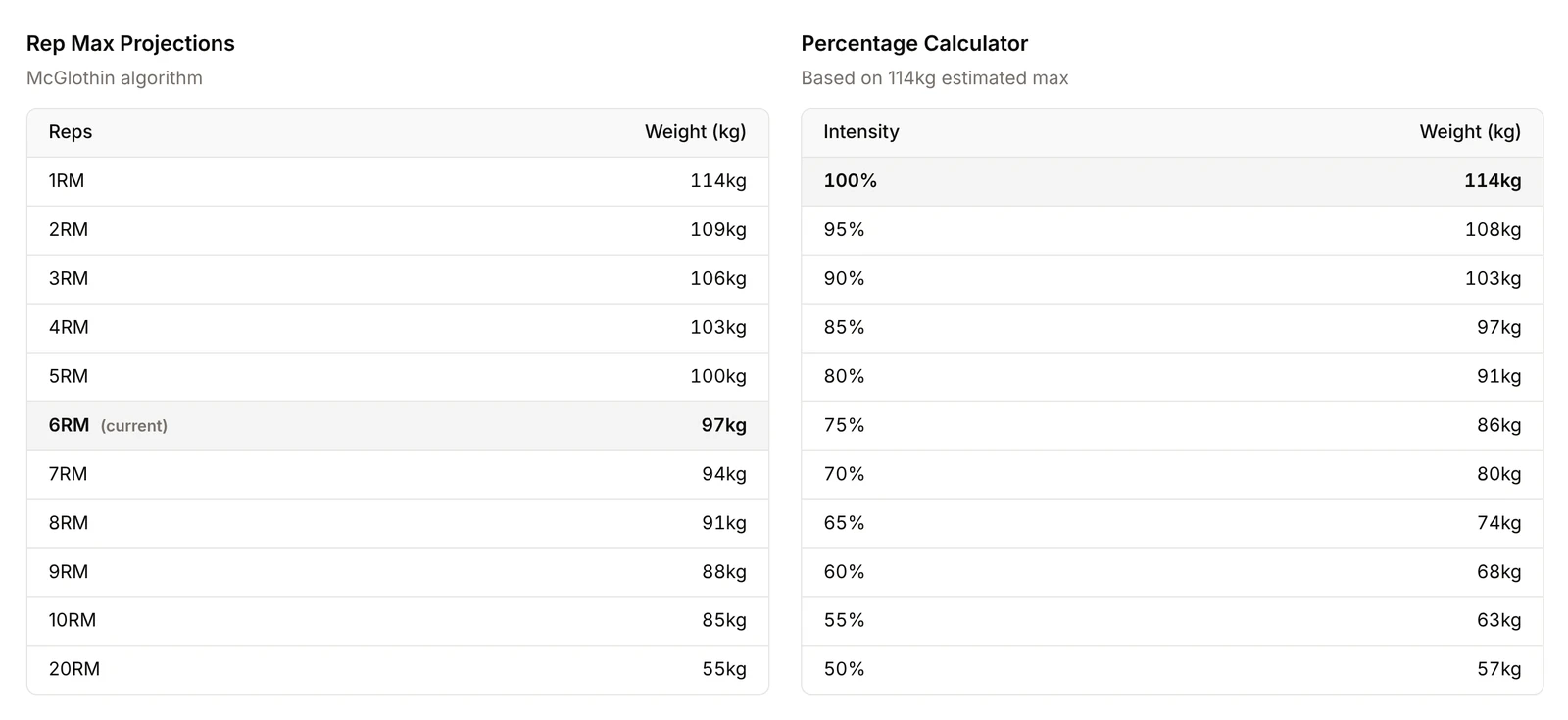
  • Rep Max Projection Table (projects estimated weights across rep ranges)
  • **Percentage Table **(100% down to lower percentages for programming)
Rep max projection and percentage tables

These make the calculator more useful for planning sets, percentages, and training blocks

Copy / Share Improvements

  • Improved copy result UX (clearer success feedback)
  • Added** per-lift copy buttons **on Big Four strength bars
  • Copied text now includes more useful context (including shareable calculator link)

Supported E1RM Algorithms (all shown in the comparison slider)

  • Brzycki
  • Epley
  • McGlothin
  • Lombardi
  • Mayhew
  • OConner
  • Wathan

Strong friends don't let friends use any other calculators.

kg and lb switching that works everywhere

kg/lb Unit Switching — Now Works Everywhere · Dashboard — Consistency Grade Circles · Strength Standards Chart — Focused and Motivating · Chart Hover — Smoother and More Responsive · Feedback Widget — More Visible and Contextual · Articles — Now Shareable · Under the Hood

kg/lb Unit Switching — Now Works Everywhere

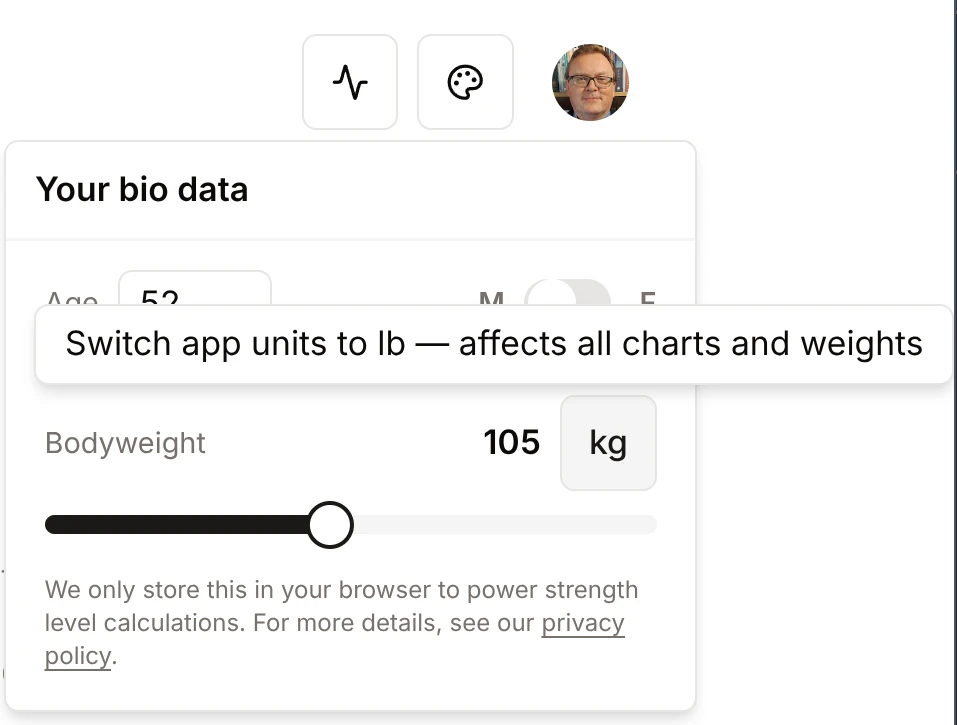
This was the big one this week. Previously, toggling between kilograms and pounds only affected the calculators. Now it's truly global — switching units instantly updates your charts, PR displays, tonnage totals, strength standards, and year recap across the entire app. Your preference is also remembered between visits.

As a bonus: the app now auto-detects your preferred unit from your data on first load. If most of your logged lifts are in kg, it defaults to kg — no manual setup needed.

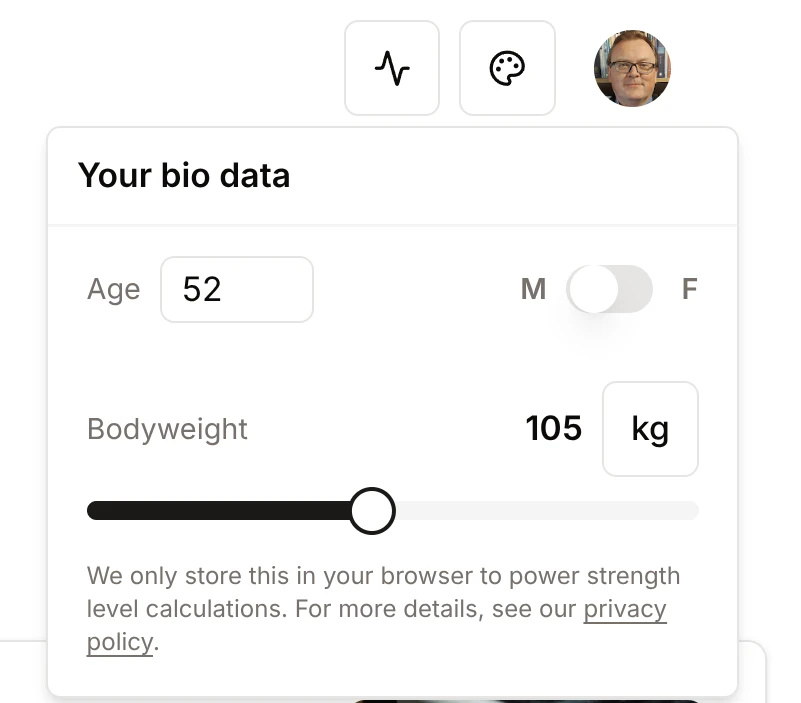
Bio data panel with the switch app units toggle

And to make the toggle a little more fun: switching units now fires a small emoji confetti burst from the button. The emojis cycle through themed sets so it's never quite the same twice.

Dashboard — Consistency Grade Circles

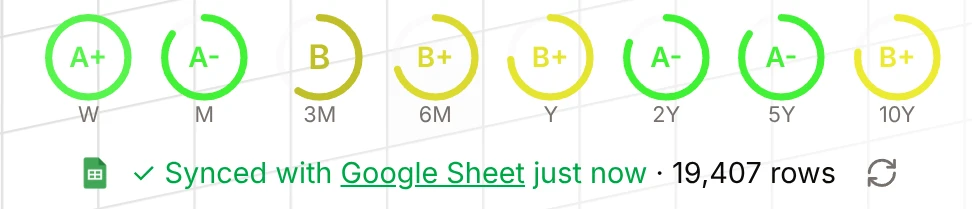
Your training consistency grades are now displayed as visual circles right on the home dashboard, so you can see your weekly and monthly consistency at a glance without navigating to the Analyzer. Hover over any circle for a tooltip with more detail, or click to go straight to the full Consistency section.

Consistency grade circles on the home dashboard

Consistency fairness fix: The weekly grade window now has a one-day buffer, so you don't get penalized first thing in the morning before you've had a chance to train. If a session is about to age out of the window and drop your grade, the tooltip will now warn you — "lift today to keep your grade" — rather than the previous unhelpful message.

Strength Standards Chart — Focused and Motivating

The mini strength standards chart (visible on lift insight pages) previously showed all standards from Beginner to Elite regardless of your level. It now shows only the standards you've already reached, plus exactly one next target to aim for. No point showing Elite to someone just starting out — the chart is now cleaner and more encouraging.

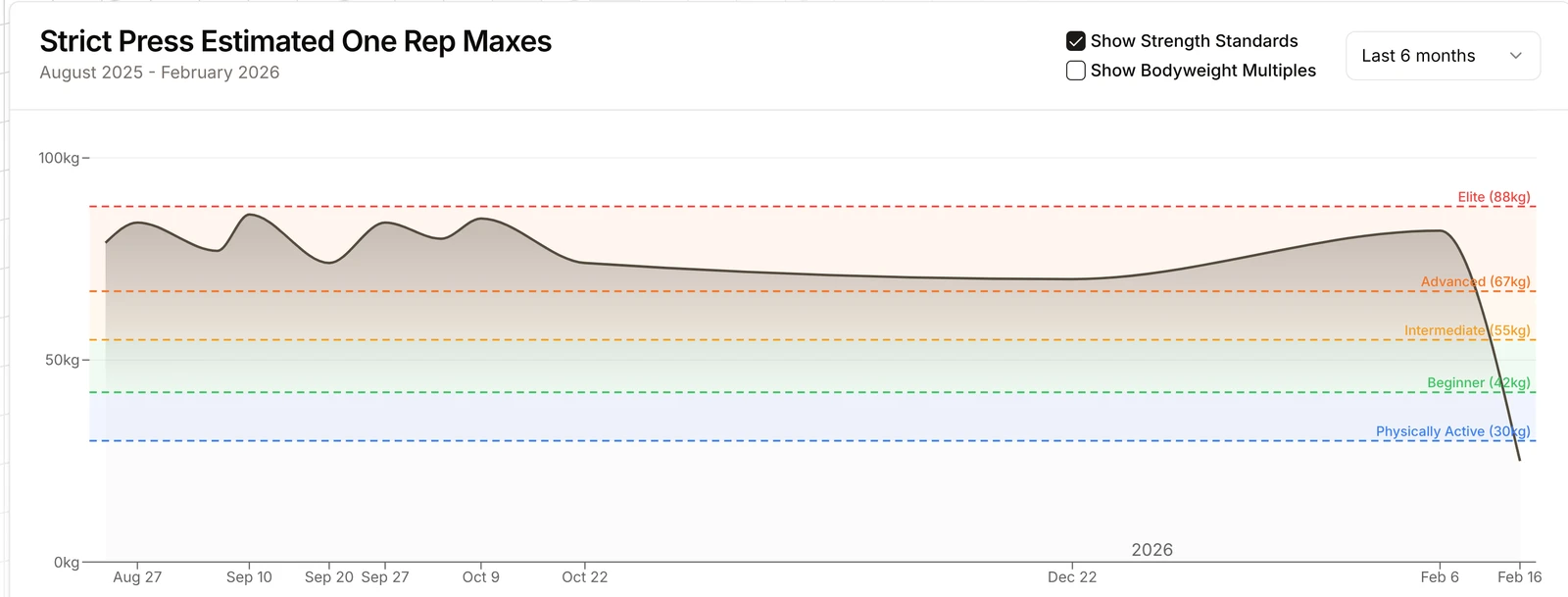
Strict press e1RM chart showing only the standards reached plus the next one

Chart Hover — Smoother and More Responsive

Hovering over a chart to see the session details card is now noticeably smoother. The sync between chart hover and the session card below now uses a smarter approach that scales with how much data you have, keeping things snappy whether you have 50 sessions or 5,000.

Feedback Widget — More Visible and Contextual

The feedback button (bottom-right of most pages) got a polish pass. It's more visible, shows different prompts depending on which page you're on, and has a wider variety of messages to keep it feeling fresh rather than repetitive.

The Thoughts? feedback button

Articles — Now Shareable

Article pages now have share buttons, making it easy to send a strength training article to a friend or training partner.

Under the Hood

A significant dependency upgrade landed this week: Next.js was updated from version 14 to 16, and React from version 18 to 19. These are the core frameworks the app runs on. The upgrade brings performance improvements, better memory usage, and keeps the app on a supported, secure foundation. A number of chart regressions introduced by the update were caught and fixed before release. Several other libraries were also updated, and three unused packages were removed to keep things lean.

As always — if something looks off after this week's changes, a hard refresh (Ctrl+Shift+R / Cmd+Shift+R) usually clears it up. And use the feedback button to let us know!

Release stats: 32 files changed, 2662 insertions, 2234 deletions

Keep lifting.

A new feedback system, and heatmap polish

New feedback system is now live · UI/UX polish across key pages · Backend and data-platform updates (grouped) · Important note

Another big week of AI led coding. I have moved from Cursor IDE to Claude Code for a trial.

New feedback system is now live

A floating micro-feedback widget is now available, plus thumbs up/down feedback on article pages.

UI/UX polish across key pages

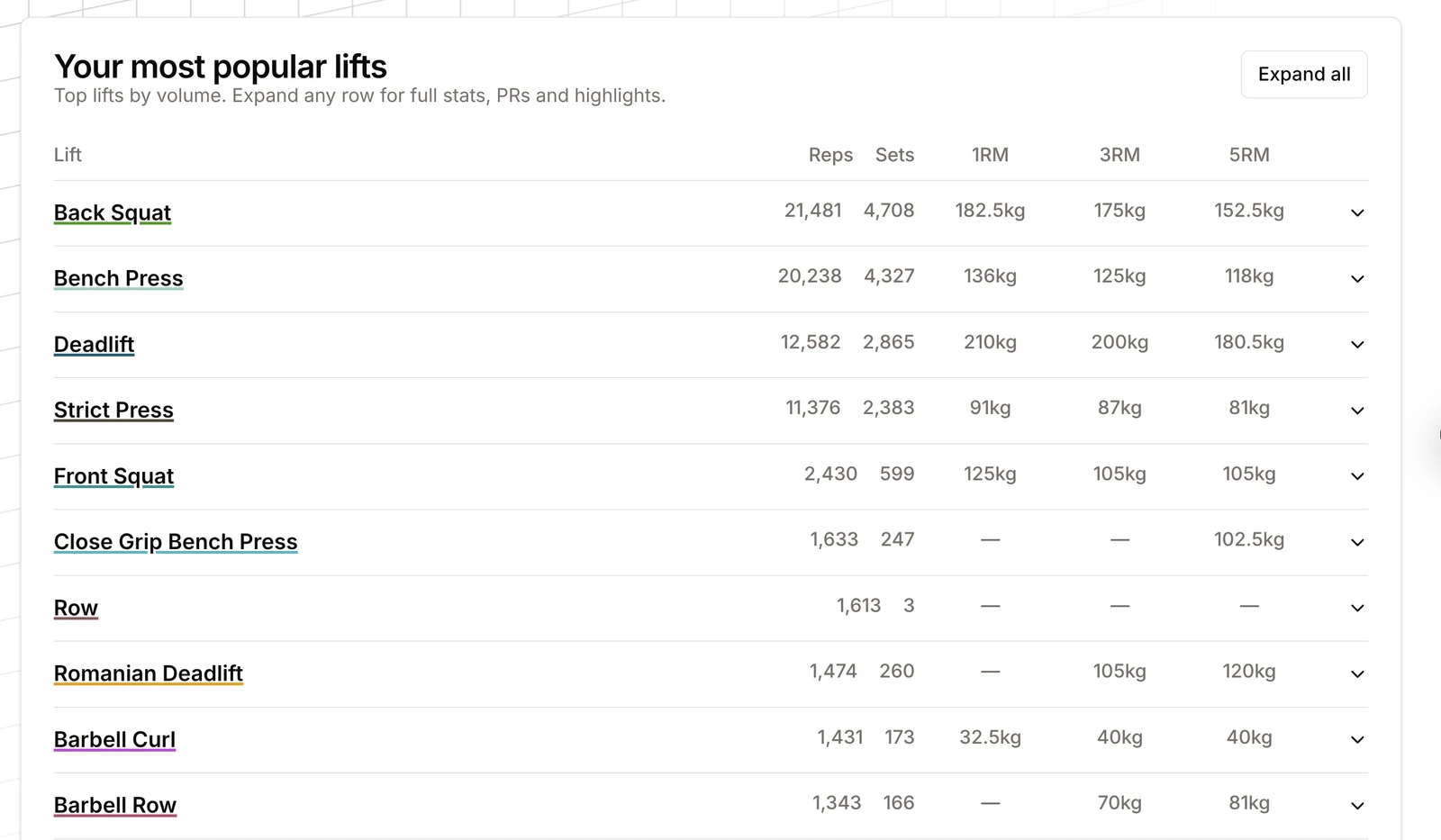
  • New Popular Lifts accordion in Analyzer (cleaner mobile behavior, simplified columns).
Your most popular lifts table with reps, sets and rep-range bests
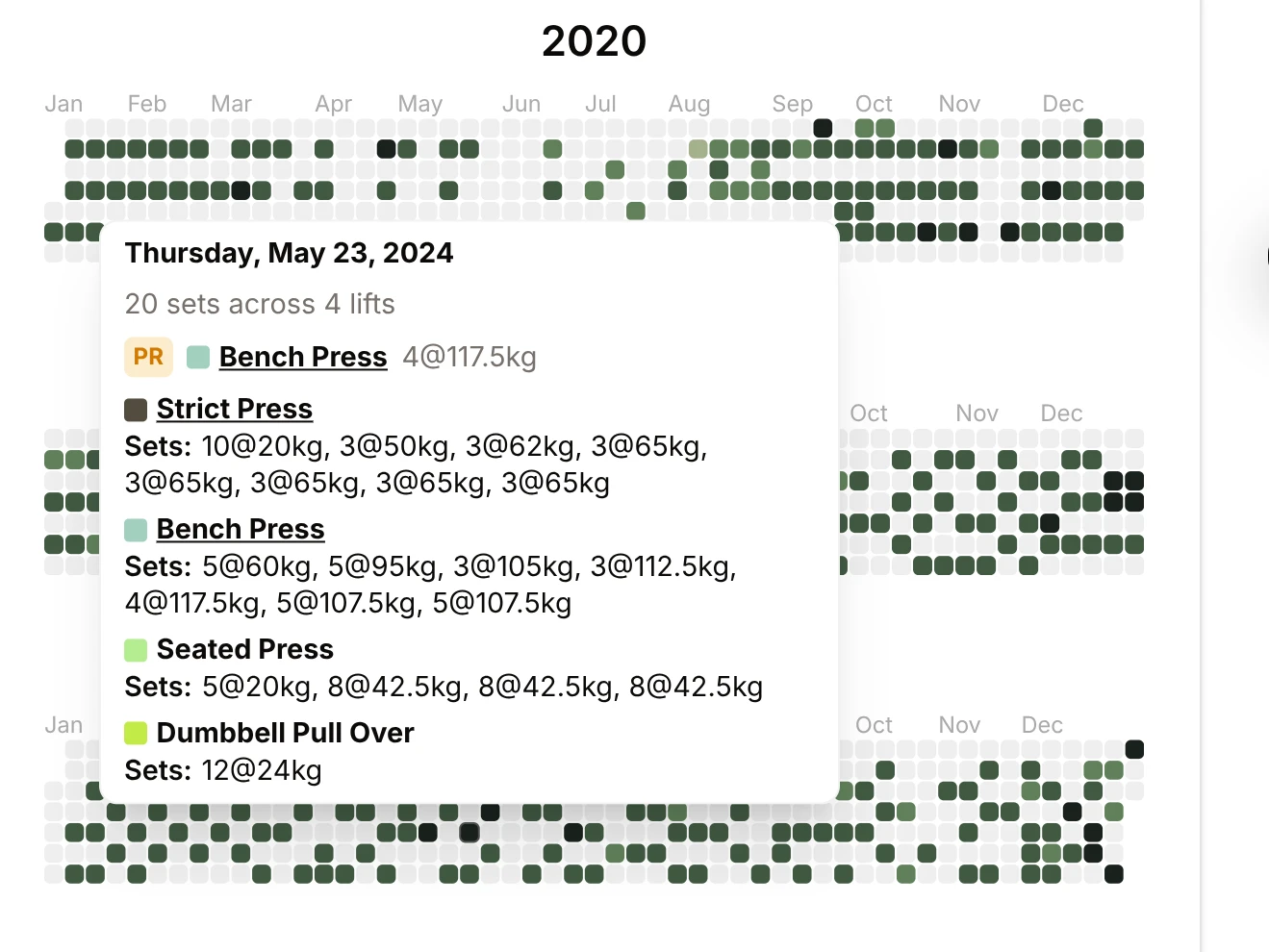
  • Stronger heatmap experience with richer tooltips, volume-based colors, better share overlay timing, and clearer share-ready messaging.
Heatmap tooltip listing the sets from one session
  • Improved standards slider with new 2Y/5Y/10Y ranges, clearer notch styling/tooltips, and “PR” naming improvements.
Standards slider with 2Y, 5Y and 10Y range notches
  • We report strength ratings for various user sets throughout the app. Make sure you have entered your age/bodyweight/sex in the nav-bar to get these accurate.
Bio data panel for age, sex and bodyweight
  • Multiple mobile/layout improvements (session cards, icons, nav tweaks, spacing, breakpoint tuning).
  • Theme and visual updates:
    • Added and refined the Starry Night theme.
    • Improved theme/logo consistency and reduced motion support.
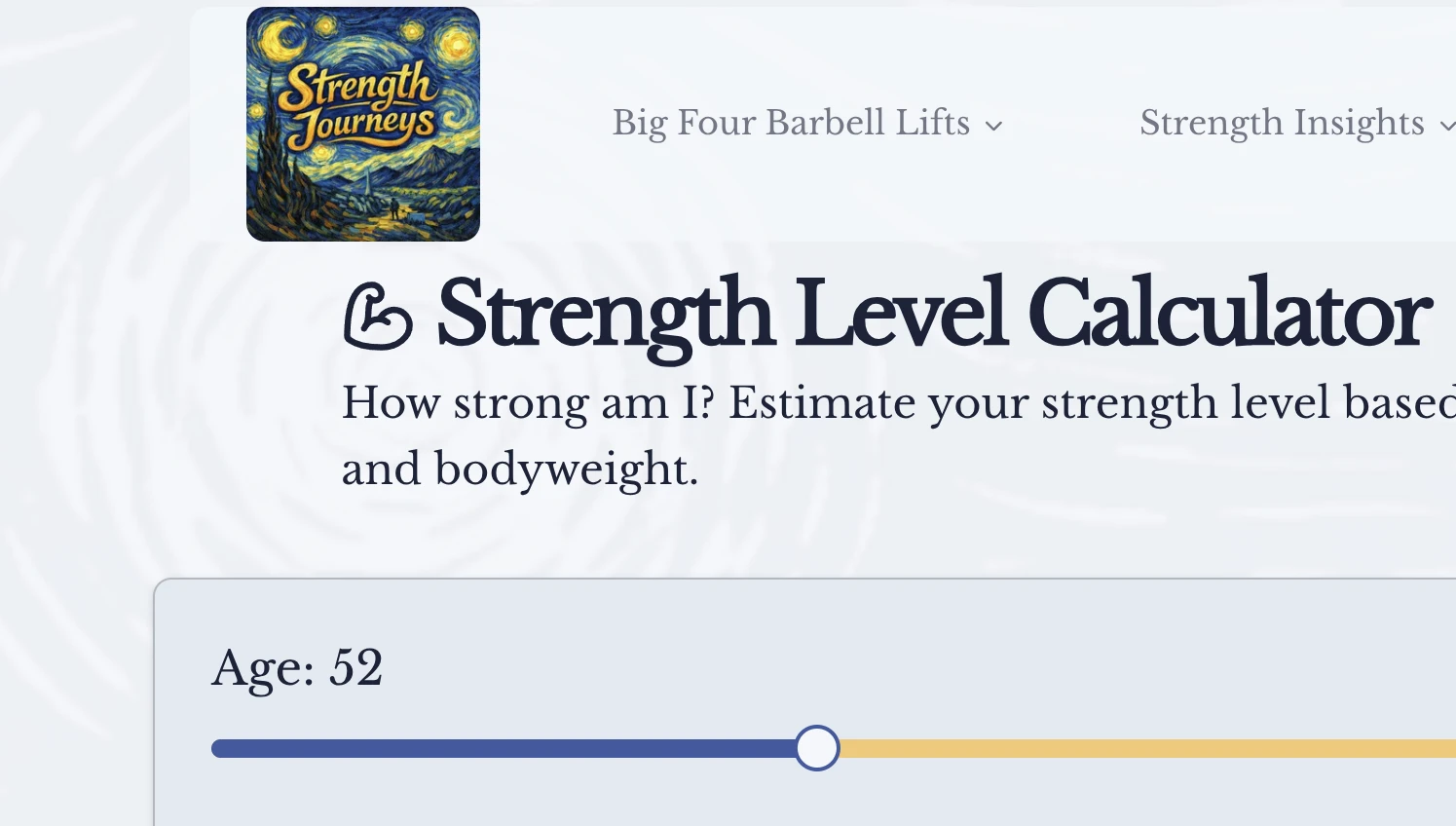
The Starry Night theme on the Strength Level Calculator

Backend and data-platform updates (grouped)

  • Major Google Sheet state refactor:

    • Consolidated sheet state into a single sheetInfo model.
    • Split parsing vs metadata sync responsibilities in the main data hook.
    • Moved toast UI behavior out of the data hook into layout-level handling.
    • We now use a new Google provided File Picker package.
  • Analytics refactor:

    • Unified GA helpers under ga* naming.
    • Centralized event tags and preserved legacy names.
    • Simplified event debugging with debug_mode.
  • Observability improvements:

    • Added clearer pipeline/timing logging and improved failure logging paths.

Important note

Because of the backend/data-loading refactors this week, some users may see occasional sheet-loading hiccups. If that happens, please try reconnecting your Google Sheet and send feedback through the in-app widget so we can fix edge cases quickly.

Release stats: 296 files changed, 5897 insertions, 12093 deletions

Keep lifting!

Strength Unwrapped, your yearly recap

What's Inside · UI & UX Improvements · Technical Improvements · Bug Fixes · Data & Analytics Improvements · Other Improvements · Developer Experience

The big one! We've launched Strength Unwrapped — a Spotify Wrapped-style yearly recap for your lifting journey. Unwrap your year in beautiful, swipeable, shareable cards that celebrate your strength training achievements.

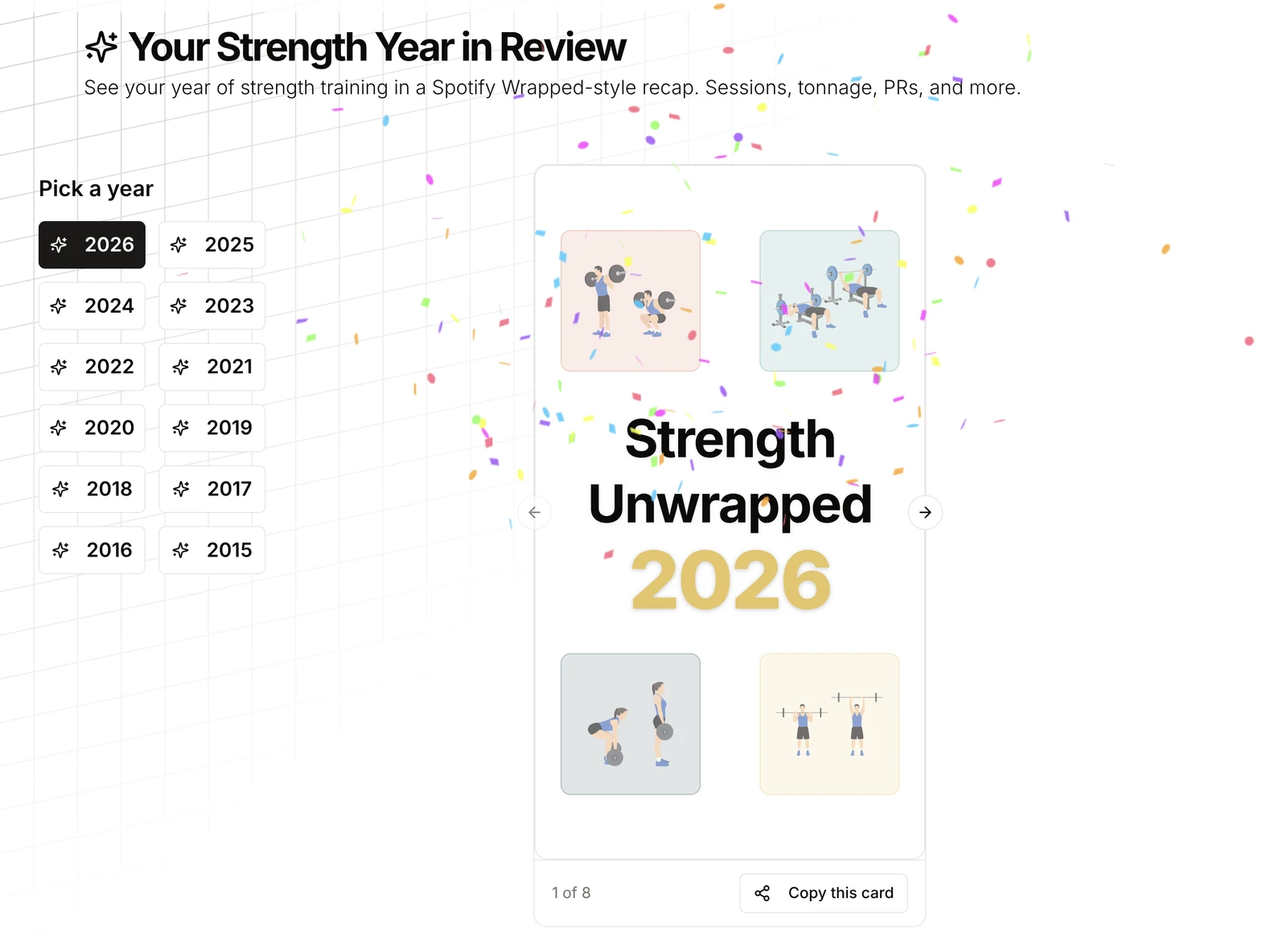
Strength Unwrapped year picker and title card

What's Inside

  • Portrait cards optimized for Instagram sharing — show off your gains!
  • Swipeable carousel with smooth animations powered by Motion
  • 9 recap cards covering your entire year:
    • Title Card: Staggered word reveals, gradient year display, confetti fireworks 🎆
    • Sessions Card: Your workout count with circular grade badges and streak highlights
    • Tonnage Card: Total volume lifted with Big Four breakdown bar chart
    • Most-Trained Lift: Deep dive into your favorite exercise (sets, reps, gym sessions)
    • Consistency Card: Your training consistency grade
    • PR Highlights: Notable lifts and lifetime PRs split into separate cards
    • Seasonal Pattern Card: See when you trained most throughout the year
    • Closing Card: Encouraging wrap-up message
  • Year selector to browse multiple years of data
  • Previous year comparison on Sessions and Tonnage cards (shows in December for current year)
  • Demo mode with sign-in prompts for unauthenticated users
  • Skeleton loaders for smooth loading experience
  • Empty state phrases that encourage and motivate

This is a beta feature — we're iterating based on your feedback. Try it out!


UI & UX Improvements

Session Analysis Card Overhaul

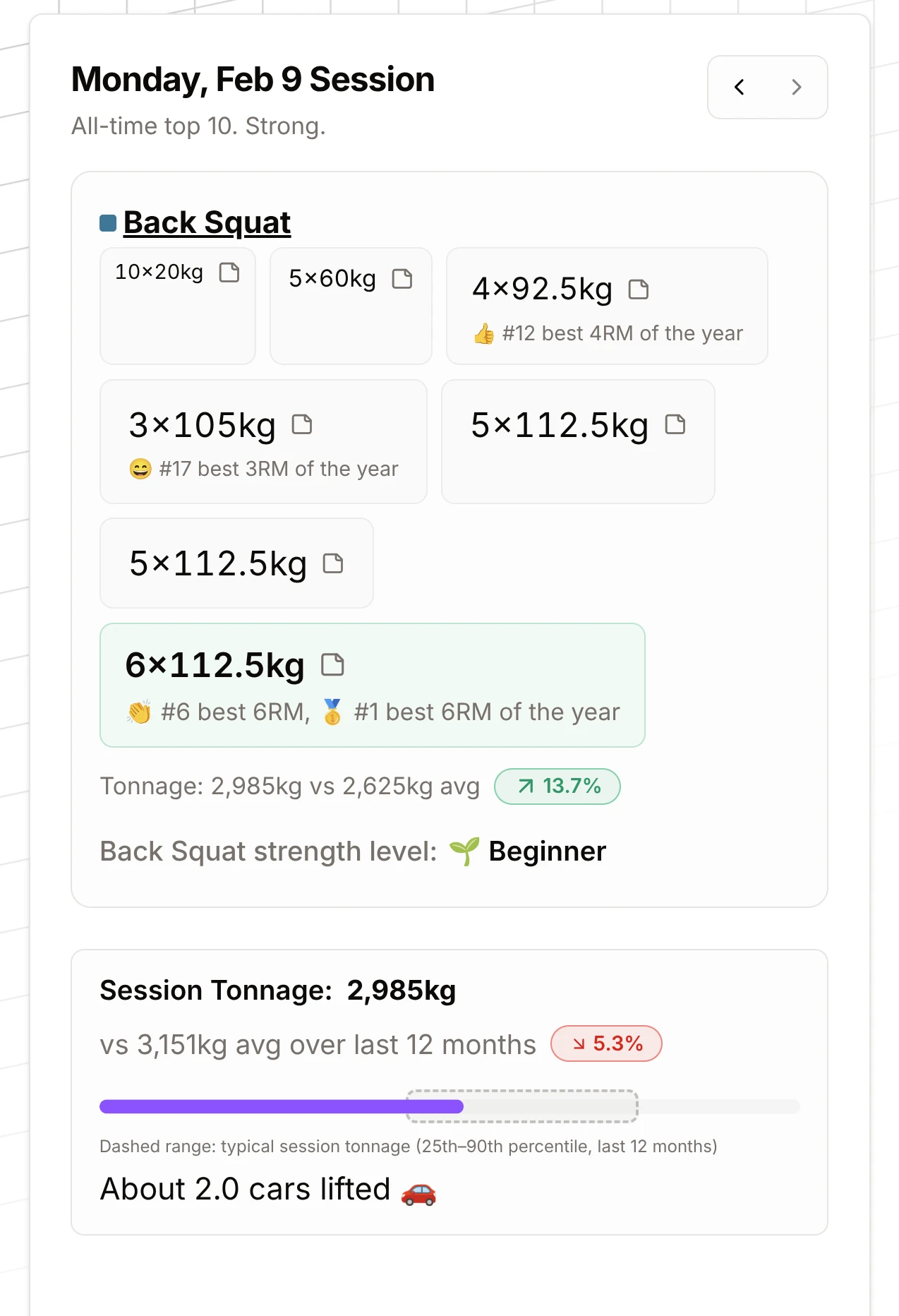
Session analysis card with highlighted PR sets and session tonnage
  • Visual hierarchy: e2RM-based highlighting — PRs and highest e1RM sets stand out
  • Larger strength level text: Your strength level is now more prominent
  • Improved layout: Cleaner header, better exercise block grouping, session tonnage comparison
  • Tonnage range slider: Filter sessions by volume range
  • Enhanced tooltips:
    • Notes tooltip on StickyNote icon
    • Video tooltip with truncated URLs
    • Bold "Note:" prefix for workout notes
  • Better highlighting: Highlighted sets get bigger fonts and padding
  • Session rating: Now shown in card description with nuanced PR tiers and adlibs

Consistency Card

  • Grade thresholds: Extracted and improved calculation logic

Visual Improvements

  • Big Four Lift Cards: Updated grid layout for better responsiveness
  • Standards Slider: Tooltips with tuple info, hover highlights, improved copy
  • Icon update: Anvil icon in SectionTopCards
  • Plate animations: Plates slide onto barbell with Motion library animations
  • Feature cards: Scroll-triggered icon animations, theme chart colors
  • Big Four SVG: Subtle rotation wobble when stats load

Layout & Spacing

  • Carousel centering: Restored proper centering when authenticated
  • Unified auth layouts: Consistent layout for authenticated and demo states

Technical Improvements

Code Organization

  • Component extraction: SessionExerciseBlock component for reusable exercise displays
  • Local storage patterns: Documented SSR-safe usage patterns
  • Year recap refactoring: Decentralized cards, moved processing code out of src/lib

Performance & Caching

  • Session rating cache: Uses useLocalStorage for performance, invalidates on tuple count changes
  • Processing utils: Enhanced with better date handling and session analysis

Date & Timezone Fixes

  • Local date handling: Fixed timezone issues across multiple components:
    • AI lifting assistant, heatmap, months highlights, visualizer-mini
    • Time range select, section-top-cards, use-timer, consistency-card
    • TODAY badge and cutoff dates (fixes Australia timezone issues)
  • Date formatting: Migrated to date-fns library for consistent date handling

Bug Fixes

  • Heatmap card: Fixed broken html3canvas-pro usage after recap migration
  • Seasonal Pattern Card: Made bar chart visible (was hidden)
  • PR ranking: Fixed tie-breaking — later dates rank worse when lifts tie
  • Year comparison: Only shows previous year comparison in December for current year
  • Duplicate styles: Fixed duplicate style props in seasonal-pattern-card
  • Grade jump calculation: Fixed consistency grade jump calculation
  • Session momentum: Fixed to count unique days (was double-counting)

Data & Analytics Improvements

Strength Ratings

  • Age-at-PR factor: Historical lifts now factor in your age at the time of the PR for more accurate strength ratings. You are not in high school anymore, so stop bragging about that boys bench press session.
  • Bio data integration: Added bio data support for strength rating calculations
  • Historical PRs: Properly distinguished from notable lifts using isHistoricalPR flag

Year Recap Data Processing

  • Deadlift multiplier: Added 2.5x volume multiplier for deadlift in most-trained and favorite badges
  • Lifetime PRs: Split into separate card from notable lifts
  • Previous year comparison: Added to Sessions and Tonnage cards with proper date logic
  • Empty states: Encouraging phrases for PR cards when no data available

Session Analysis

  • PR tiers: More nuanced PR classification
  • Strength level integration: Better integration with strength level calculations
  • Tonnage filtering: Range slider for filtering sessions by volume

Other Improvements

  • Momentum card: Sessions move up, brackets move out, math shows up — visual glow-up!
  • Lifetime tonnage card: Unit-aware stats display
  • Weekly streak card: Improved logic and messaging
  • Training logging prompt: Updated text in SectionTopCards
  • Carousel position: Maintains position on year change, reanimates active card
  • Demo mode: Improved sign-in card and empty states throughout year recap

Developer Experience

  • Code quality: Improved prop destructuring, better component separation
  • Local storage: Documented patterns and SSR-safe usage

Total changes: 44 files changed, 4,268 insertions(+), 950 deletions(-)

Keep lifting!
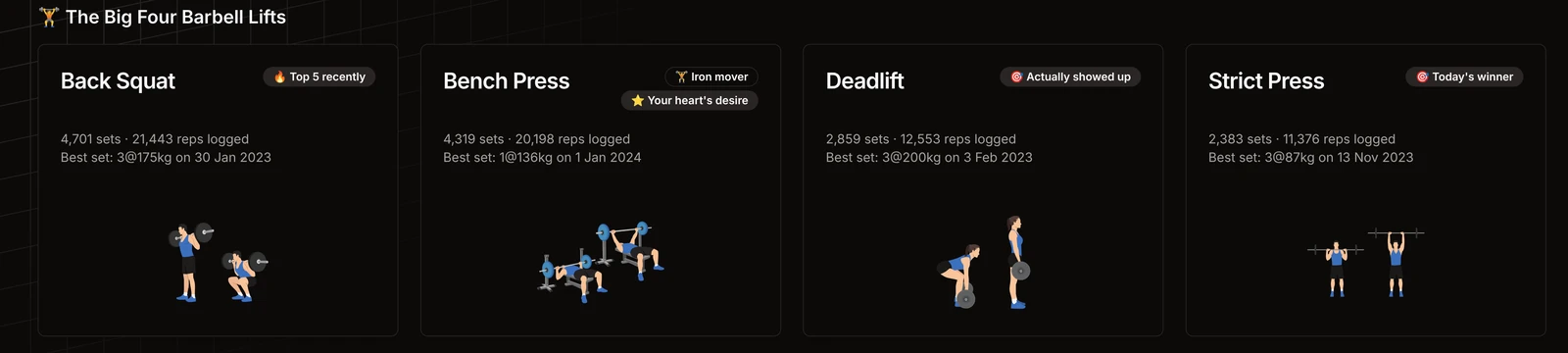
Big Four lift cards with personality

Big Four Lift Cards with Personality · Beyond Elite on the Strength Slider · Shareable Calculator URLs · Session Analysis: Per-Lift Tonnage · Lift Summary Stats: Tonnage · Home Dashboard Polish · Tailwind v4 & Theme Tweaks · 1000lb Club Calculator · AI Lifting Assistant · Accessibility · Backend & Data

Lots of AI coding happening this week:

Release stats: 112 files changed, 12405 insertions, 1979 deletions

There may be BUGS. Please report any issues!

Big Four Lift Cards with Personality

The home dashboard now shows Big Four lift cards with personality badges:

  • Did it today — Random labels like "Actually showed up", "Future you approves", "Zero regrets"
  • Favourite / least favourite — Which lift you do most vs least
  • Neglected lift — Tiers like "It's time", "Comeback ready", "Been a while" when you haven’t hit a lift in a while
  • Tonnage badges — "Tonnage king", "Volume monster", "Moving mountains" for your heaviest sessions
  • PR badges — Best ever, top 5, top 10 recently
Big Four lift cards with personality badges

Cards use staggered entrance animations and a responsive layout. The Big Four section is now more informative and motivating.

Beyond Elite on the Strength Slider

If your E1RM is above Elite, the strength slider now extends so your marker stays on the chart. Your strict press (and other lifts) stay visible instead of disappearing off the right.

Shareable Calculator URLs

The One Rep Max Calculator and Strength Level Calculator now sync state to the URL. Share a link and others see the same inputs and results. Advanced params (age, bodyweight, gender, formula) sync together so shared links restore the full state.

Session Analysis: Per-Lift Tonnage

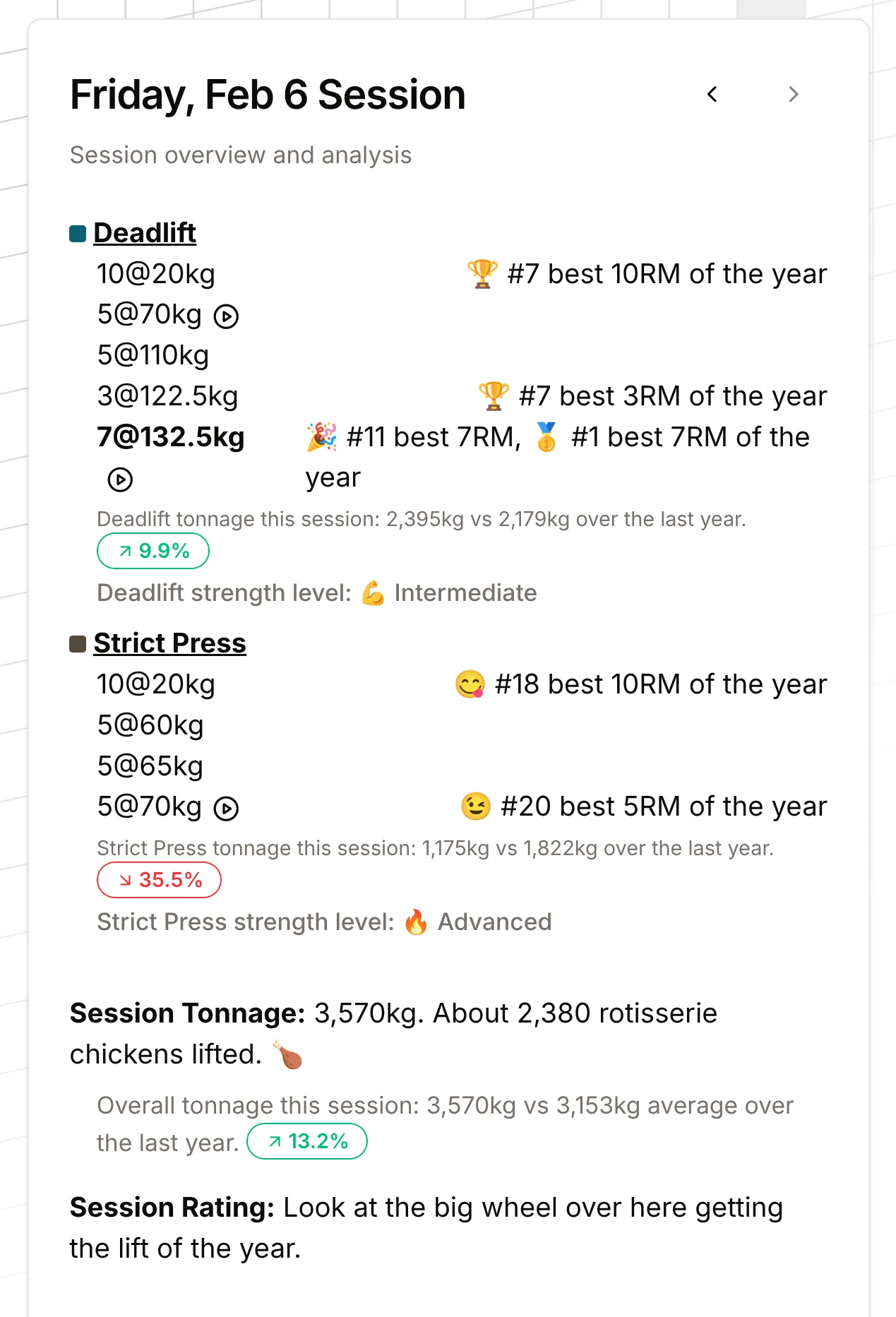
The session analysis card now compares per-lift tonnage to your last 12 months. See how each lift’s volume in this session stacks up against your average. Session strength levels use the same Beyond Elite logic when you exceed Elite.

Session analysis card with per-lift tonnage and PR badges

Lift Summary Stats: Tonnage

On the big four lift pages, the summary stats now include heaviest session and heaviest in the last 12 months for each lift. Tonnage is now easier to track alongside PRs.

There is more tonnage info throughout the app. You can't always chase PRs but you can consistently push tonnage.

Home Dashboard Polish

  • SectionTopCards — Reusable stat cards with icons and accent colors
  • Skeleton loading — Smoother loading while data is fetched
  • Stats overlay — Fade-in after the hero transition
  • PageContainer — Consistent centering across pages (Tailwind v4)

Tailwind v4 & Theme Tweaks

  • Migrated to Tailwind CSS v4
  • Theme variables instead of dark: variants
  • Animated backgrounds — Grid patterns for light/dark, flickering grids for neo-brutalism, warp effect for retro-arcade
  • Updated navbar and background grid styles
Animated grid background behind the lift cards

1000lb Club Calculator

  • Compact card layout
  • Improved copy functionality
  • Updated feature links and descriptions

AI Lifting Assistant

  • Layout and message styling updates
  • Better max-width and readability for assistant messages
  • Using new AI-SDK version (jumped 2 generations)

Accessibility

  • Improved aria-labels on dropdown menus
  • Drive picker button titles updated for clearer context

Backend & Data

  • Infer missing data — Date and lift type inferred from the previous row when cells are blank
  • Overhead Press → Strict Press — Normalized naming and other parser fixes.
  • Performance — Refactored session analysis card, buildParsedState, and lift type processing
  • Google Analytics — Sign-in click events for attribution

We’re aiming to give you the best visualizations and insights for your strength journey — to celebrate wins and see what’s working. Share feedback, report bugs, or suggest features.

Please feel free to buy me a coffee to help fund AI tokens.

Keep lifting.

A PR grid on the Big Four lift pages

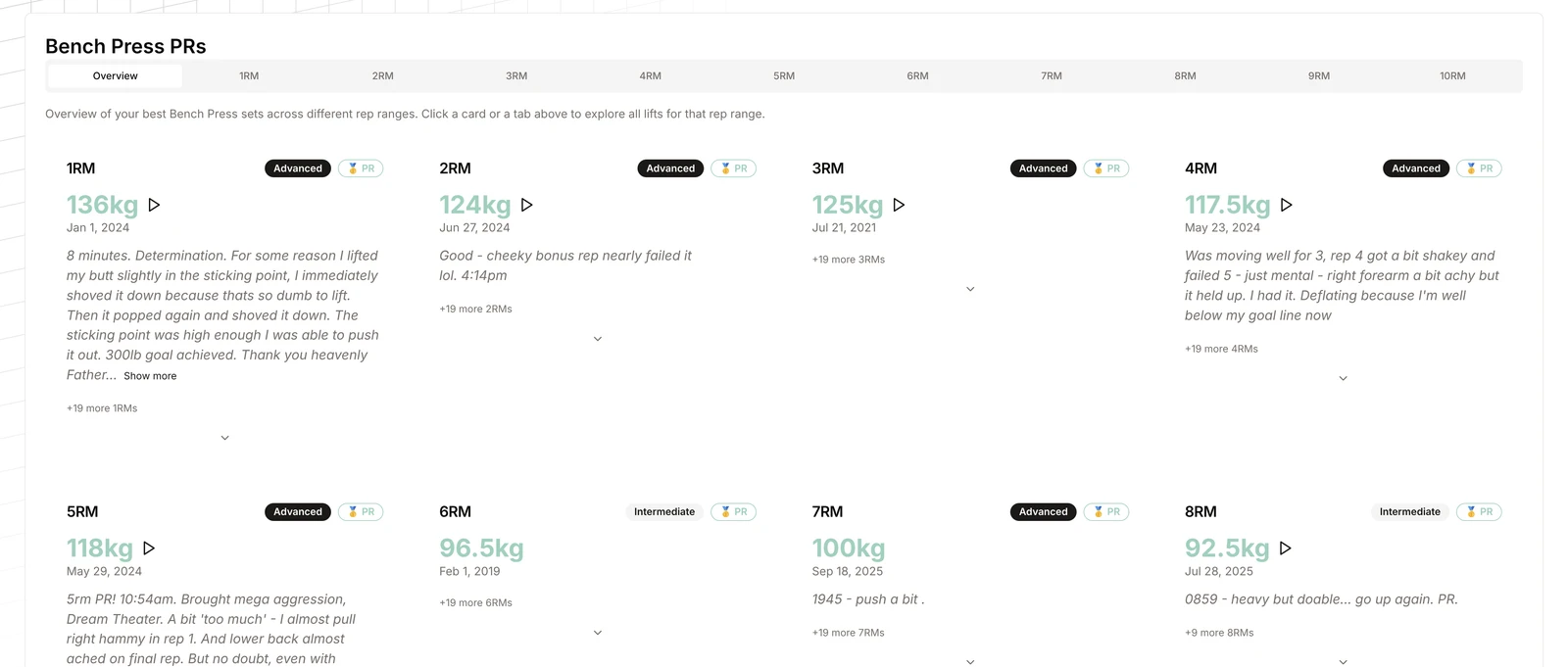
New PR display on lift pages

New PR display on lift pages

  • Added a PR display component on the big four lift pages
  • Browse PRs by rep range (1RM, 3RM, 5RM, etc.) in an overview and detail view
  • Video links for PRs: YouTube and Google Photos URLs show thumbnails with play buttons
  • Strength rating badges on PR cards (Physically Active, Beginner, Intermediate, Advanced, Elite) using strength standards and athlete bio
  • On mobile/tablet, only key rep ranges (1RM, 3RM, 5RM, 10RM) are shown to keep the layout simple
Bench press PR grid by rep range with strength rating badges

A warm-up sets calculator, and AI updates

New Warm-up Sets Calculator · AI Lifting Assistant Major Upgrade · Theme System Improvements · Performance & Security · UI Polish

We've Been Busy Hacking in the Background

We've been heads down working on a bunch of improvements. Here's what's new:

New Warm-up Sets Calculator

We've added a completely new free tool - the warm-up sets calculator! It helps you:

  • Generate progressive warmup sets for your barbell workouts
  • Calculate warmup weights and reps based on your top set
  • See visual plate breakdowns with color-coded diagrams showing exactly which plates you need
  • Choose your barbell weight (20kg/45lb standard, women's bar, or custom)
  • Select your preferred plate colors (great for powerlifters who want specific plate colors)
  • Add intermediate sets automatically when there's a large gap to your top set
  • Support for both kg and lb units

The calculator uses progressive warmup methodology to help you properly prepare for your working sets. No login required - it's completely free to use. The algorithm is still being refined - give feedback please!

Warm-up sets calculator with plate diagrams for each set

Check it out: warm-up sets calculator

AI Lifting Assistant Major Upgrade

We've completely refactored the AI Lifting Assistant:

  • Upgraded to AI SDK v6 with new ai-elements components
  • Added sources and reasoning to chat messages - now you can see where the AI gets its information and its reasoning process
  • Better message layout with improved readability
  • Improved suggestion rendering and conversation flow
  • Better scrolling and overflow handling
  • All users temporarily on GPT-4o-mini for faster, more cost-effective responses

Theme System Improvements

  • New custom logos for neo-brutalism and retro-arcade themes
  • Logos now automatically update based on your selected theme
  • Theme colors adjust dynamically based on user preferences
  • Improved spacing and radius variables throughout

Performance & Security

  • Optimized data processing with useMemo for liftTypes calculations
  • Automatic calculation of rawRows and topLiftsByTypeAndReps for better performance
  • Fixed security vulnerabilities

UI Polish

  • Better layout and spacing throughout the app
  • Refined styling for a more cohesive experience

We'd love to hear what you think! Please share your feedback, report any bugs, or suggest new features.

Keep lifting!
Heatmap improvements

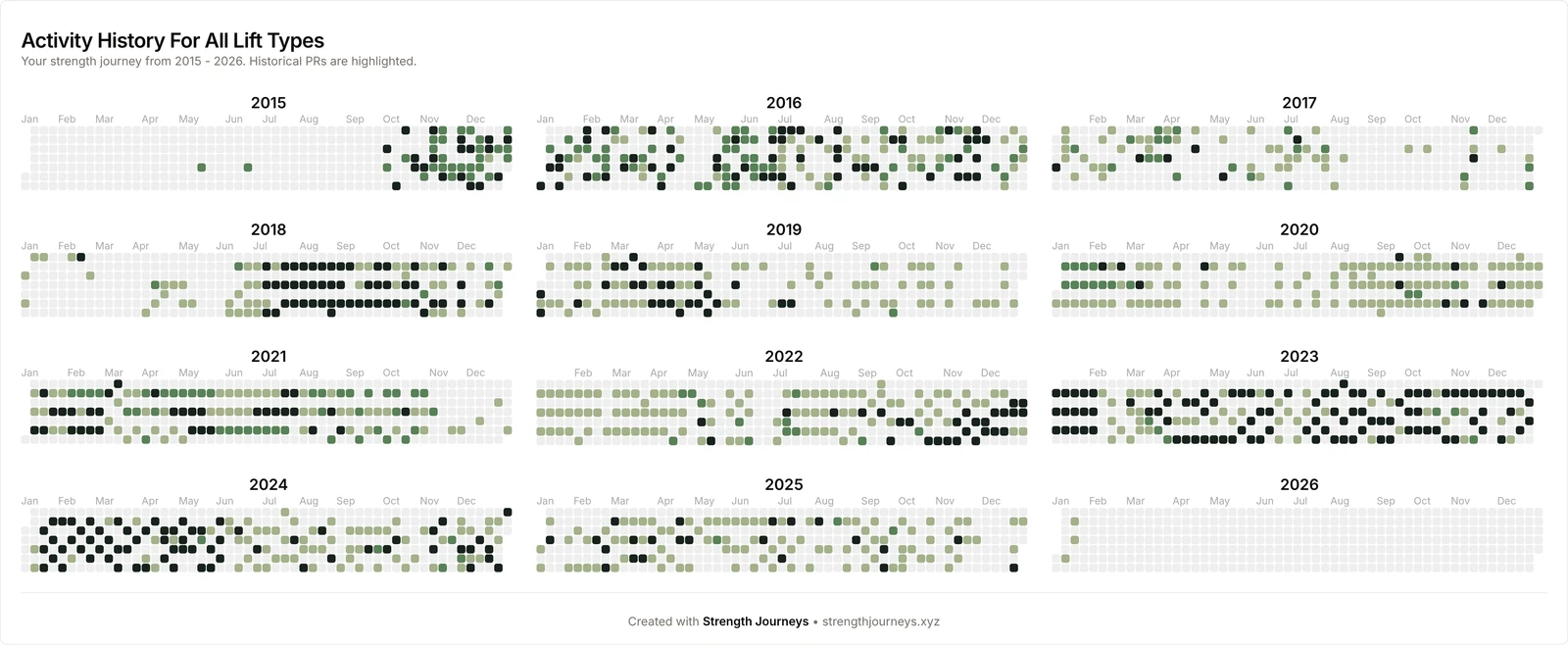
Inside the Analyzer we have better heatmaps:

Activity history heatmaps from 2015 to 2026

The share button works but is kind of slow.

Keep lifting!

New tonnage insights

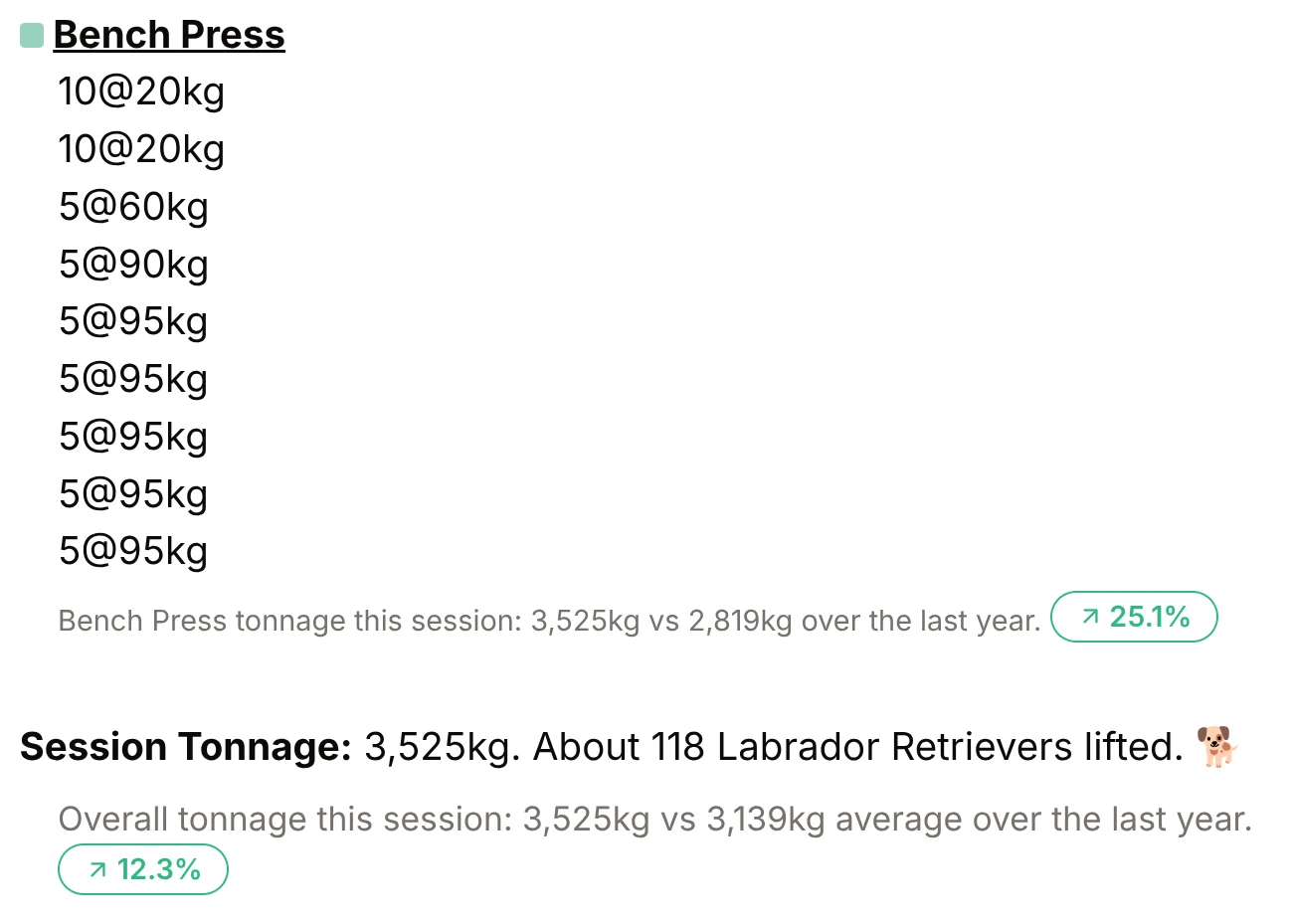
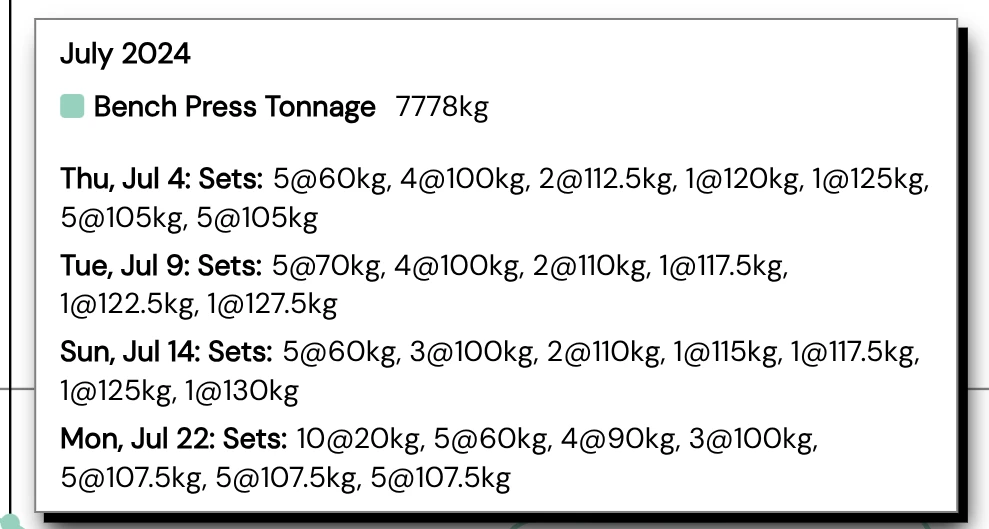
The analyzer session card now gives per lift and per session feedback on tonnage compared to your average over the last 12 months.

Session card comparing bench press tonnage with the last year

I'm using this to rely more on tonnage instead of PR chasing as a guide to strength progress.

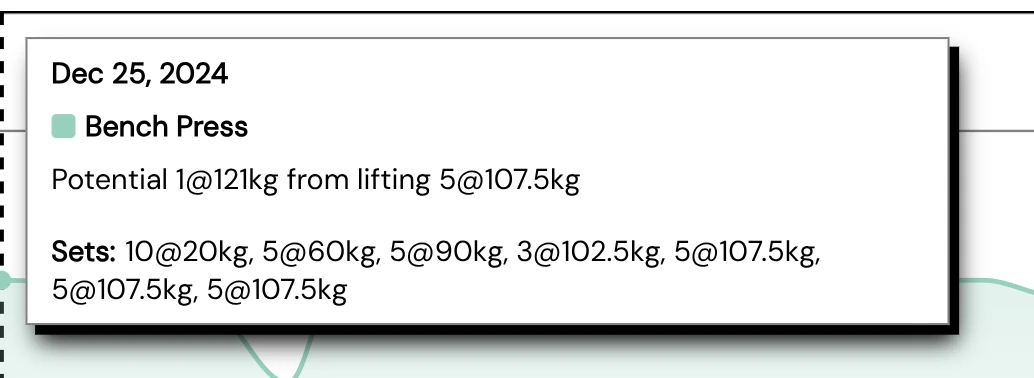
Richer chart tooltips

We have richer tooltips for the charts on the big four lift pages:

The visualizer that shows e1rm progress on the big four lifts:

Bench press e1RM tooltip showing a potential 1RM and the sets behind it

The tonnage chart for the big four lifts:

Bench press monthly tonnage tooltip listing every session

The big four pages are Squat, Bench Press, Deadlift and Strict Press.

We emphasise these big four barbell compounds as the basis of overall strength development. This follows the work of Mark Rippetoe. See https://startingstrength.com/

We are trying to provide the best visualizations for your strength journey - to celebrate wins and review what makes a difference.

Keep lifting.

Tonnage for each Big Four lift

We now show a dedicated tonnage chart on the big four lift pages.

You can also see tonnage per week and even per month.

This allows you to compare training blocks and prevent over training.

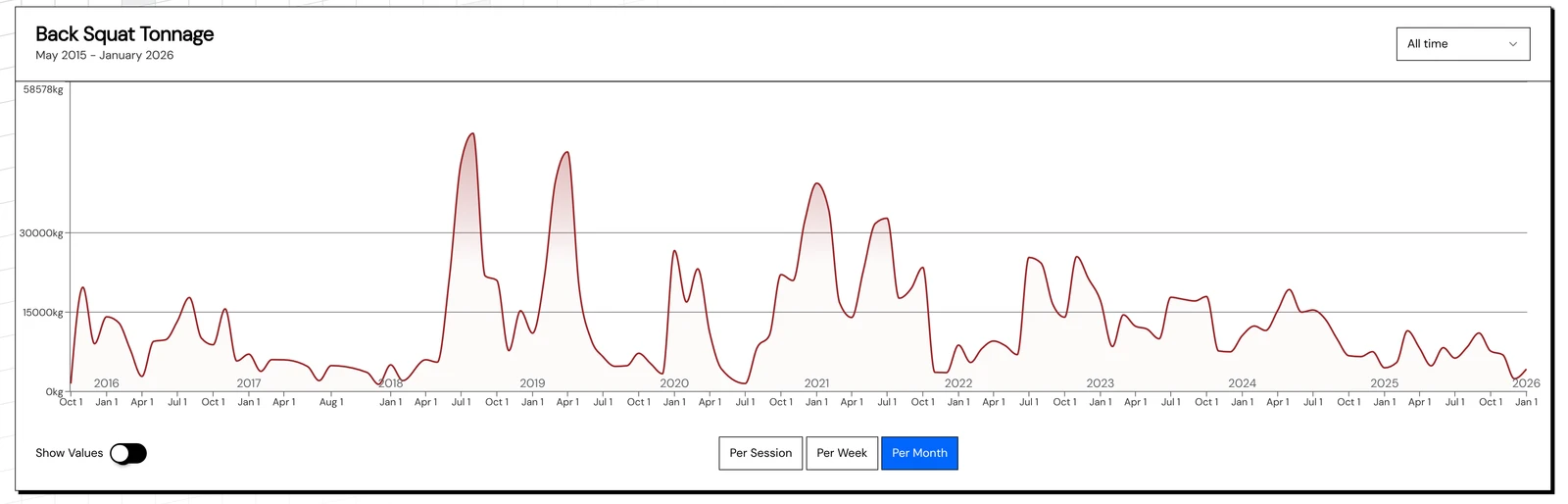
Back squat tonnage chart by month over ten years

Here is my 10 years of squatting tonnage.

Bug fixes, plus total reps and sets

Bug fixing frenzy happening.

The demo mode no longer crashes on strict press data.

Plus some small improvements.

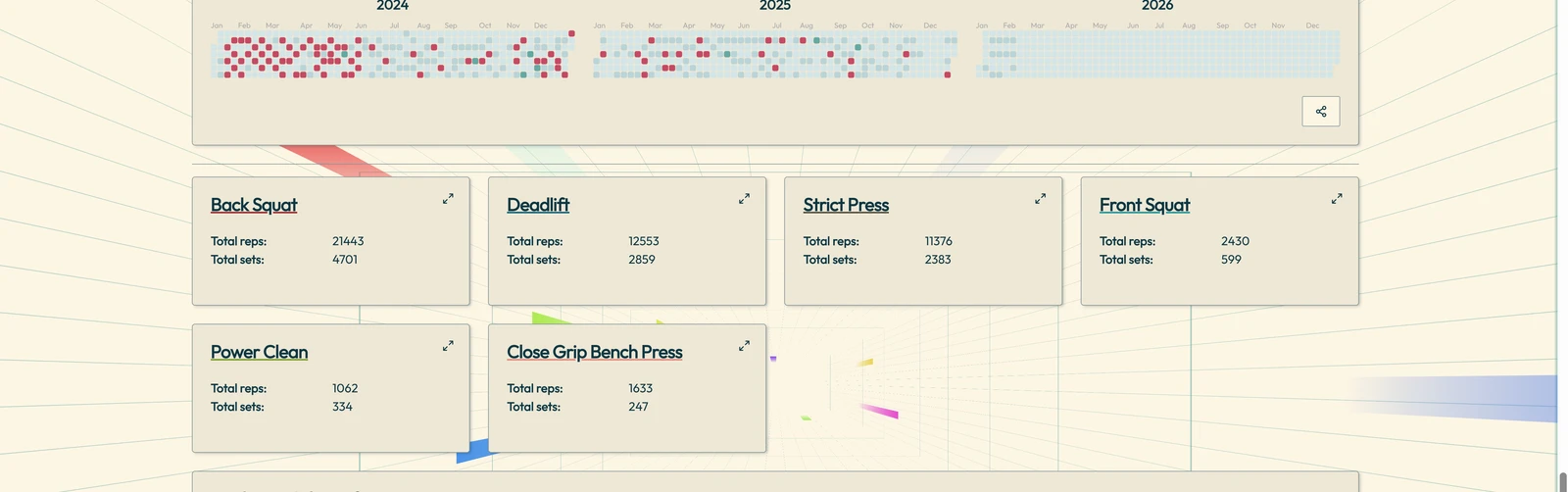
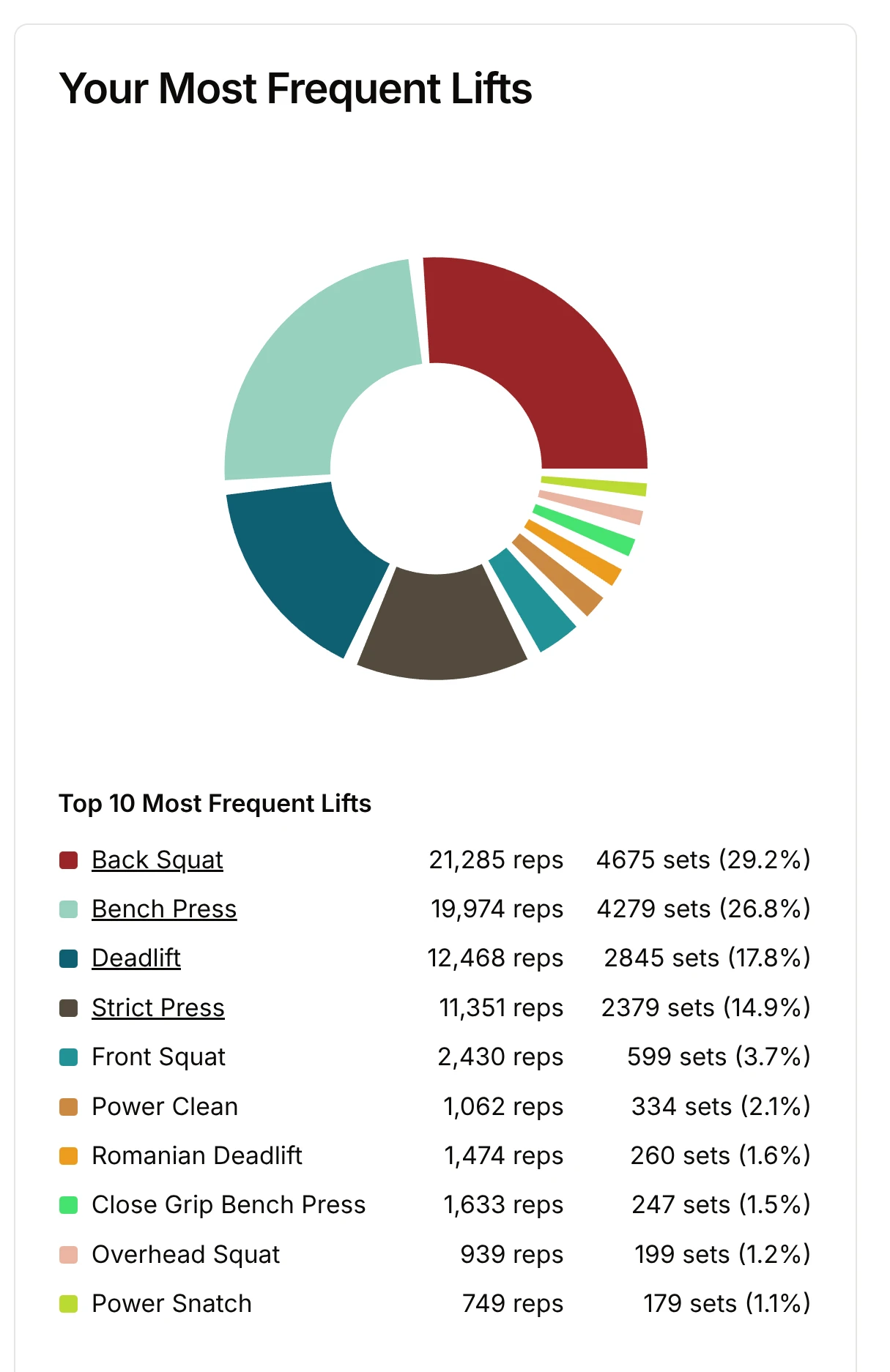
The Analyzer now shows your total reps and sets:

Most frequent lifts chart with total reps and sets for each lift

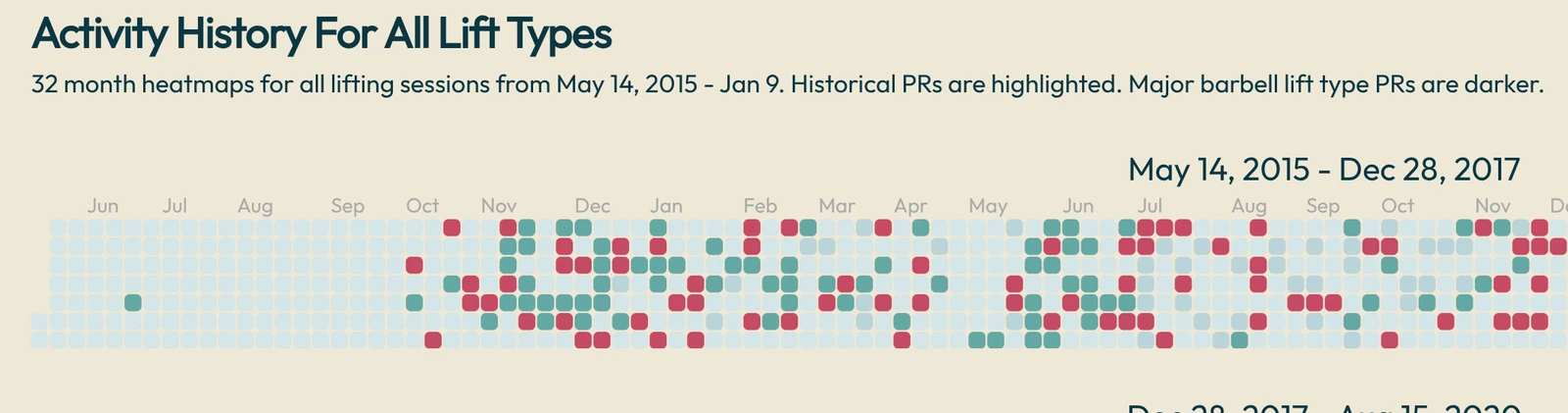
Heatmaps now work for all the new themes:

Activity history heatmap with historical PRs highlighted

Please keep reporting bugs and giving feature requests!

Keep lifting!
Experimental themes

We have a range of experimental visual themes:

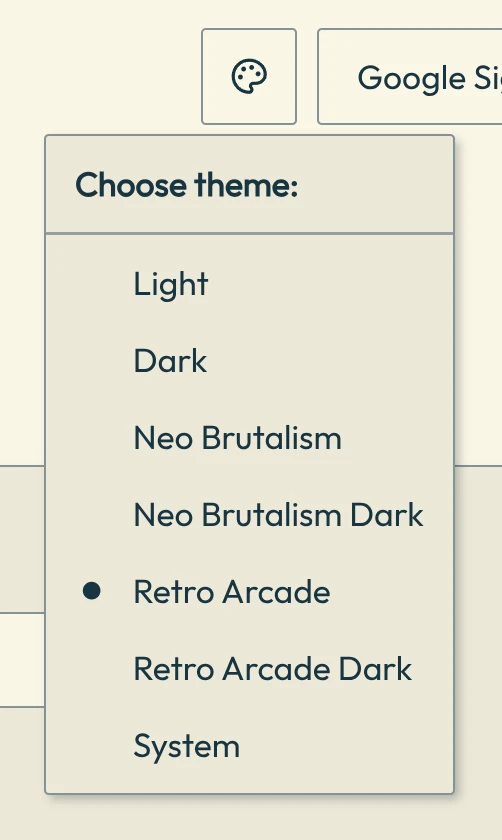
Theme menu with Light, Dark, Neo Brutalism and Retro Arcade options

We want you to be able to customise your Strength Journeys environment to best motivate you to review and lift more often.

Thanks for the nice themes from https://tweakcn.com/

Please suggest more themes you would like included.

A new onboarding and home dashboard

The front page of the site transforms into an onboarding and home dashboard area when you log in and link your Google Spreadsheet lifting data:

Home dashboard welcome with journey length, recent PR and session stats

In the future we will add more features into this space. Possibly Steam-like achievements and other motivational metrics.

What would you like to see in your lifting home dashboard?

Expanded potential lift reporting

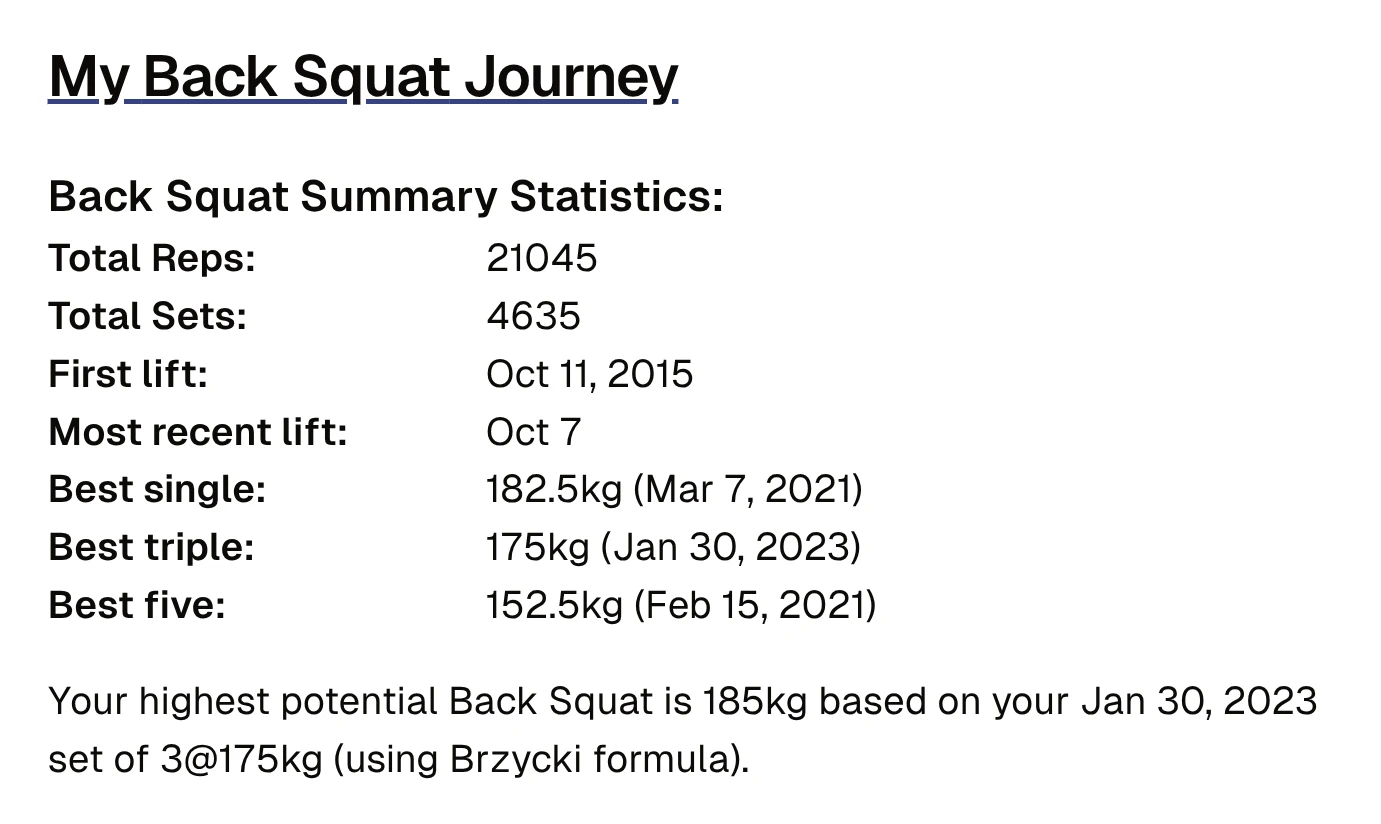
We now report your best potential lift:

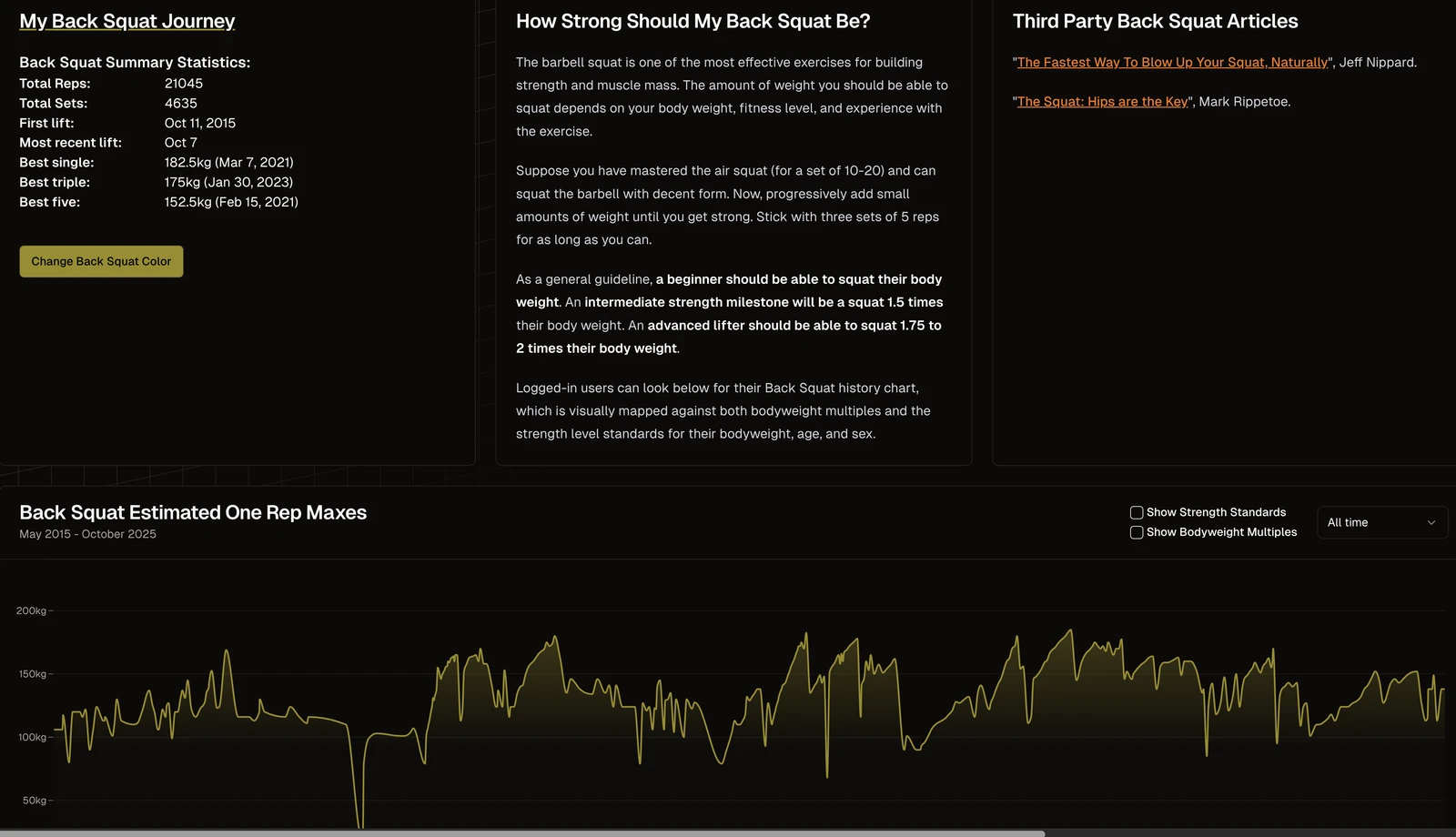
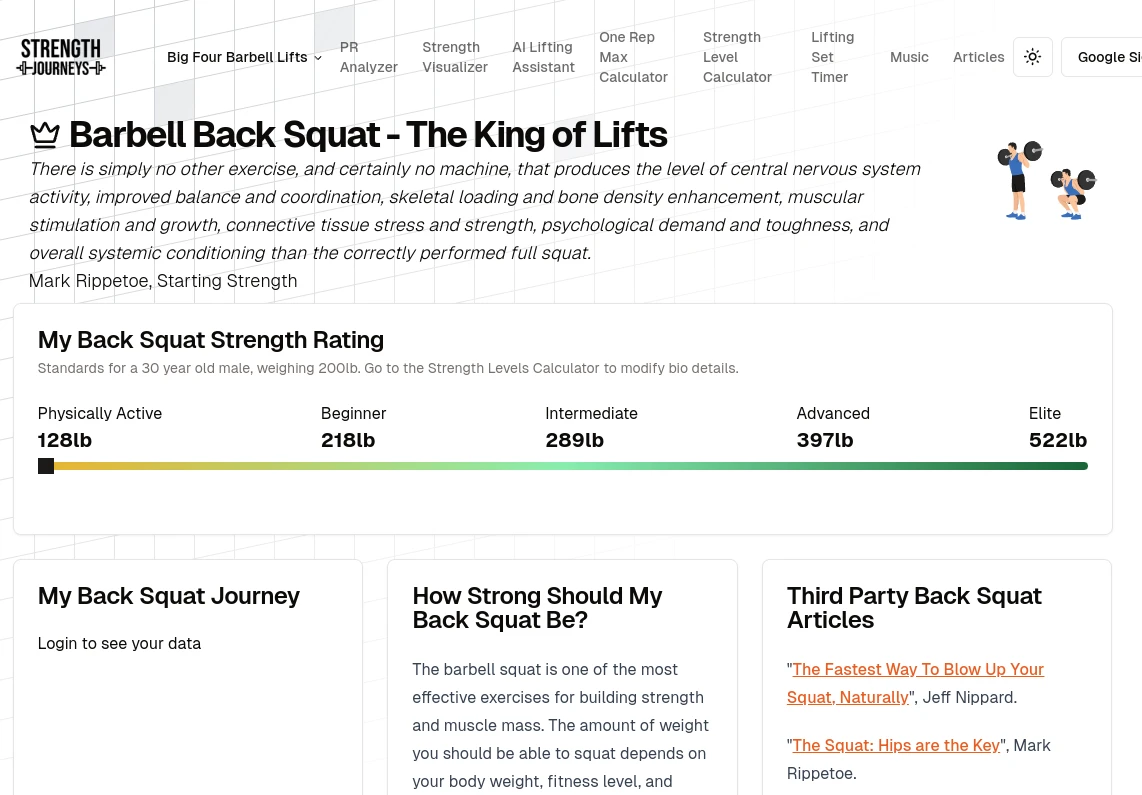
My Back Squat Journey summary statistics with the highest potential squat

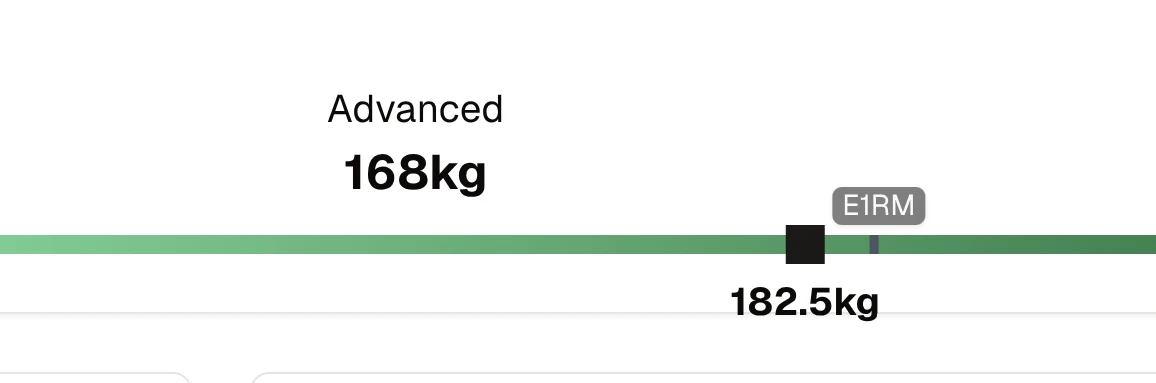
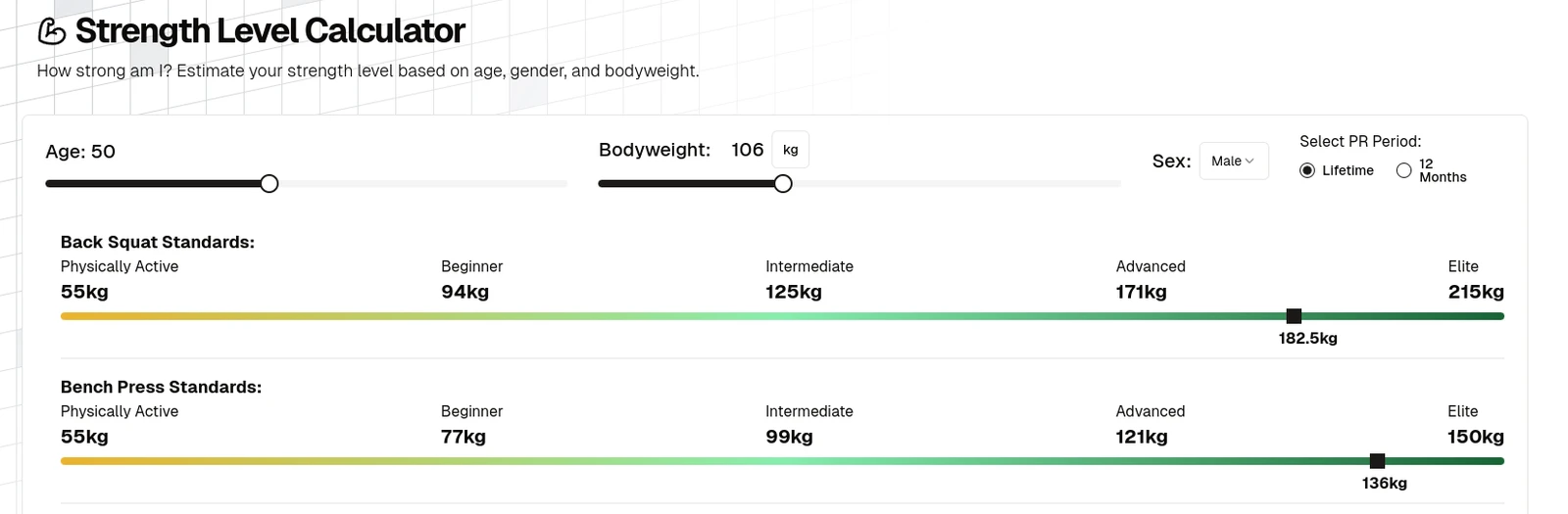
This matches and explains the E1RM on your strength slider chart:

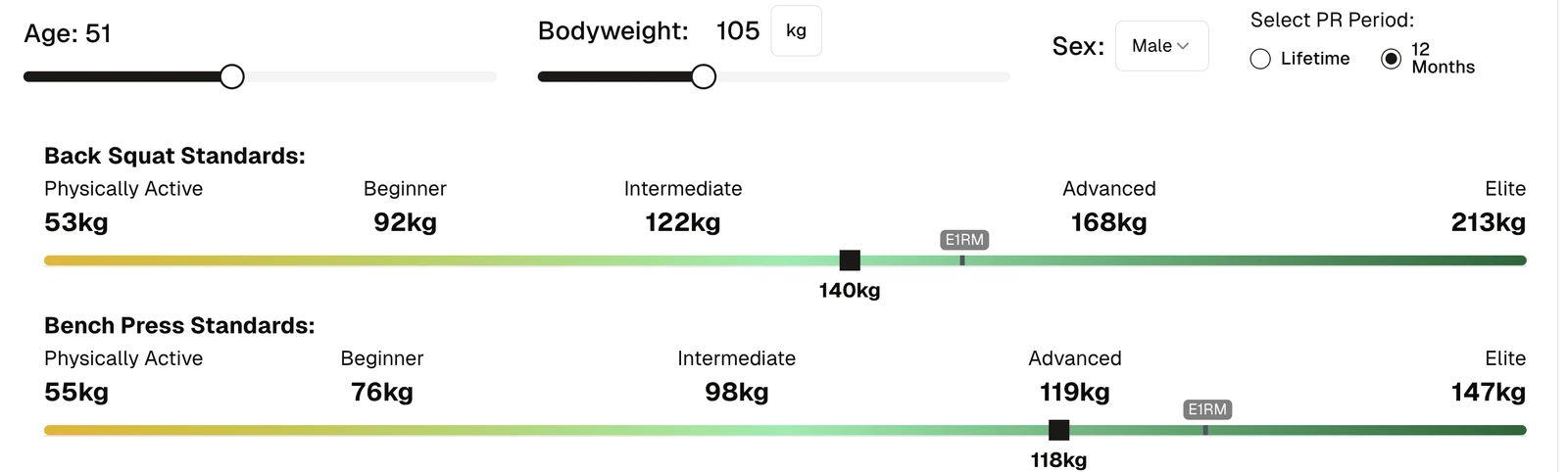
Strength slider with an E1RM marker at 182.5kg past Advanced

For example, on the back squat page.

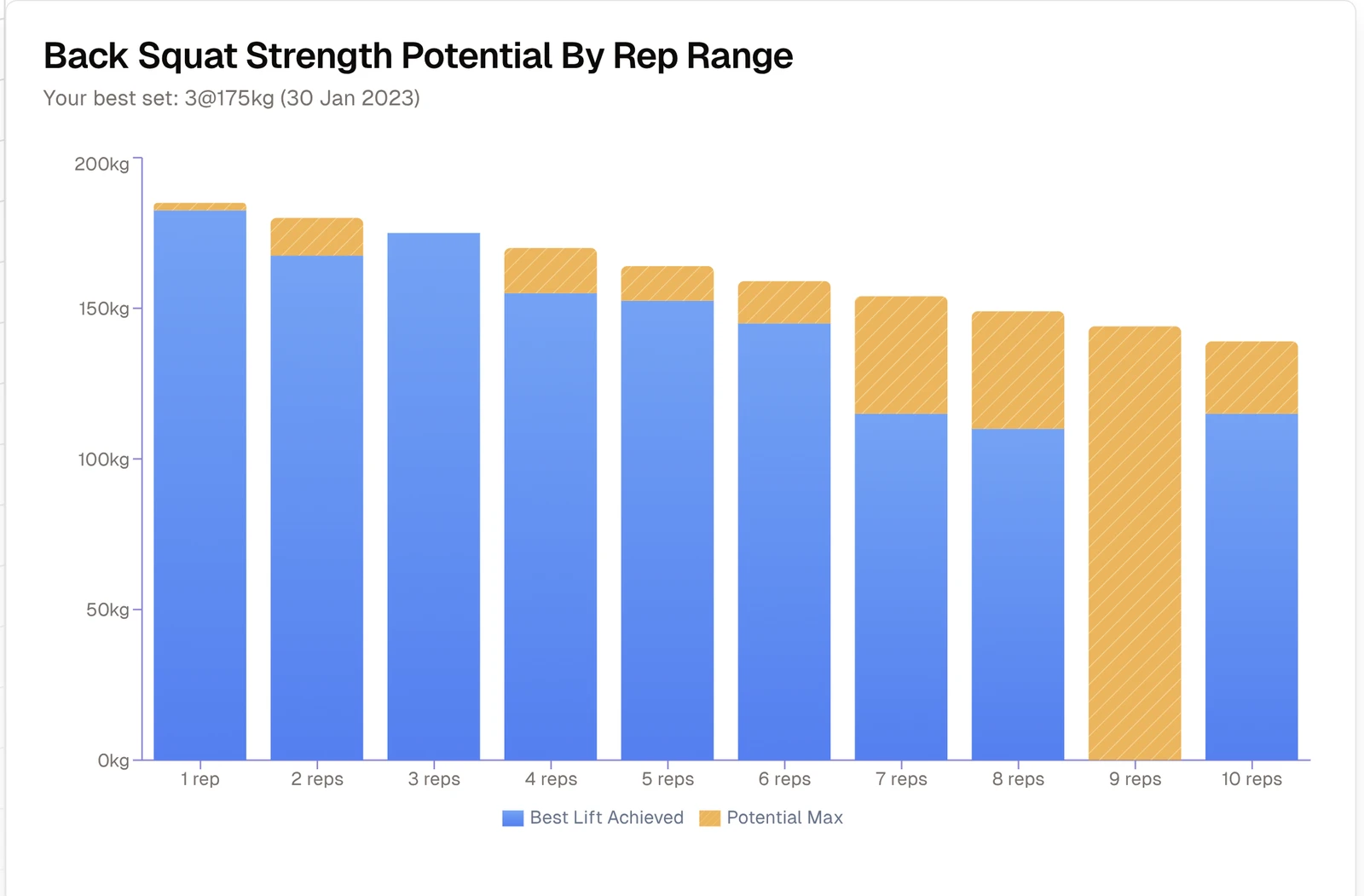
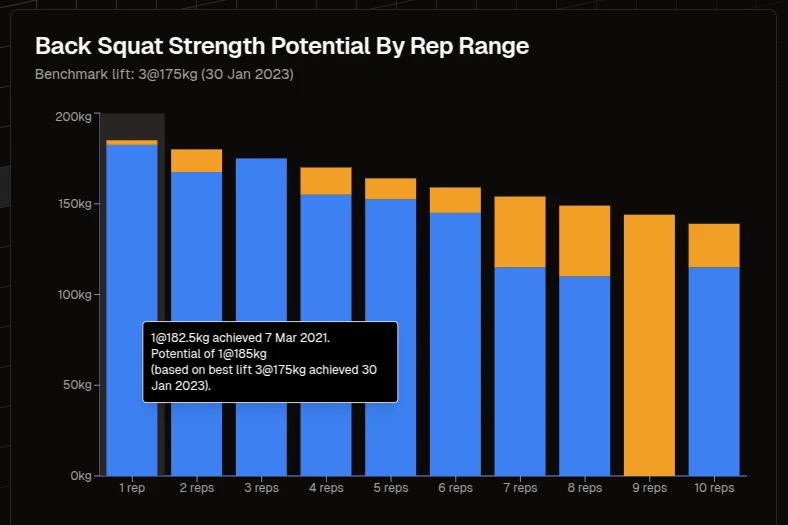
And this also corresponds to your barbell strength potential chart:

Back Squat Strength Potential by rep range

See the Lift Explorer.

Strength ratings much improved

We now chart your position against our strength standards much more reliably.

We also put in an e1rm marker if you have an e1rm higher than your best actual lift.

Strength standards sliders with an E1RM marker beyond the best actual lift

The chart will show your best actual lift, even if it is a higher rep scheme.

Thanks to athlete Tom Clark who reported this bug 8 months ago.

Please keep submitting feature requests.

Or you can email me at: wayneschuller@gmail.com

Lift color bug fixed, and a color picker on lift pages

We have fixed the bug where the color picker did not work correctly.

We have also added a color picker on the big four lift pages to make it easier to choose your favourite colors for each lift and see the results instantly on the charts.

Back squat lift page with summary statistics and an e1RM chart in the chosen lift color

Thanks to Mario Goncalves for reporting the bug.

Improvements to the AI strength coach

Lots of improvements to the AI strength coach.

More robust handling - you can change between sections of Strength Journeys and your chat history remains.

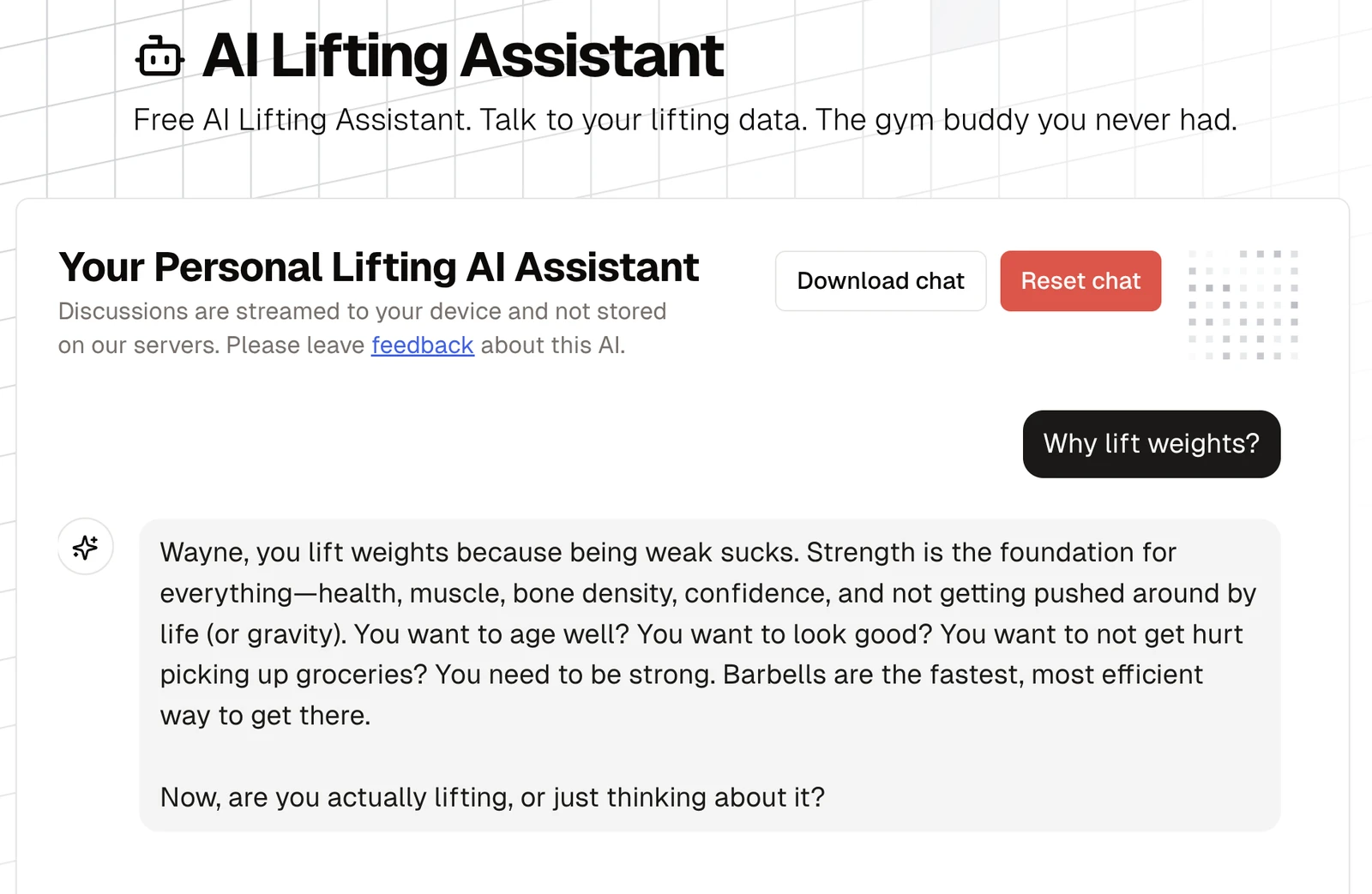
Download button to save your history.

AI Lifting Assistant with Download chat and Reset chat buttons

Your chat session is stored only in your browser.

A chart for singles, triples and fives

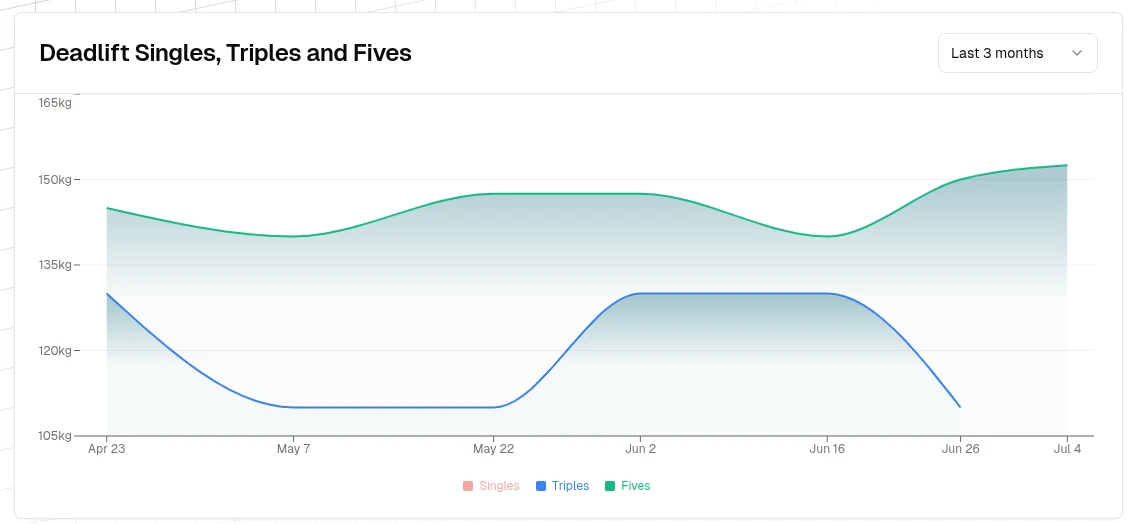
Introduced a new VisualizerReps chart component that displays the heaviest daily sets for singles, triples, and fives across the big four lifts. The chart allows users to toggle visibility for each rep range, select custom time ranges, and visually track progress over time.

This helps lifters easily analyze their performance trends for key rep schemes.

This chart complements the e1rm visualizer which tracks an e1rm per lift across all rep schemes.

Thanks to user John Brian for the suggestion.

Deadlift singles, triples and fives chart

Further feedback welcome!
A more useful data update message

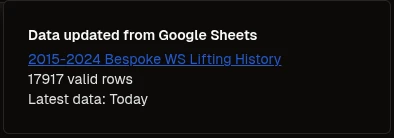
Improved the Google Sheets data update toast to display the number of valid rows imported and the date of the latest entry (e.g., "Latest data: Today" or "Latest data: 1 June 2025").

The sheet filename is now a clickable link if available, making it easier for users to access their source sheet directly from the notification.

These enhancements provide users with more immediate, motivating feedback about their data import.

Data updated from Google Sheets message with row count and latest data date

New Analyzer top cards

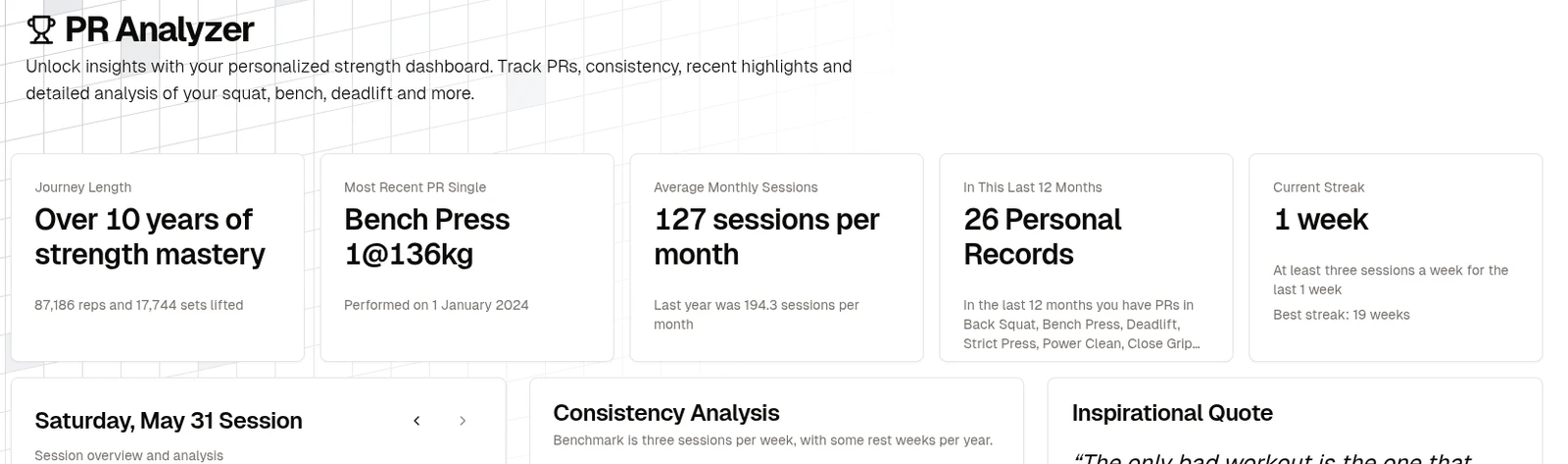
Added some mini cards with motivating metrics:

PR Analyzer top cards for journey length, recent PR, sessions per month, PRs and streak

Some of the calculations may be a bit off, especially the streaks.

What other metrics would help motivate you to lift more weights?

Session tonnage

We now give some info on tonnage for the session:

Session tonnage: 2,430kg, about 1.6 cars lifted

At some point we will offer a chart for tonnage and also mention tonnage PRs.

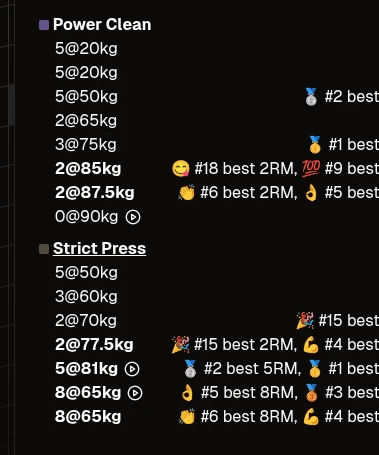
A video play button on your sets

Session analysis card now has a video play button instead of just a hyperlink:

Session analysis card with video play buttons beside sets

This makes it significantly easier to review the video of prior sets.

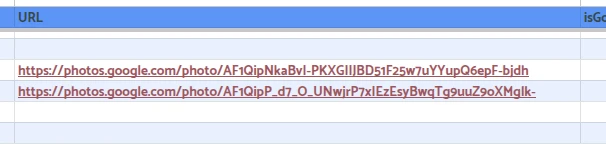
Links appear when users put a lift URL in their Google Spreadsheet. I recommend using Google Photos links:

A Google Sheet URL column holding Google Photos links

AI improvements

The AI feature now uses the UI components from https://www.simple-ai.dev/

We have also updated to the latest models from OpenAI.

A lift color picker and a better frequency card

We have a new color picker and slightly improved UI for the frequency card:

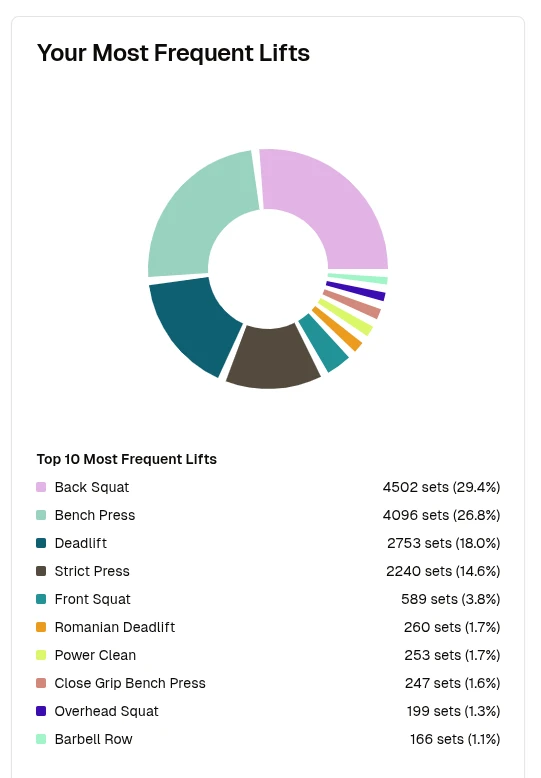
Your Most Frequent Lifts donut chart with the top ten lifts

Previous and next buttons on the session card

The session card now allows you to browse back and forward through gym dates.

Session card header with previous and next session buttons

This is used in both the Analyzer and Strength Visualizer pages.

Strength standards line up with the chart axis

Previously the strength standards would not align with the weights in the vertical axis, should be fixed now.

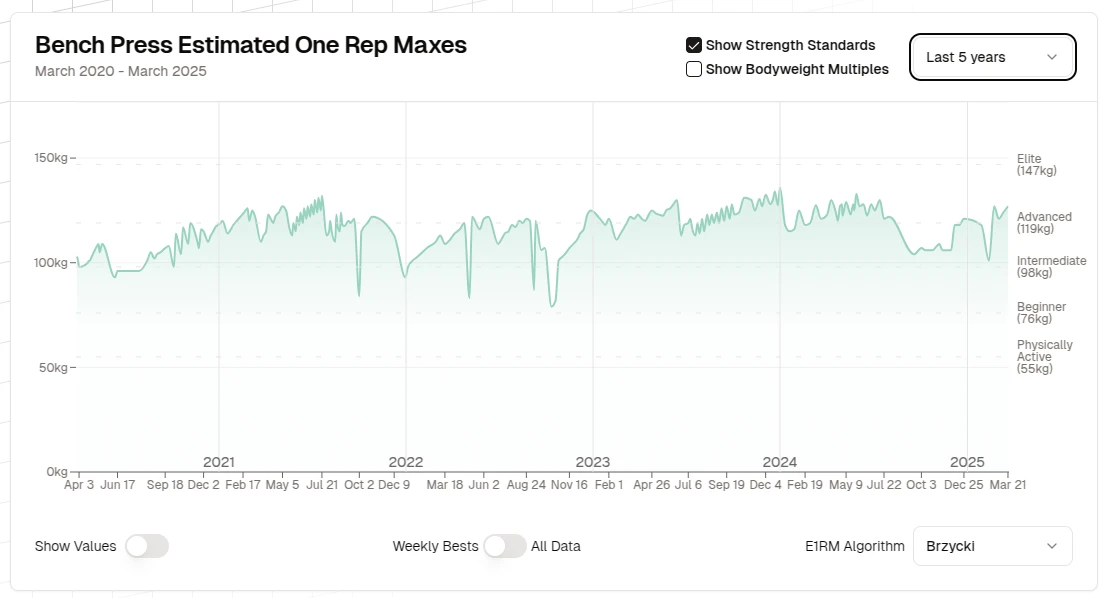
Bench press estimated one rep max chart with the strength standards on the axis

Visualizer chart time ranges fixed

The visualizer chart time ranges are now stored and generated correctly. Previously they would default to blank.

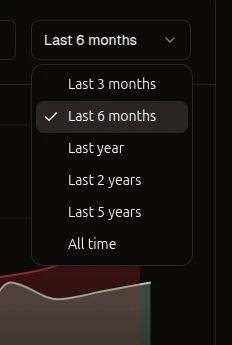
Visualizer time range menu from last 3 months to all time

A Barbell Strength Potential page

New page: Barbell Strength Potential Unlock your strength potential with dynamic bar charts showcasing your top lifts across rep ranges, highlighting untapped gains to help you find new personal records.

Back Squat Strength Potential by rep range, with untapped potential in orange

Thanks to Strength Journeys user Tom Clark for the inspiration towards this concept.

Tidier menus

I have rearranged certain menu items to declutter the navigation bar on desktop.

The goal is to make room for forthcoming feature pages...

Insight pages for the Big Four lifts

We now have dedicated insight pages for each of the four major barbell strength lifts.

Logged in users will see special analysis of each big four lift.

The Barbell Back Squat insight page with a strength rating and related articles

The pages: Squat, Bench Press, Deadlift and Strict Press.

Your own strength ratings on the strength calculator

Your google sheet PRs will now be visually shown on the Strength Calculator. This gives you a big picture overview of your strength rating and strength level.

Strength Level Calculator with back squat and bench press standards and your PRs marked

New article: How Strong Am I?

New article: How Strong Am I? How to use Strength Journeys to rate your strength.

The AI Lifting Assistant

An AI chatbot you can discuss lifting and your history with.

Currently uses ChatGPT 4o-mini. Contact us if you want full access to the better model.

A strength articles library

Added some application docs and articles of interest on strength lifting. The goal is to help newcomers to barbell lifts.

Strength ratings in the E1RM calculator

You can now enter your age/weight/sex details into the e1rm calculator to get a strength rating for your e1rm.

Upgraded charts

Strength Journeys has been upgraded to use the amazing ShadcnUI charts.

What should we build next?

Most of these updates began as a lifter's idea. Tell us yours.